3D TUTORIALS

Embarking on the journey of creating breathtaking images through computers has never been more accessible. Our previous page highlighted the abundance of free 3D software available. However, the challenge lies in the complexity of these tools. To ease your initiation into the world of 3D artistry, we’ve compiled a list of our favorite tutorial sites. These resources will guide you in crafting remarkable 3D renders, refining Photoshop paintings, and even designing 3D models for the exciting realm of 3D printing.

Understanding 3D Rendering: 

Understanding 3D Rendering: 

If you’re new to the concept of 3D rendering, check out our guide for a fundamental explanation of “What is 3D Rendering?”

General 3D Tutorials

Discover a comprehensive array of tutorials, informational resources, and project examples at 3Drenderhub. Established in 2007, our primary focus is on architectural rendering and animation services. Emphasizing both technical proficiency and artistic foundation, we encourage you to nurture your creative talents alongside your technical skills.

Lynda

Lynda serves as a valuable resource for individuals keen on learning at their own pace. Covering a diverse range of topics, including 3D rendering, Lynda’s tutorials cater to both beginners and professionals.

Featured Tutorial: Explore the basics of creating a 3D image using Adobe software, providing a perfect introduction to the process.

Ronen Bekerman

Dedicated to elevating the CG craft, Ronen Bekerman’s website is a treasure trove of inspiration and tutorials. Whether you seek inspiration or need guidance on specific effects, this platform has you covered.

Featured Tutorial: Delve into the creation process of Mohet Sanchaniya’s Kalmar Art Museum, his entry to the Tomorrow 2017 contest hosted by Ronen Bekerman.

SKETCHUP TUTORIALS FOR ARCHITECTS

Welcome to the world of SketchUp, the renowned 3D modeling software embraced by professionals and beginners alike. At “Master SketchUp,” we are committed to unraveling the software’s full potential. From essential keyboard shortcuts to crafting fixed objects, our comprehensive coverage ensures that both novices and experts find valuable insights on navigating the SketchUp landscape.

Featured Tutorial: Dive into our recommended tutorial for a concise and effective learning experience. Perfect for anyone eager to master the art of SketchUp.

SketchUp Artists: 

Designed by SketchUp enthusiasts for SketchUp enthusiasts, “SketchUp Artists” is a treasure trove of resources catering to CG artists. Whether you seek inspiration, stock photos, or render styles for your project, our website has you covered.

Featured Tutorial: Explore our tutorial on creating mesmerizing pool water effects, a must-learn for artists working on water-centric projects.

3D Total: 

Since 1999, “3D Total” has been a stalwart in offering design resources for various software, including SketchUp. Tailored for intermediate and advanced users, our SketchUp tutorials provide in-depth insights and expertise.

Featured Tutorial: Delve into our tutorial on designing and painting dynamic characters, offering valuable insights for enhancing character designs.

The SketchUp Essentials: 

Created by a Colorado native, “The SketchUp Essentials” lives up to its name. This passion project covers everything you need to learn about SketchUp, making it an ideal hub for beginners seeking to enhance their skills.

Featured Tutorial: Learn the art of transforming a simple 3D model into a masterpiece with our tutorial. It’s simpler than you think!

SketchUp School: 

As a paid service, “SketchUp School” offers a trial period akin to Lynda. Structured teaching and a focus on effective tool utilization set us apart. Take our free trial and, if compatible, subscribe to our monthly or annual plans.

Featured Tutorial: Explore our series on styling your model to achieve the best visual impact.

SketchUp Render Plugins: 

“Popular Woodworking” isn’t just for woodcraft enthusiasts; it’s a goldmine for SketchUp users exploring wooden designs. Our tutorials offer insights into incorporating SketchUp Plugins to elevate your modeling.

Featured Tutorial: Step up your modeling game by integrating SketchUp Plugins – a tutorial that shines a spotlight on this often-overlooked feature.

SketchUcation: 

“SketchUcation” is a resource hub fueled by SketchUp enthusiasts. From news to forums for problem-solving, we provide tutorials and resources to nurture your SketchUp journey.

Featured Tutorial: Unleash the full potential of the Tape Measure tool with our tutorial, making object measurement a breeze.

Design Student Savvy: 

Jillian Lare’s “Design Student Savvy” revolves around SketchUp’s role in creating impressive design models. Explore tutorials that use SketchUp to create both 3D and 2D masterpieces.

Featured Tutorial: Learn the art of creating a 2D floor plan using SketchUp – a versatile skill beyond 3D modeling.

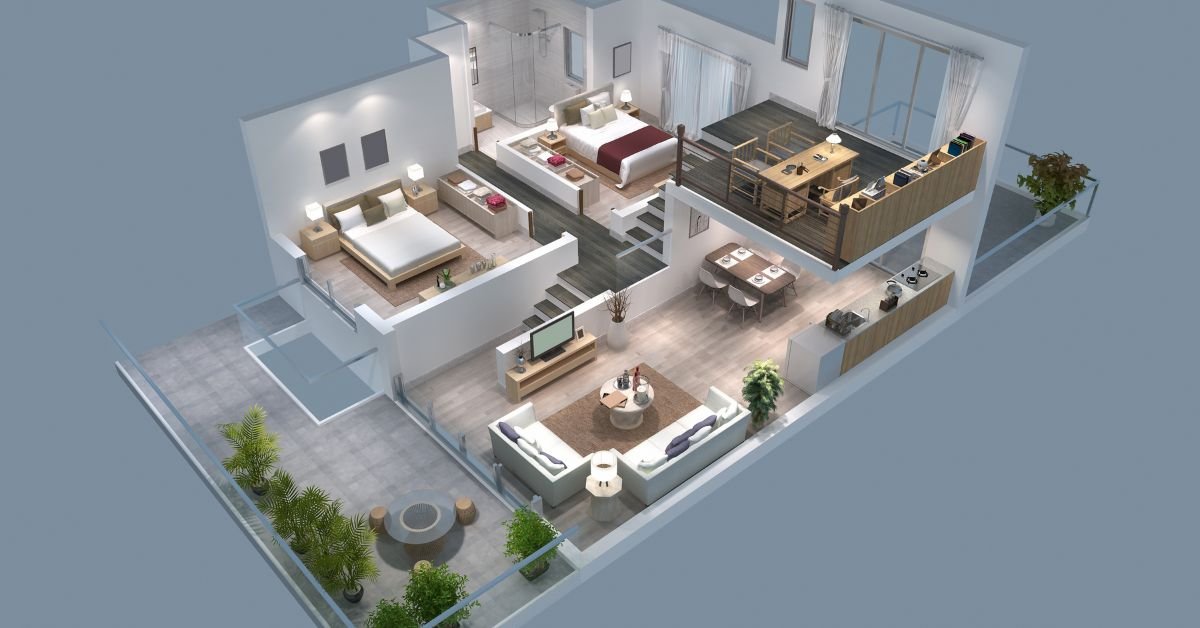
Basic 3D Tutorials for Architectural Visualization: 
 Basic 3D Tutorials for Architectural Visualization: 

Dedicated to helping aspiring architects, “Basic 3D Tutorials” provides insights not taught in traditional settings. Our SketchUp model house tutorial series is a fantastic introduction to basic 3D architectural modeling.

Featured Tutorial: Dive into the first part of our SketchUp model house tutorial series for a foundational understanding.

SketchUp Tutorials: 

At “SketchUp Tutorials,” we keep it simple – providing a variety of tutorials for both new and advanced users. Elevate your SketchUp skills with our practical guide to mastering the basics.

Featured Tutorial: Explore our practical guide to learning the basics of SketchUp – a must-read for those starting their journey.

Exploring Blender:

“3D Total” isn’t limited to SketchUp – our hub extends to Blender tutorials. Dive into character models and 3D art, tailored for 3D artists and animators seeking valuable content.

Featured Tutorial: Master the art of realistic lighting for your 3D models using Blender with our insightful tutorial.

CG Masters.Net: 

“CG Masters.Net” focuses exclusively on Blender tutorials, ranging from basics to advanced outer space effects. Embrace our video tutorial on optimizing your Blender setup to stay updated on recent Blender updates.

Featured Tutorial: Unlock the secrets of optimizing your Blender setup with our video tutorial – a valuable resource for Blender enthusiasts.

Blender Guru: 

“Blender Guru” stands as a standalone company providing video tutorials for Blender users. Dive into their beginner-friendly 9-part series to gain a head start in navigating Blender.

Featured Tutorial: Embark on a journey of CG excellence with our 9-part series tailored for beginners – demystifying Blender’s complexities.

Blender Diplom: 

“Blender Diplom” is a haven for Blender enthusiasts, offering tutorials and workshops. Explore our tutorial on combining real and fake 3D realms, providing unconventional uses for Blender beyond traditional rendering.

Featured Tutorial: Learn the art of combining real and fake 3D realms with Blender – a technique that can eliminate the need for external photo manipulation software.

Blender Tuts: 

“Blender Tuts” promises to make learning Blender easy. Founded by Spain-based Blender artist Olivar Villar, our tutorials delve into both achieving effects and optimizing your workstation.

Featured Tutorial: Navigate the challenging world of shading with our in-depth tutorial, ensuring even the newest Blender user finds their way around the render engine.

Evermotion: 

“Evermotion” caters to various modeling software, with a spotlight on Blender. Explore our tutorial on leveraging Blender’s denoising feature to reduce rendering time.

Featured Tutorial: Cut down on rendering time with our tutorial on utilizing Blender’s denoising feature – a game-changer for efficiency.

Creative Shrimp:

Managed by Gleb Alexandrov, “Creative Shrimp” focuses on Blender tutorials that go beyond 3D rendering. Explore our tutorial on using Blender for typography, showcasing the software’s diverse capabilities.

Featured Tutorial: Dive into the world of typography using Blender with our tutorial – a creative twist for Blender enthusiasts.

Blender Nation: 

“Blender Nation” stands as one of the oldest and most established Blender communities. Uncover a wealth of tutorials covering tools, sculpting techniques, and more.

Featured Tutorial: Learn how to create enticing game development elements, such as a barrel, with our tutorial – essential for crafting immersive environments.

Envato Tuts Plus: 

“Envato Tuts Plus” offers a visually appealing platform for free learning. Our tutorials, like the one on recreating a low poly Camaro, provide practical insights for both 2D and 3D modelers.

Featured Tutorial: Recreate a low poly Camaro with our nifty tutorial – a valuable addition for designers looking to convey specific messages through their automobile choices.

Blender Brit:

“Blender Brit” specializes in video-based tutorials for every Blender enthusiast. Delve into our tutorial on creating a creepy tunnel inspired by Stranger Things, complete with free textures.

Featured Tutorial: Embrace the eerie with our tutorial on creating a Stranger Things-inspired creepy tunnel – textures included.

In your journey through the realms of SketchUp and Blender, let these tutorials be your guiding light, unlocking the true potential of these powerful 3D modeling tools.

UNLOCKING HOUDINI CREATIVITY: 

In the ever-evolving world of 3D modeling, mastering Houdini can unlock a realm of creative possibilities. Various tutorial platforms offer insights and guidance, helping both beginners and seasoned artists harness the power of this dynamic software. Explore the diverse array of tutorials from renowned artists and communities across the web to elevate your Houdini skills.

ROHAN DALVI: 

Discover the artistic prowess of Rohan Dalvi, an Indian 3D artist passionate about Houdini and 3dsmax. Delve into his tutorials focused on procedural modeling, providing a gateway to understanding the intricacies of 3D processes. Rohan’s journey, shared through Houdini tutorials, unveils the path to mastering proceduralism, making it a must-visit resource for aspiring 3D artists.

[Domain: rohandalvi.com]

CG MEET UP: 

Embark on a journey with CG Meet Up, a community-driven website covering all aspects of 3D modeling. Explore their curated tutorials, available in text or video format, spanning a holistic range of topics. Uncover the gems within, such as a tutorial on modeling muscles, catering to those creating 3D models or venturing into the animation industry.

[Domain: cgmeetup.com]

SIDEFX: 

From the creators of Houdini comes SideFX, offering a plethora of tutorials categorized for all skill levels. Whether you seek quick tips or delve into advanced masterclasses, SideFX caters to your learning needs. While most content is free, the platform’s video format simplifies your learning journey, ensuring there’s something for everyone.

[Domain: sidefx.com]

3DBUZZ: 

Navigate the 3DBuzz website, a recommended haven for CG artists. Immerse yourself in video tutorials covering a range of Houdini topics. Explore the comprehensive list of Houdini Fundamentals, a valuable resource for beginners and veterans alike, guiding you towards a professional mindset in 3D modeling.

[Domain: 3dbuzz.com]

ENTAGMA: 

Dive into Entagma, a modeling resource run by Munich-based CG artists Manuel and Moritz. Their tutorials, often utilizing Houdini, blend practicality and aesthetics. Explore advanced lessons like the tutorial on using Houdini’s Heightfields for creating realistic terrain models.

[Domain: entagma.com]

HOUDINI TRICKS: 

Join Houdini Tricks, a resource by motion designer Erwin Santacruz. Unearth quick tips and efficiency hacks to optimize your workflow. Delve into tutorials on setting up quick marks, enhancing your efficiency in Houdini 16 and newer versions.

[Domain: houdinitricks.com]

PETER QUINT: 

Explore the simplicity and diversity of tutorials by Peter Quint, known as PQHoudini. Engage with his Vimeo and YouTube channels for straightforward Houdini tutorials, including a YouTube exclusive on modeling glass for various applications, from dining contexts to architecture.

[Domain: peterquint.com]

Lesterbanks: 

Lesterbanks, spearheaded by the experienced graphics instructor Lester Banks, is a tutorial website delving into the realms of 3D design, video effects, and typography. While the collection of Houdini tutorials may not be as extensive as some competitors, Banks plans to expand this section in the future.

From Basics to Mastering Techniques

Lesterbanks’ tutorials cover a spectrum of topics, ranging from foundational Houdini knowledge to advanced techniques in modeling and animation. If you’re eager to explore the integration of 3D modeling and animation, Lester Banks might be the mentor you’ve been looking for.

Featured Tutorial: Mastering the Impossible with a Penrose Triangle

One standout tutorial from Lesterbanks demonstrates the animation and modeling of a Penrose Triangle, a popular optical illusion deemed ‘impossible’ to animate. Presented in video format, this tutorial caters to both beginners and seasoned 3D artists, providing a step-by-step guide for a captivating learning experience.

ODForce: 

Dive into the vibrant world of ODForce, a community centered around Houdini enthusiasts. This forum-style platform thrives on the collective passion of its users, who willingly share their knowledge and creations.

The Power of Community-Driven Tutorials

ODForce stands out for its innovative and free tutorials, contributed by various users. The charm of these tutorials lies in their uniqueness, with the original poster actively engaging and addressing questions from the community.

Featured Tutorial: Unleashing Smoke Solver Magic

Explore the magic of the smoke solver tutorial on ODForce, a brief yet ingenious guide to simulating gas and smoke effects on your models. The possibilities for application are limitless, making this tutorial a must-try for aspiring Houdini artists.

Embark on Your Houdini Journey: 

While countless free tutorials beckon across the internet, your progress ultimately hinges on your dedication to honing your craft. Navigate your modeling journey with discipline, continuously critiquing and enhancing your work. Best of luck, and feel free to share your favorite free tutorial websites with us!


Virtual Tour

In the ever-evolving landscape of technological innovation, the concept of virtual tours has emerged as a transformative force, reshaping the way we explore and experience environments.

Whether navigating a dream home, exploring distant landmarks, or delving into the intricacies of complex designs, virtual tours have transcended traditional boundaries to offer immersive, interactive experiences accessible from the comfort of our screens.

This exploration encompasses various dimensions, ranging from the simplicity of 2D virtual tours to the intricate, lifelike realms crafted by 3D visualization.

Within this continuum, the integration of cutting-edge tools such as Autodesk Fusion 360 has become a pivotal catalyst for creating three-dimensional virtual experiences that transcend the ordinary.

As we delve into the realm of virtual tours, it becomes apparent that these digital journeys are not merely passive glimpses but dynamic encounters that pave the way for a new era of exploration, design, and connectivity.

Understanding Virtual Tours

Understanding Virtual Tours 

In the ever-evolving landscape of digital experiences, virtual tours have emerged as powerful tools, transforming the way we perceive and interact with spaces.

Virtual tours refer to immersive, digital representations of physical spaces, providing users with a dynamic and interactive exploration.

The primary purpose is to offer a realistic and engaging experience, allowing individuals to navigate through environments as if they were physically present.

Evolution from Traditional Tours to Virtual Experiences

Traditionally, tours involved physical presence, be it in real estate showings, educational institutions, or tourist destinations.

However, with advancements in technology, the concept of virtual tours has evolved, transcending physical limitations. This evolution has been driven by the need for accessibility, efficiency, and the demand for richer, more interactive experiences.

Exploring 2D Virtual Tours

Exploring 2D Virtual Tours

2D virtual tours are digital simulations that provide a flat, visual representation of a space. Unlike their 3D counterparts, these tours focus on presenting a two-dimensional layout of environments. They often incorporate high-quality images, maps, and informational hotspots to guide users through the virtual space.

Applications in Real Estate, Tourism, and Education

The applications of 2D virtual tours are vast and diverse. In the real estate sector, these tours enable potential buyers to explore properties remotely, saving time and resources.

In tourism, 2D virtual tours offer a glimpse into destinations, helping travelers plan their visits. Additionally, educational institutions utilize 2D virtual tours for virtual campus visits and remote learning experiences.

Advantages and Limitations

2D virtual tours offer cost-effective and easily accessible alternatives to physical visits. They provide a valuable marketing tool for businesses and enhance user engagement.

However, the lack of depth and immersion can be considered a limitation, especially when compared to the more immersive experiences offered by 3D tours.

Immersive 3D Virtual Tours

3D virtual tours take the concept of virtual exploration to the next level by providing users with a three-dimensional, lifelike experience.

These tours utilize advanced technologies to recreate environments in a more realistic and interactive manner, fostering a sense of presence and engagement.

Role of Fusion 360 in Creating 3D Experiences

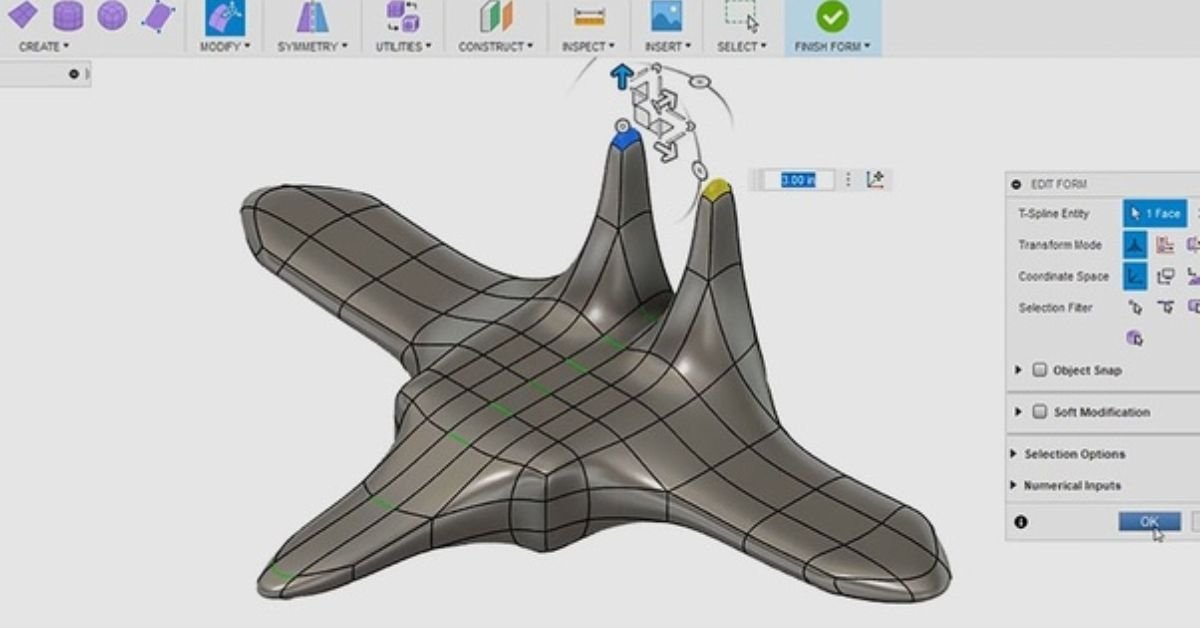
Fusion 360, a powerful design and modeling software, plays a crucial role in crafting immersive 3D virtual tours. Its capabilities extend beyond traditional 3D modeling, allowing for the creation of dynamic and interactive virtual environments. Fusion 360 facilitates a seamless integration of design elements, enhancing the overall user experience.

Applications in Architecture, Product Design, and Marketing

The applications of 3D virtual tours are extensive. In architecture, professionals can showcase designs and walkthroughs, offering clients a realistic preview of their projects.

In product design, 3D tours enable customers to explore products from all angles before making purchase decisions. In marketing, these tours elevate promotional efforts by providing captivating and memorable experiences.

Fusion 360:

Fusion 360

Fusion 360 is a powerful design and engineering software developed by Autodesk. Initially recognized for its robust capabilities in 3D modeling and parametric design, Fusion 360 has expanded its horizons to support the creation of immersive 3D virtual tours.

This section will delve into the fundamental aspects of Fusion 360, highlighting its versatility in transforming static designs into dynamic and interactive virtual environments.

Features and Capabilities for Creating 3D Virtual Tours

Fusion 360 offers a myriad of features that empower users to seamlessly transition from traditional design workflows to the realm of virtual experiences.

This segment will explore the specific tools and functionalities within Fusion 360 that facilitate the development of engaging 3D virtual tours. From realistic rendering to animation and interactivity, Fusion 360 equips creators with the means to craft immersive digital journeys.

Case Studies Highlighting Successful Applications

Examining real-world applications of Fusion 360 in the context of 3D virtual tours provides valuable insights into its potential impact across various industries.

This part of the discussion will showcase instances where Fusion 360 has been instrumental in bringing concepts to life, whether in architecture, product design, or marketing.

By exploring these case studies, we can grasp the transformative influence Fusion 360 has had on visual storytelling and user experiences.

Benefits of Virtual Tours

Virtual tours go beyond static images, captivating audiences by offering dynamic and interactive experiences. This section will explore how virtual tours, especially those created using Fusion 360, enhance user engagement.

From the ability to explore spaces in detail to interactive elements that invite user participation, virtual tours redefine how audiences interact with digital content.

Cost-Effectiveness and Time Efficiency

Traditional methods of showcasing physical spaces or products often incur significant costs and time investments. Here, we’ll discuss how virtual tours, particularly those crafted with Fusion 360, offer a cost-effective and time-efficient alternative.

From reducing the need for physical prototypes to expediting design iterations, the benefits of time and cost savings are substantial.

Accessibility and Inclusivity

One of the standout advantages of virtual tours is their accessibility to a wide audience, regardless of geographical location or physical limitations. This section will elaborate on how virtual tours, powered by tools like Fusion 360, promote inclusivity by providing a universal platform for exploration.

Whether for educational purposes, property viewing, or product showcasing, virtual tours break down barriers and make content accessible to diverse audiences.

Challenges and Considerations

While virtual tours offer immense potential, they come with their set of technical challenges. This part of the discussion will outline common technical hurdles encountered in the creation of virtual tours and how platforms like Fusion 360 address or mitigate these challenges.

User Experience and Interface Considerations

The success of a virtual tour hinges on a seamless and enjoyable user experience. Here, we’ll explore the importance of user interface design in virtual tours and how Fusion 360 contributes to creating intuitive and user-friendly environments.

Addressing Potential Limitations and Drawbacks

No technology is without limitations. In this segment, we’ll candidly discuss the potential drawbacks and limitations associated with virtual tours, shedding light on how creators and platforms like Fusion 360 are actively working to address these issues.

From hardware constraints to user adoption challenges, understanding these limitations is crucial for the continual improvement of virtual tour experiences.

Future Trends in Virtual Tours

Future Trends in Virtual Tours

The future of virtual tours is intricately tied to the rapid development of emerging technologies. Innovations such as artificial intelligence, machine learning, and advanced computer graphics are transforming the landscape of virtual experiences.

These technologies promise to enhance the realism, interactivity, and personalization of virtual tours, providing users with even more immersive and engaging explorations.

Integration with Augmented Reality (AR) and Virtual Reality (VR)

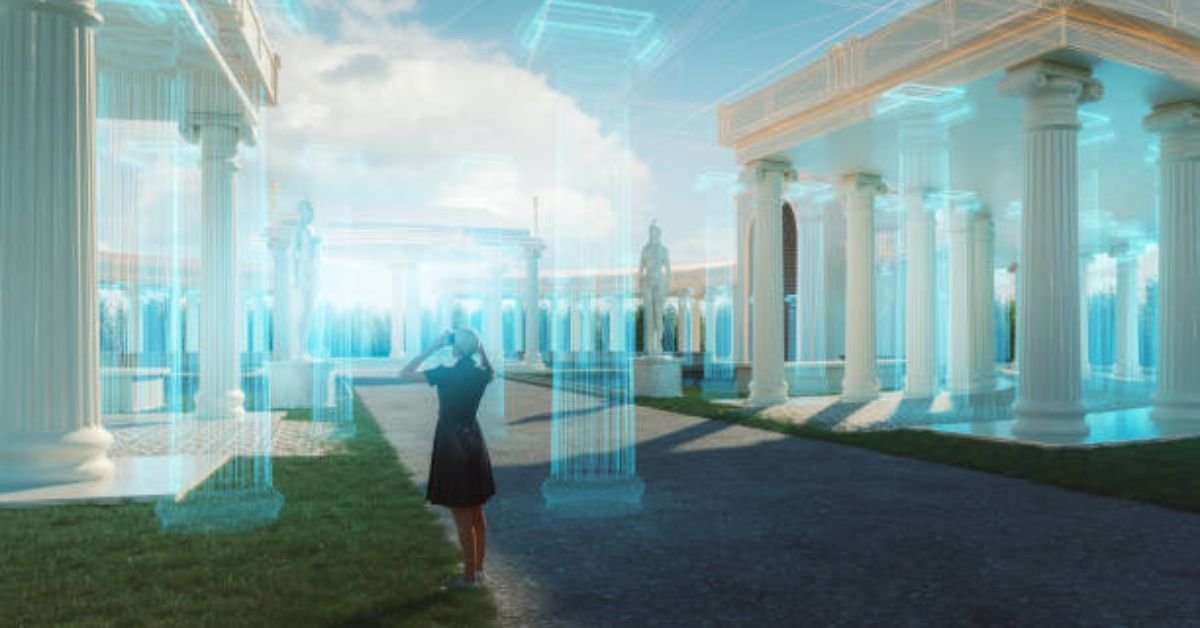
The convergence of virtual tours with augmented reality (AR) and virtual reality (VR) is a groundbreaking trend on the horizon. AR and VR technologies add layers of interactivity and depth to virtual tours, allowing users to not only see but also interact with the virtual environment.

This integration is set to revolutionize industries by offering unparalleled experiences in real estate, tourism, education, and beyond.

Predictions for the Evolution of Virtual Tour Experiences

Looking ahead, virtual tours are poised to become increasingly sophisticated and customizable. Predictions suggest that AI-driven personalization will enable virtual tours to cater to individual preferences, making each experience unique.

Moreover, advancements in haptic feedback and sensory simulation may bring a multi-sensory dimension to virtual tours, making them more lifelike than ever before.

 Industries Embracing Virtual Tours

Virtual tours have become a game-changer in the real estate industry. They provide potential buyers and renters with the ability to explore properties remotely, saving time and resources for both clients and real estate professionals.

The interactive and immersive nature of virtual tours enhances the property showcasing experience, allowing users to virtually walk through homes and make informed decisions.

Travel and Tourism

The travel and tourism industry is embracing virtual tours to offer a preview of destinations and attractions. Virtual travel experiences enable potential tourists to explore hotels, landmarks, and natural wonders from the comfort of their homes. This not only helps in trip planning but also serves as a marketing tool for destinations looking to attract visitors.

Education and Training

Virtual tours are transforming the educational landscape by providing immersive learning experiences. Educational institutions are using virtual tours to create virtual campuses, historical reenactments, and simulations for various subjects.

Training programs in industries like healthcare, aviation, and manufacturing are leveraging virtual tours for realistic and risk-free hands-on training.

Conclusion

In conclusion, virtual tours have emerged as powerful tools with far-reaching implications across industries. They bridge the gap between physical and virtual experiences, offering convenience, accessibility, and a new dimension to exploration.

The ongoing evolution of virtual tour technologies calls for wider adoption. Encouraging businesses and individuals to embrace virtual tours can lead to increased innovation and a more seamless integration of these experiences into everyday life.

As we move forward, the future of virtual tours appears promising and dynamic. The synergy of emerging technologies, integration with AR and VR, and increasing adoption across diverse industries pave the way for a future where virtual tours redefine how we perceive and interact with the world around us. The journey has just begun, and the possibilities are boundless.

ARCHITECTURAL RENDERING – GETTING STARTED

Welcome to our dedicated space for delving into the realm of 3D rendering projects! If you harbor curiosity about architectural rendering, you’ve found the ideal starting point.

Bridging Imagination and Reality:

Architectural rendering projects play a pivotal role in breathing life into building designs, offering a visual manifestation of structures yet to materialize. Leveraging advanced 3D modeling and rendering techniques, these renderings act as a conduit between creativity and reality. 

They provide a tantalizing peek into the future, enabling stakeholders, clients, and design professionals to witness the finished project in their minds before the foundation is laid.

Decoding Architectural Rendering: 

In this article, we embark on an exploration of the expansive world of architectural rendering. We unravel its definition, shed light on the myriad benefits it brings, and delve into the diverse applications it offers across the architectural landscape.

The Multifaceted Role of Architectural Renderings

Architectural renderings serve diverse purposes, with some of the most prominent ones being:

  • Pre-construction Marketing: Developers, realtors, and builders leverage architectural renderings to exhibit and market properties that are still in the conceptual stage. These renderings empower potential buyers to envisage the structure and its features, despite it being non-existent in the physical realm.
  • Approvals and Funding: Architects, engineers, and designers wield architectural renderings as powerful tools to compile comprehensive packages for regulatory bodies. These visual representations aid in obtaining necessary approvals and securing funding for projects. By offering an accurate portrayal, stakeholders gain a clearer understanding of the proposed design and its potential impact.
  • Design Exploration: Homeowners and general contractors frequently enlist architectural renderings to visualize the outcome of a renovation project. By crafting renderings illustrating the planned changes, they can evaluate the aesthetics and functionality of the proposed design before committing to implementation.

Your Gateway to 3D Rendering: 

On this invaluable resource page, we present a treasure trove of information, tips, and tools to kickstart and enhance your 3D rendering journey. Whether you’re a novice venturing into the realm of architectural rendering or a seasoned professional seeking to refine your skills, consider this your compass. Let’s embark on this journey together and unlock the boundless possibilities within the captivating world of architectural rendering!


PROVIDING ARCHITECTURAL PLANS

PROVIDING ARCHITECTURAL PLANS

When embarking on the journey of 3D rendering for architectural projects, a common query arises: “DO WE NEED TO PROVIDE ARCHITECTURAL PLANS TO HAVE A 3D RENDERING DONE?” Let’s navigate through the essentials and nuances of this crucial step in the rendering process.

The Foundation: 

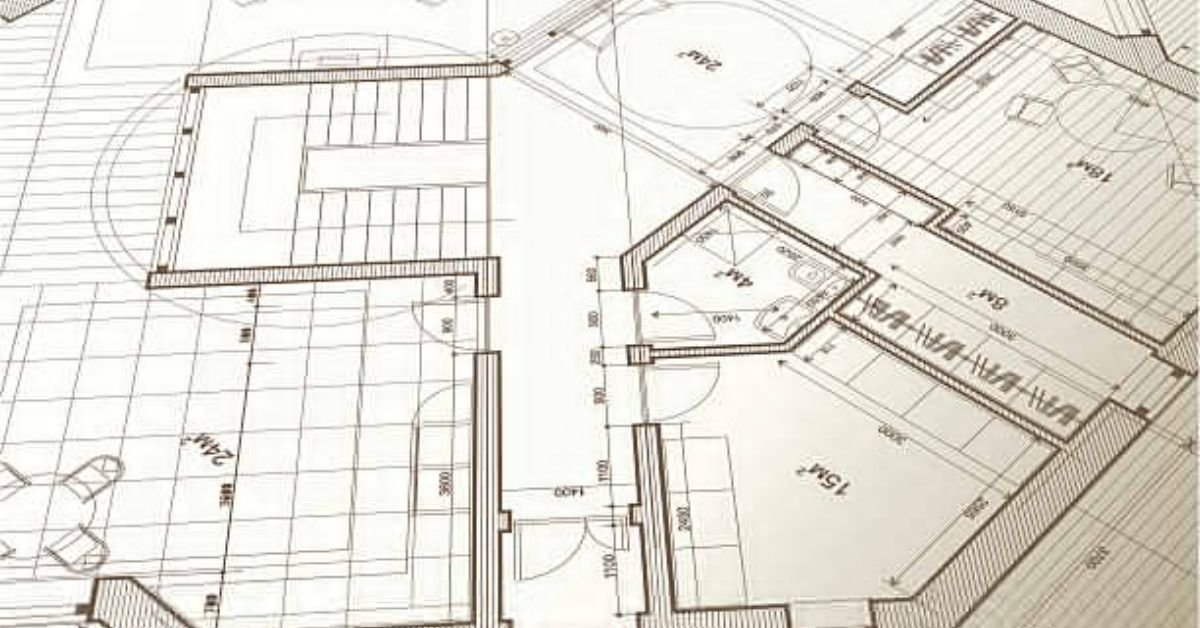
At 3D RenderHub, we understand the significance of architectural plans, floor plans, and elevation drawings in the creation of compelling architectural renderings. Our pricing structure is intricately tied to these plans, forming the blueprint for our visual endeavors. 

While we are flexible with file formats during the quoting phase, the preference leans towards CAD format once the project is underway. However, we pride ourselves on adaptability, accepting various file types, even going as far as working with a mere napkin sketch, although photographic references are typically the minimum requirement.

Navigating the Challenge: 

Can projects proceed without architectural plans? The answer is affirmative, albeit with added complexities. In such instances, we often receive inspirational images of similar structures or interiors. Although we don’t replicate these precisely, they serve as a guiding beacon, aiding us in constructing the envisioned outcome.

Setting the Stage:

When commissioning an architectural rendering, setting clear expectations is paramount. Clients must ponder the project’s purpose—is it for marketing, demanding the pinnacle of quality, or primarily for regulatory compliance, where a more budget-friendly approach suffices?

Unveiling the Spectrum: 

Delving into the realm of budget architectural renders prompts the question, “WHEN ARE BUDGET/BASIC ARCHITECTURAL RENDERS ‘GOOD ENOUGH’?” If the goal is regulatory approval, opting for economical renders may seem logical. 

However, caution is advised when considering overseas alternatives. High-quality 3D renders can sway decision-makers, making a difference even in regulatory processes. 

These renders, beyond their immediate purpose, can serve as enduring marketing assets, amplifying property value. Communicate cost considerations transparently with your rendering partner for tailored solutions.

Strategic Investments: 

Addressing the question, “WHEN DOES IT MAKE SENSE TO SPEND MORE ON ARCHITECTURAL RENDERS?” reveals the strategic value of 3D renders in marketing. For projects seeking presales in competitive markets, investing in top-tier renders is a wise move. 

Comprehensive rendering packages, coupled with a robust online presence, can replace the need for expensive sales centers, especially in thriving real estate markets where unnecessary expenditures can be avoided.

In-Depth Insights: 

To navigate the intricacies of 3D architectural rendering pricing, we invite you to delve into our comprehensive pricing guide. Discover the nuances and options that align with your project goals, ensuring a seamless and successful rendering experience.

DETERMINING ARCHITECTURAL RENDERING CAMERA POSITIONS

DETERMINING ARCHITECTURAL RENDERING CAMERA POSITIONS

At [Your Domain Name], we prioritize client engagement throughout the process of crafting impeccable 3D architectural renderings. One common query we often encounter is, “Do clients have a say in selecting camera angles for their renderings?” The answer is a resounding yes!

Understanding Your Vision

During the initial phases of our collaboration, we dive deep into understanding your project’s unique features. We encourage our clients to articulate specific areas they wish to highlight in their 3D renderings. Whether it’s the grand front facade or a captivating view of the kitchen and living room, your preferences shape the foundation of our creative journey.

Blueprints to Perspectives: 

Upon establishing the general area of focus, our team at [Your Domain Name] proceeds to sketch a preliminary markup on the architectural plans. This meticulous step is pivotal in confirming the initial camera angles for each scene. It’s a collaborative dance where your vision and our expertise find alignment, ensuring a seamless transition from concept to creation.

Fine-Tuning the Vision: 

Your involvement remains paramount as we progress to the final stages. At [Your Domain Name], we present you with three distinct clay render camera options. This not only showcases our commitment to transparency but also empowers you to make the ultimate selection based on your nuanced preferences.

Elevating Experiences through Client-Centric Collaboration

In conclusion, the process of selecting camera angles for your 3D architectural renderings at [Your Domain Name] is a dynamic and collaborative journey. Your insights steer the ship, and our expertise refines the course. Together, we create visual narratives that transcend expectations.


OPTIMIZING RENDERS FOR DIFFERENT PLATFORMS

OPTIMIZING RENDERS FOR DIFFERENT PLATFORMS

In the era of digital dominance, architectural renderings have evolved beyond static presentations, embracing dynamic versatility across various platforms such as websites, social media, and presentations. Discover the strategic considerations to optimize your architectural renders for different platforms and ensure unparalleled impact and engagement.

Adapting to Diverse Platforms: 

When sharing architectural renderings, acknowledging the distinct specifications of each platform is paramount for an optimized viewing experience. Explore key considerations tailored for specific platforms:

  1. Websites: 
  • Leverage optimized rendering settings for a delicate balance between visual quality and minimal load times.
  • Embrace responsive design principles to ensure seamless adaptation to diverse screen sizes and devices.
  1. Social Media: 
  • Prioritize visually striking content compatible with platform-specific formats (JPEG, PNG for images; MP4, GIF for animations).
  • Navigate restrictions on file size and aspect ratios for a captivating presence across social media platforms.
  1. Presentations: 
  • Optimize renderings for presentation software, focusing on clarity, resolution, and aspect ratio alignment.
  • Consider embedding interactive 3D models or high-resolution images for heightened audience engagement.

Crafting Optimal Render Settings and Formats

Uncover key tips to fine-tune your architectural renders for diverse platforms:

  1. Resolution and Size: 
  • Tailor resolutions based on the platform’s demands, striking the right balance between image quality and file size.
  1. Compression and File Formats: 
  • Employ compression techniques judiciously to reduce file sizes without compromising visual integrity.
  • Experiment with formats like JPEG and PNG to find the perfect equilibrium.
  1. Aspect Ratio: 
  • Adapt renders to meet the aspect ratio requirements of each platform, ensuring a distortion-free display.
  1. Consistency in Branding: 
  • Maintain branding consistency across platforms, reinforcing recognition through logos, color schemes, and typography.

By meticulously optimizing architectural renders for diverse platforms, you unlock the potential of each medium, reaching a broader audience with impactful visuals that resonate.

Overcoming Challenges in Architectural Rendering Projects

Embarking on an architectural rendering project is exhilarating, yet challenges abound. Navigate common hurdles with strategic approaches to ensure project success.

1. Realizing the Vision: 

  • Evaluate the design’s alignment with expectations; collaborate with architects for revisions.
  • Establish clear expectations from the project’s outset, ensuring a more accurate representation.

2. Draft Discrepancies: 

  • Communicate that early drafts prioritize structure over fine details.
  • Reference the rendering company’s portfolio to manage client expectations effectively.

3. Client Feedback: 

  • Engage in open dialogue to comprehend client expectations and preferences.
  • Foster early communication to address concerns and design changes promptly.

Collaboration, realistic expectations, and effective communication pave the way for successful architectural rendering projects.

Selecting the Right Partner: Elevating Architectural Rendering Quality

In the upcoming section, we delve into the critical process of choosing the ideal rendering company and establishing a robust partnership to enhance the quality of your architectural renders. Stay tuned for insights into fostering a successful collaboration.


HIRING INTERIOR DESIGNERS FOR ARCHITECTURAL RENDERS

HIRING INTERIOR DESIGNERS FOR ARCHITECTURAL RENDERS

Determining the Need for an Interior Designer

When considering the integration of interior finishes into your architectural renders, the decision often revolves around whether to enlist the expertise of an interior designer. Two primary approaches can be taken:

1. Specific Interior Design Plans

Clients can opt for highly detailed interior design plans. These plans provide explicit information about furniture, flooring, wall colors, and other finishes. The more detailed the specifications, the better the rendering team can bring your vision to life.

2. Reference Images for Stylistic Guidance

Alternatively, clients may choose to provide general reference images that convey the desired style for the showcased room. This approach allows for flexibility and creative interpretation while maintaining the essence of the envisioned design.

Ideal Information for 3D Rendering Projects

To ensure the success of an interior 3D rendering project, clients are encouraged to furnish the rendering team with as much information as possible. This can be achieved through:

High-Resolution Reference Images

When supplying detailed interior design specifications, high-resolution reference images are invaluable. The clarity enables the rendering team to capture intricate details accurately.

Product Names for Precision

Providing product names for selected items further enhances the precision of the rendering. This ensures a closer match to the examples and references provided by the client.

Communicating Preferences

Even if the interior design is a work in progress, clients often have preferences and exclusions. It’s crucial to communicate these preferences effectively. Stylistic examples, such as online images of spaces that resonate with the client’s taste, can be instrumental in conveying the desired aesthetic.


HIRING LANDSCAPE ARCHITECTS FOR ARCHITECTURAL RENDERS

HIRING LANDSCAPE ARCHITECTS FOR ARCHITECTURAL RENDERS

When embarking on architectural projects, the question often arises: “Do we need to hire a landscape architect?” Even in the absence of existing landscape plans, our adept team possesses the expertise to seamlessly integrate captivating landscaping into exterior renderings. This ensures that the envisioned mood and aesthetic are effectively conveyed in the final image.

Incorporating Landscaping:

In the early stages of a project, landscape architectural plans may not always be readily available. However, their absence should not be underestimated. 

These plans play a pivotal role in setting the mood, framing the image, and elevating the overall composition. Our skilled team understands the importance of these details and can expertly weave them into the design to add depth and visual appeal.

Creating Harmony with the Environment

Our commitment extends to creating landscapes that seamlessly blend with the environment. By skillfully incorporating our own landscaping, we ensure that the exterior renderings evoke the desired mood and aesthetic, even in the absence of pre-existing plans. This approach enhances the overall appeal of the project and brings the envisioned vision to life.

Navigating Architectural Rendering Timelines


The question frequently asked is, “How long does a 3D rendering take to complete?” The timeline for a basic 3D exterior render is contingent on the project’s overall scope. While we are capable of completing projects within a few days, effective communication of your timeline expectations is crucial at the project’s outset.

Rushing Through Timelines: 

In an industry where rushed timelines are common, our team is well-equipped to meet tight deadlines. However, to ensure the highest quality outcome, we recommend allowing ample time for the project. This allows for three full rounds of revisions, ensuring that the final rendering aligns perfectly with your vision.

IMAGE & ANIMATION RESOLUTION GUIDE

WHAT IS IMAGE RESOLUTION?

The significance of resolution cannot be overstated when it comes to determining the quality of an image, particularly in the realm of architectural rendering. It stands as a pivotal parameter that directly influences the overall visual impact. 

When delving into the realm of image resolution, it is crucial to grasp that digital images are constructed from pixels—those minute-colored squares that collectively form a grid. The resolution of an image encompasses the number of pixels both in terms of height and width, essentially delineating its dimensions.

A low resolution is easily discernible, with individual color squares becoming apparent, leading to the creation of a grainy or blurred image. In the context of 3D rendering and 3D animation, a preference for higher resolution becomes evident. 

The ensuing examples showcase a stark contrast between a significantly low-resolution and a high-resolution rendition of the same image. It is imperative to observe the discernible disparities in quality between the two.

LOW RESOLUTION 45PX X 25PX

Low Quality

HIGH RESOLUTION 4000PX X 2250PX

High Quality

Deciphering Image Resolution for Print Perfection

Navigating the intricacies of image resolution becomes a pivotal task in the realm of print preparation. The jargon surrounding image scale, DPI, and file formats can be bewildering, especially for those not well-versed in the industry.

Unraveling the Terminology: DPI vs. PPI

In the digital era, the term DPI (dots per inch) has become somewhat antiquated, more apt for analog printing. A more precise metric for discussing digital images on screens is PPI (pixels per inch). Let’s delve into the resolutions required for optimal print quality, demystifying the complexities associated with these metrics.

Mastering Image Resolution for Seamless Web Integration

Optimizing a website demands a delicate balance between resource efficiency and uncompromised quality. The core objective is to enhance site loading times, a factor highly esteemed by search engines like Google, and ultimately elevate the user experience.

Tailoring Images for Web Harmony

When incorporating images into a website, precision is key. Matching file sizes to the required dimensions is crucial. For example, displaying an image at 700×500 pixels at 72 PPI doesn’t necessitate a colossal 6000×6000 pixels, 300 DPI image. 

Efficient compression is the linchpin here, and although it may demand some time investment, the dividends in long-term performance are undeniable. To streamline this process, consider leveraging tools like TinyJPG for impeccable image compression during your web design ventures.

In summary, comprehending image resolution nuances for both print and web contexts is paramount for delivering visuals that not only meet but exceed expectations. Whether aiming for print perfection or web efficiency, the right resolution strategies pave the way for a seamless visual experience.

PHYSICAL IMAGE SIZE (INCHES) IMAGE SIZE IN PIXELS @72 PPI (IDEAL FOR WEB) IMAGE SIZE @ 300 PPI (IDEAL FOR PRINT)
4" x 6" 334x432 1391x1800
5" x 7" 360x466 1500x1941
8" x 10" 576x745 2400x3106
8.5" x 11" 612x792 2550x3300
11" x 14.235" 792x1025 3300x4271
18.544" x 24" 1335x1728 5563x7200


IMAGE RESOLUTION IN MOBILE AND RESPONSIVE WEB DESIGN

IMAGE RESOLUTION IN MOBILE AND RESPONSIVE WEB DESIGN

In the contemporary digital era dominated by mobile devices, the significance of image resolution takes center stage, especially when considering mobile and responsive web design. Let’s delve into the nuanced aspects of optimizing image resolution for diverse screen sizes and resolutions in this ever-evolving landscape.

Navigating Mobile Diversity: 

The spectrum of mobile devices spans from compact smartphones to expansive tablets, each boasting unique screen sizes and resolutions. The crux of responsive web design lies in delivering a seamless visual experience across this diverse array of devices.

To uphold impeccable image quality and performance, meticulous attention is required in the following areas:

Device Pixel Density: Mobile gadgets frequently sport high pixel densities, such as the renowned “Retina” displays. To sidestep pixelation on these high-density screens, images must exhibit ample resolution.

Bandwidth and Loading Times: Mobile devices often rely on cellular data with limited bandwidth. Striking a balance between image file size and quality is paramount for swift loading times and an uninterrupted user experience.

Responsive Images: The essence of responsive web design lies in adapting layouts and content based on screen size and orientation. Incorporating responsive images ensures tailored delivery, optimizing performance and visual quality for each device.

By conscientiously considering these factors, your images can maintain a sharp, visually appealing presence on mobile devices, harmonizing with a fast and efficient web experience.

Domain Note: Ensure a mobile-friendly experience on your website with responsive design strategies at 3drenderhub.

Precision in Rendering: The Impact of Image Resolution on Exterior and Interior Renders

When delving into the realm of rendering services, image resolution becomes a pivotal factor, particularly in the context of exterior and interior renders.

Exterior Renders: Elevating rendering resolutions introduces an unparalleled level of detail and realism. Increased resolution breathes life into textures, showcasing intricate architectural elements, foliage, and surface finishes. This heightened detail offers a more immersive representation of exterior scenes.

Interior Renders: Rendering resolution profoundly influences the portrayal of interior design intricacies. Higher resolutions enable rendering software to capture finer details like furniture textures, lighting fixtures, and intricate patterns with heightened accuracy. The outcome is interior renders adorned with enhanced clarity, realism, and an overall aesthetic satisfaction.

Domain Note: Elevate your exterior and interior renders to new heights with superior resolution capabilities, exclusively at 3drenderhub

Animating Excellence: The Role of Rendering Resolution in Animation

Beyond static renders, rendering resolution proves instrumental in the realm of animation, shaping the quality of motion and visual appeal.

Smooth and fluid animation hinges on rendering at higher resolutions, as each frame encapsulates more detail. This results in sharper, well-defined movements, amplifying the overall visual quality of the animation. The end product is an animation that exudes polish and professionalism.

Domain Note: Unleash the potential of your animations with superior rendering resolution – a hallmark of excellence at 3drenderhub

CONSIDERING IMAGE RESOLUTION IN SOCIAL MEDIA AND ONLINE ADVERTISING

CONSIDERING IMAGE RESOLUTION IN SOCIAL MEDIA AND ONLINE ADVERTISING

In the dynamic landscape of social media and online advertising, mastering the art of presenting images with precision is pivotal for capturing audience attention. 

Tailoring images to specific platforms and formats is essential. Let’s delve into the optimal image resolutions, tailored for various platforms, and uncover valuable tips for striking the perfect balance between image quality and file size.

Navigating the Social Media Canvas

Facebook Brilliance

To showcase your content optimally on Facebook, target an image resolution of 1200×630 pixels. Note that larger images or high-density screens might demand higher resolutions to maintain visual integrity.

Instagram Elegance

Instagram, the visual storytelling haven, recommends resolutions of 1080×1080 pixels for square posts and 1080×1350 pixels for vertical posts. Elevate your visuals for high-density screens with resolutions that go beyond the norm.

Twitter Panache

For a Twitter presence that pops, adhere to a minimum resolution of 600×335 pixels. Scale up the resolution for larger images and leave a lasting impression on your audience.

Crafting Visual Masterpieces for Online Advertising

Leaderboard Dominance

In the realm of online advertising, a leaderboard ad commands attention with an optimal resolution of 728×90 pixels. Size matters when it comes to making a bold statement.

Medium Rectangle Precision

For medium rectangle ads, strike the perfect balance with a recommended resolution of 300×250 pixels. Precision meets impact in this common advertising format.

Skyscraper Ascent

Elevate your brand with skyscraper ads boasting a resolution of 160×600 pixels. Stand tall and capture your audience’s imagination.

Harmonizing Quality and File Size

Optimize with Precision

Harness the power of image compression techniques to reduce file sizes without compromising visual quality. Experiment with settings to strike the perfect balance and ensure swift online distribution.

Format Matters

Choose image formats judiciously. Embrace JPEG for photographs, PNG for graphics with transparency, and SVG for scalable vector graphics. Tailor your choice to the unique demands of your visuals.

Responsive Image Wisdom

Implement responsive image techniques using attributes like srcset. This ensures that your visuals adapt seamlessly to various devices and screen resolutions, delivering an optimized viewing experience.

By aligning with these optimal image resolutions for social media platforms and online advertising formats and implementing savvy strategies to manage quality and file sizes, you pave the way for impactful visuals that resonate with your target audience. Stand out in the digital realm and leave an indelible mark with visuals that speak volumes.

IMAGE RESOLUTION FOR CREATING BILLBOARD IMAGES AND EXTREMELY HIGH RESOLUTION

Billboards serve as powerful visual elements, but their unique viewing conditions require careful consideration when creating images. Unlike traditional print standards, creating a billboard image with an astronomical resolution, such as 72000 x 93182 pixels at 300 PPI, is impractical due to technical limitations and file size constraints.

Optimal Resolution Strategies

To overcome these challenges, it is advisable to start with a high PPI, such as 400, and a practical resolution like 8000 x 8000 pixels. This initial resolution facilitates detailed design work. However, once the design is complete, scaling down the PPI to 40 is recommended.

This approach allows for a more manageable file size and ensures the image remains suitable for a 20′ x 20′ print at 40 PPI—a resolution adequate for billboard-sized displays. Given that billboards are often viewed from a distance, sacrificing pixel density in favor of practicality is a wise design choice.

Precision in 3D Object Texturing

Texturing three-dimensional objects demands careful consideration of resolution, particularly concerning the object’s proximity to the camera. For instance, if the image resolution is 1028×1028 pixels, and the object’s texture occupies 100% of the screen, a texture size of at least 1028×1028 is essential.

Factoring in Proximity for Texture Quality

Textures exist in a 3D space, emphasizing the importance of factoring in the closest element of the texture to the camera. This prevents a decline in texture quality and ensures that the final result meets visual expectations.

Explore 3D Texturing Techniques with Our Comprehensive Guide

For a deeper dive into 3D texturing principles and techniques, consult our detailed 3D Texturing Guide and Tutorial. Gain valuable insights into optimizing texture quality and enhancing the visual appeal of your three-dimensional creations. Elevate your design game with expert guidance from our comprehensive resource.

Unveiling the Dynamics of Image Resolution in Animation

Understanding the intricacies of image resolution is pivotal when delving into the world of animation. Similar to static images, the optimal resolution for animation is contingent upon the intended display medium. 

Whether destined for the grandeur of a cinema screen or the convenience of online or TV platforms, the choice of resolution plays a defining role.

Navigating the Maze: Choosing the Best Resolution for Animation

Determining the ideal resolution is a nuanced task. If your animation is destined for the cinematic realm, a soaring resolution is imperative. For online or TV consumption, embracing the highest available resolution is advisable. 

As of 2019, the industry standard for architectural animation settled at 1080P. Yet, the landscape is shifting with the rising dominance of 4K and 8K TVs, ushering in an era of heightened resolutions.

Demystifying Standard Resolutions in Animation

While the canvas for video rendering is virtually boundless, certain resolutions have emerged as industry standards:

  • 480p: 640 x 480 (Ideal for standard definition TV)
  • 720p: 1280 x 720 (Suited for web or older high-definition TV)
  • 1080p: 1920 x 1080 (The contemporary benchmark for high definition)
  • 4K: 3840 x 2160 (The pinnacle of practical resolution at present)
  • 8K: 7680 x 4320 (Yet to gain universal support across mediums)

Resolution’s Ripple Effect: Impact on Render Time

The resolution chosen is not merely a static attribute; it wields considerable influence over render times and file sizes. When the resolution doubles, the surface area quadruples, leading to longer render times and bulkier files. 

This dynamic is particularly crucial in the realm of video production, where efficiency is paramount. Proactively determining the resolution at the project’s onset ensures fairness and guards against potential exploitation.

Time Unveiled: Animation Resolution and Render Efficiency

Animation resolution introduces an additional layer of complexity due to the sheer number of frames involved. With approximately 30 images per second constituting an animation, higher resolutions elongate the rendering process. 

Each frame demands more processing time, necessitating a delicate balance between visual fidelity and efficiency.

In conclusion, comprehending the nuances of image resolution in animation is not merely a technical consideration but a strategic choice that shapes the viewer’s experience. 

As technology continues its march forward, staying abreast of evolving resolution standards is paramount for creators in the dynamic realm of animation