ARCHITECTURAL RENDERING STYLE GUIDE

ARCHITECTURAL RENDERING TECHNIQUES, LIGHTING, CAMERAS, AND & STYLE GUIDE

In this comprehensive guide, we delve into the intricate elements that significantly impact the aesthetic appeal of architectural renderings. While many individuals can appreciate a well-executed render, pinpointing the specific features that contribute to its allure can be a challenge. 

This guide aims to demystify this process by shedding light on key factors such as the color palette, camera angle, lighting, and the transformative effects of photo editing. 

By the end of this exploration, you’ll gain a profound understanding of the diverse components, styles, and techniques that collectively contribute to the creation of a truly exceptional architectural rendering.


TYPES OF ARCHITECTURAL VISUALIZATIONS
TYPES OF ARCHITECTURAL VISUALIZATIONS

In the bygone era preceding CGI dominance, architects and enthusiasts relied on traditional methods to visualize architectural designs. Watercolor and pencil drawings, infused with artistic prowess, served as the primary means of bringing architectural plans to life. 

Even in the age of digital innovation, the allure and versatility of watercolor and pencil renderings persist, providing a charming touch to modern architectural visualizations.

Photoshop Alchemy: 

Enter the realm of Photoshop-generated renderings, where the marriage of 3D CAD perspectives and digital artistry creates awe-inspiring architectural imagery. 

Despite the time-intensive nature of the process, skilled artists wield Photoshop as a potent tool to craft visuals that rival traditional renderings. The software’s versatility unveils a canvas for architects to weave their visions into captivating and visually stunning compositions.

Unveiling the Future: 

Embark on a journey into the dynamic realm of 3D renderings and CGI, where architectural visualization transcends traditional boundaries. Delve into diverse styles, camera angles, and rendering techniques that define the contemporary landscape. 

While manual replication of these styles is an art in itself, the industry’s heartbeat now echoes with the efficiency and flexibility bestowed by advanced computer software.

Efficiency Unleashed: 

Unlock the efficiency and precision inherent in 3D rendering and CGI for architectural visualization. Explore the paradigm shift from manual to digital, as computer software revolutionizes the creative process. 

Witness the liberation from individual artist constraints, as iterative revisions become seamless. Efficiency reigns supreme, enabling architects and designers to translate ideas into visual reality with unprecedented speed.

Optimizing Workflows:

Peer into the strategic advantages offered by computer software in architectural rendering workflows. The reduction of manual labor allows for streamlined processes, fostering rapid and effective revisions. 

The magic lies in the ability to effortlessly re-render scenes, eliminating the need for painstaking adjustments. Experience the agility that empowers architects to materialize their visions promptly.

Asset Reuse:

Marvel at the symphony of efficiency achieved through asset reuse. Cars, vegetation, furniture—common elements find a home as reusable assets, saving time and maintaining quality across diverse projects. 

Rendering studios embrace this approach, allowing for a personalized touch on each project without compromising on consistency.

Efficiency Without Compromise: 

Witness the optimization of 3D modeling, texturing, and lighting processes by seasoned rendering studios. Through the judicious use of cutting-edge software tools, these studios navigate the intricacies of architectural visualization. 

Dive into an exploration of accurate material representation, meticulous lighting conditions, and spatial configurations—all achieved with efficiency and unwavering quality.

Empower Your Journey: 

For those eager to explore the world of architectural renderings, our comprehensive guide to the best rendering software beckons. Uncover insights into industry-leading solutions, empowering you to embark on your rendering journey and breathe life into your architectural visions. Let technology be your ally on this creative expedition.


3D RENDERINGS LIGHTING STYLES
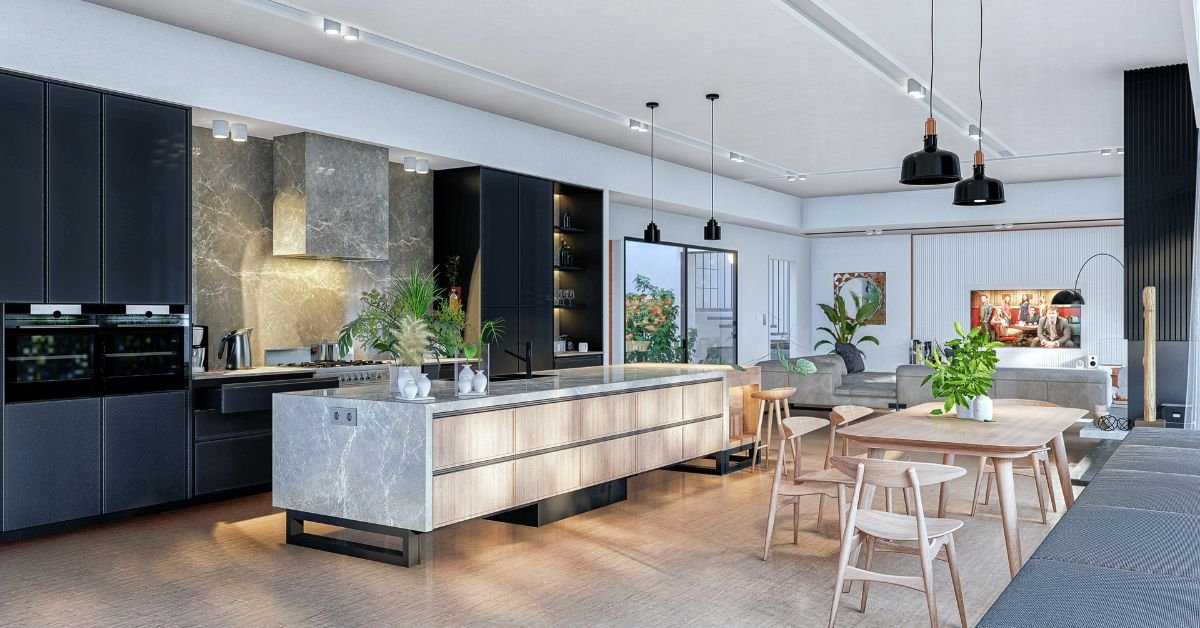
3D RENDERINGS LIGHTING STYLES 

In the realm of architectural renderings, the bright daytime rendering stands as a beacon of natural brilliance. Crafted to encapsulate the warmth of a summer day or the crispness of an autumn morning, this lighting style invites viewers into a welcoming atmosphere. 

By accentuating details, colors, and textures, it vividly showcases architectural designs, making them particularly effective for residential complexes, commercial spaces, and public structures. 

Ideal for family-centric projects, these renderings find their place in marketing materials, brochures, and presentations, leaving a positive, lasting impression on potential clients.

Dusk or Dawn Rendering: 

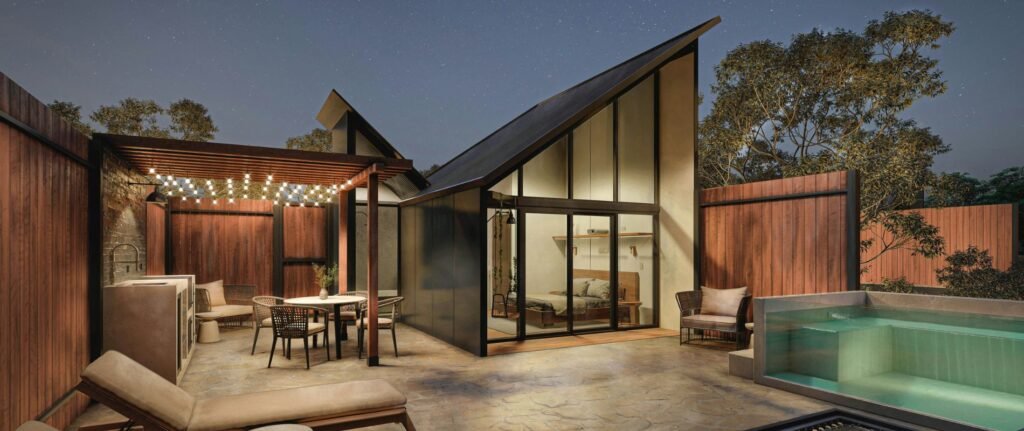
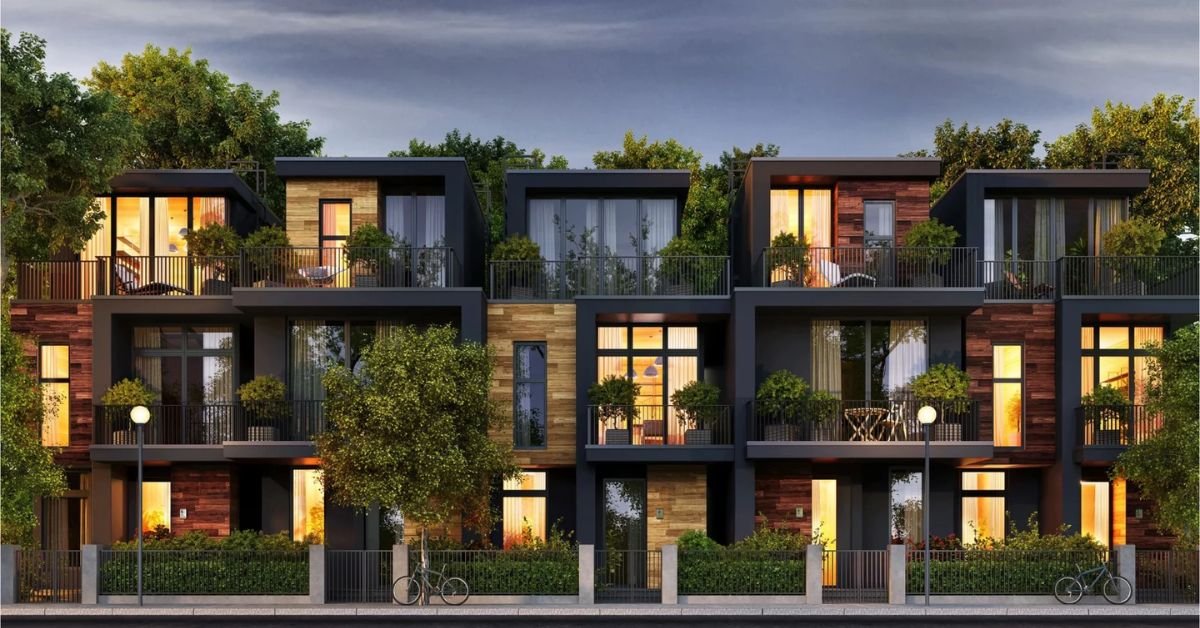
Dusk or dawn renderings weave a tale of enchantment through dramatic visual contrasts. With warm, cozy interiors illuminated by golden hues and cool exteriors bathed in blue or purple tones, these renderings create a captivating narrative. 

Ideal for projects targeting young adults or retirees, such as condos, towers, hotels, and vacation properties, this lighting style adds cinematic flair. 

Architects and developers harness the emotional pull of these renderings in marketing materials, presentations, and online platforms to forge a connection with their audience and emphasize the beauty of their designs.

Nighttime Renderings: Cityscapes Awaken

In the realm of architectural storytelling, nighttime renderings come to life, capturing the vibrant pulse of urban living after sunset. These renderings showcase towers and high-rise developments against the backdrop of a bustling city at night. 

Illuminated windows and city lights merge seamlessly, emphasizing the architectural features and the metropolitan lifestyle. Tailored for marketing materials, brochures, and advertisements, nighttime renderings appeal to those seeking a dynamic and sophisticated city living experience. 

Developers leverage these renderings to highlight amenities, services, and the proximity to cultural landmarks, creating an enticing vision of urban living.

Snow Rendering: Winter’s Tranquil Embrace

While not a distinct lighting style, snow scenes in architectural renderings offer a unique and captivating perspective. They depict the contrast between cozy interiors and the wintry environment outside, creating a narrative of comfort and refuge. 

Skillful execution is essential to render the dynamic nature of snow realistically. Architects may utilize snow scenes for specific contexts like ski resorts or winter-themed developments, providing a visually appealing portrayal that resonates with individuals seeking a connection to nature or a winter recreational lifestyle.

Bad Weather Renders: Dramatic Artistry Amidst the Elements

Bad weather renders, with their dramatic and intense quality, carve a niche in architectural visualization. Particularly effective for architecture competitions, high-end custom homes, and downtown city developments, these renders create a striking contrast between harsh outdoor elements and inviting interiors. 

While not universally appealing, they serve strategic purposes, communicating narratives of resilience, innovation, and mastery over architectural elements. 

In the realm of architecture competitions, they demonstrate the ability to create captivating spaces that withstand adverse conditions, while for high-end homes, they highlight comfort and security, and in urban developments, they add drama and vitality to the cityscape.


CAMERA ANGLES

CAMERA ANGLES

In the dynamic realm of 3D rendering, the artistry lies in capturing architectural masterpieces from innovative angles and settings reminiscent of reality. 

The versatility of this medium unveils a myriad of possibilities, offering a unique exploration of distinctive camera categories. Let’s delve into the fascinating world of 3D rendering and unravel the charm of various camera perspectives.

The Three-Quarter Street-Level Marvel

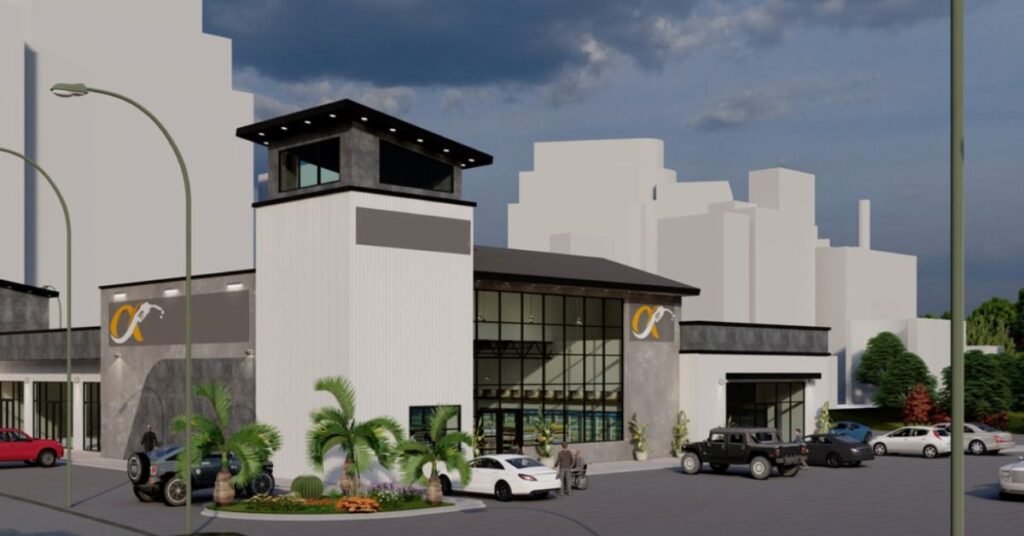
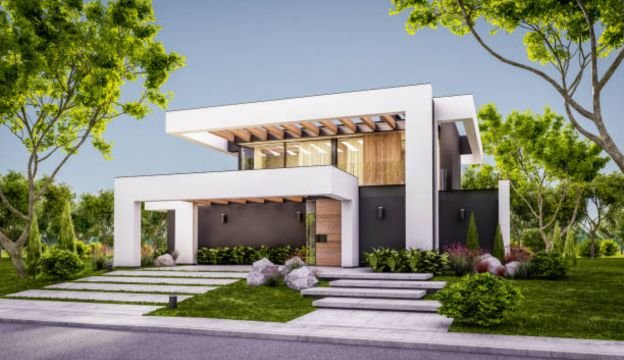
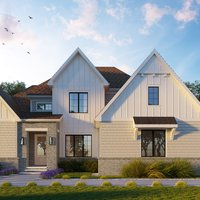
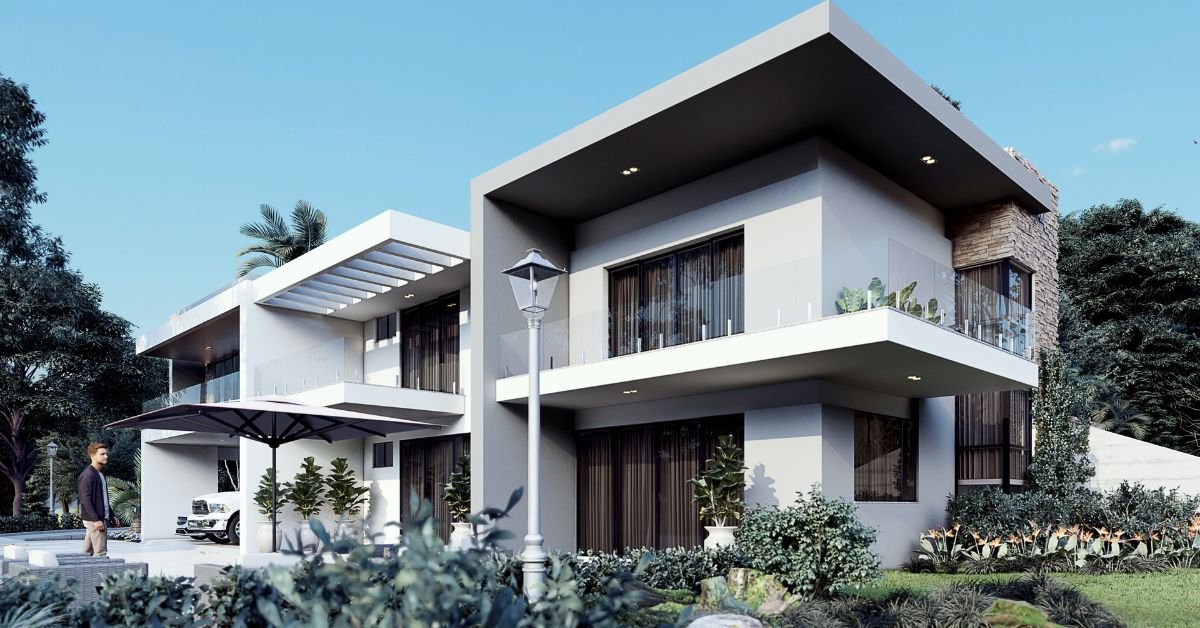
Earning its stripes as the champion among architectural renderings, the three-quarter street-level camera angle has become a favorite among architects, designers, and clients. 

This angle’s enduring appeal stems from its knack for presenting buildings with aesthetic finesse. By slightly elevating the viewpoint, it crafts a visual composition that not only showcases architectural features but also adds depth and dimension. 

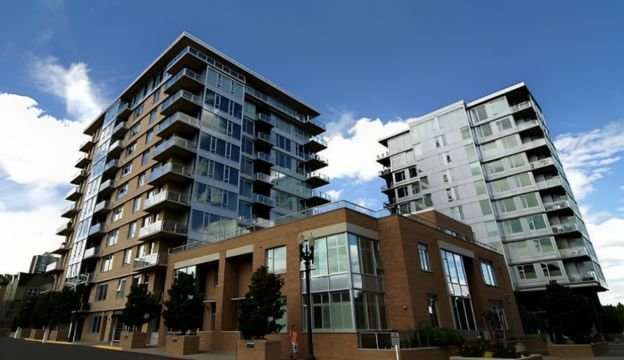
The magic lies in its ability to simultaneously unveil two elevations, providing a comprehensive view and highlighting specific design details. From charming residential houses to sleek commercial buildings, the three-quarter street-level angle adapts seamlessly, making it the go-to choice for architects seeking captivating and inclusive presentations.

Moreover, beyond its visual allure, this angle serves as a communication catalyst, bridging the abstract realm of plans with tangible experiences. 

Its relatability enhances understanding between architects, clients, and stakeholders, fostering a connection that transcends the confines of blueprints.

Straight On Street-Level Panache

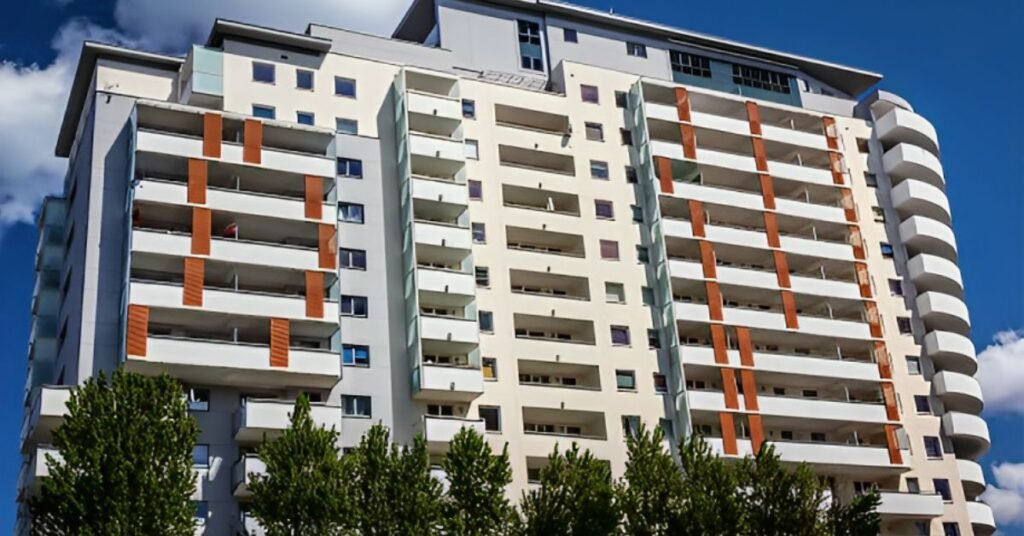
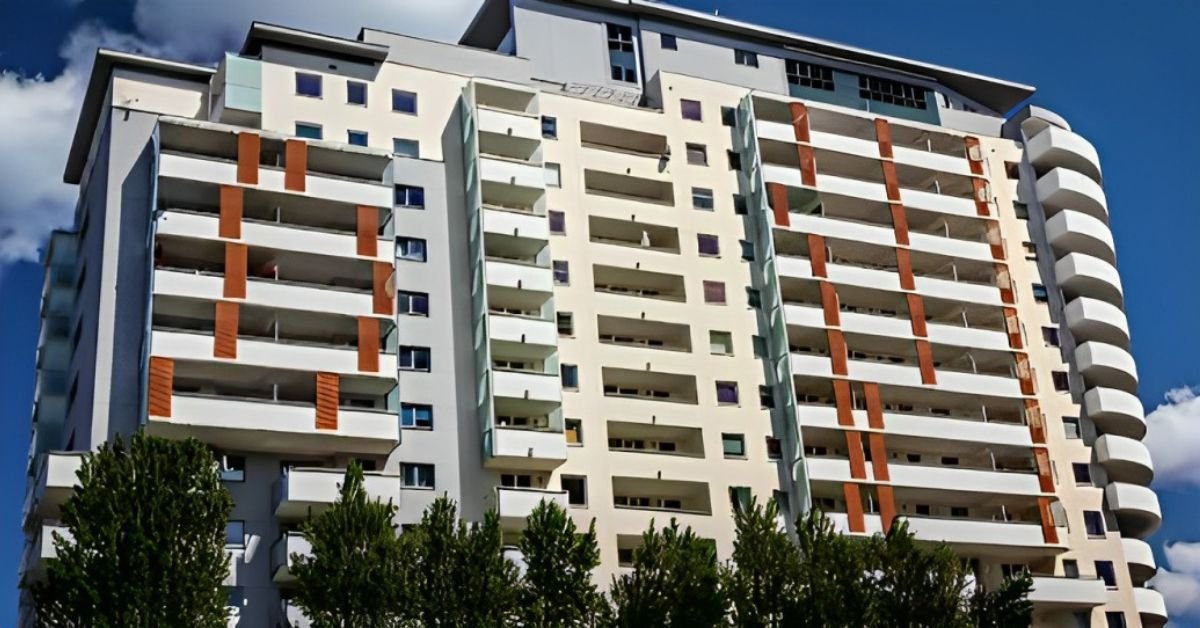
Enter the straight-on street-level view, a powerful perspective that boldly showcases architectural designs head-on. This angle excels in emphasizing symmetry and intricate details, offering viewers a grandiose vision of the building’s facade. 

Monumental structures, skyscrapers, and contemporary designs find a perfect stage to shine, with this angle bringing attention to features that set them apart. 

As a marketing powerhouse, the straight-on street-level view creates visually captivating representations for brochures and online listings, commanding attention from potential buyers and investors. 

Its clarity not only allows for a deep appreciation of design choices but also serves as an invaluable communication tool, facilitating informed decision-making processes.

Aerial Site Plans: 

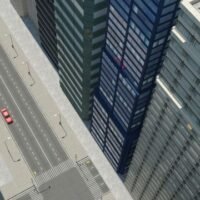
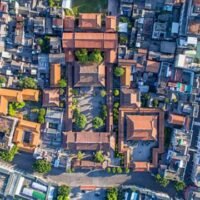
Soar into the captivating realm of bird’s eye view, a strategic angle that unveils the layout, connectivity, and contextual integration of architectural designs. Particularly valuable in urban planning and large-scale developments, this perspective provides stakeholders with a holistic understanding of a project’s scope. 

Pedestrian pathways, vehicular circulation, and overall flow come to life, aiding in the evaluation of efficiency and integration. Beyond functionality, the bird’s eye view paints a vivid picture of contextual integration, showcasing how a building fits into the larger landscape. 

This angle becomes an indispensable tool for planners and policymakers, guiding decisions that promote balanced growth and harmonious urban environments.

The bird’s eye view not only communicates effectively but also elevates presentations, making it a striking visual for public consultations and marketing materials.

Exploring Interior Spaces in 3D

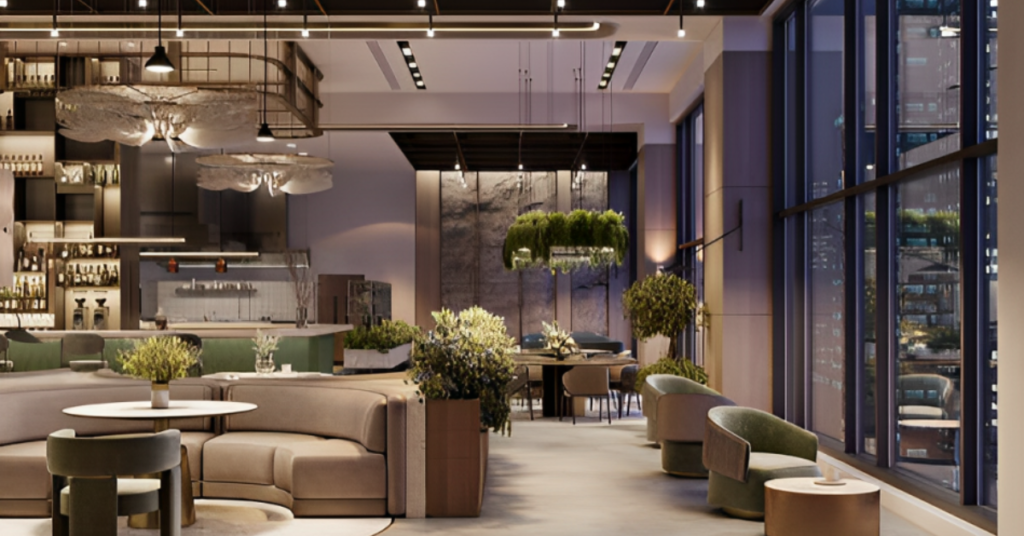
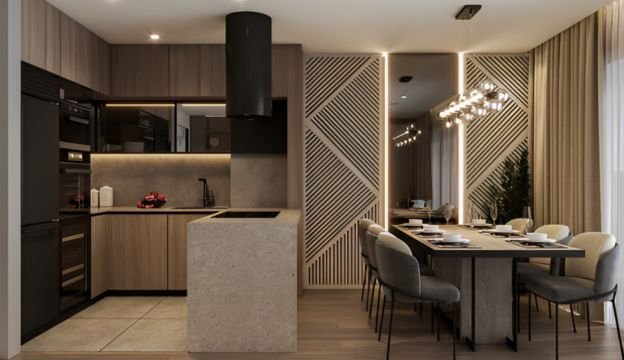
Beyond the exterior, 3D rendering unfolds its prowess in capturing interior spaces from various angles, providing viewers with immersive explorations. 

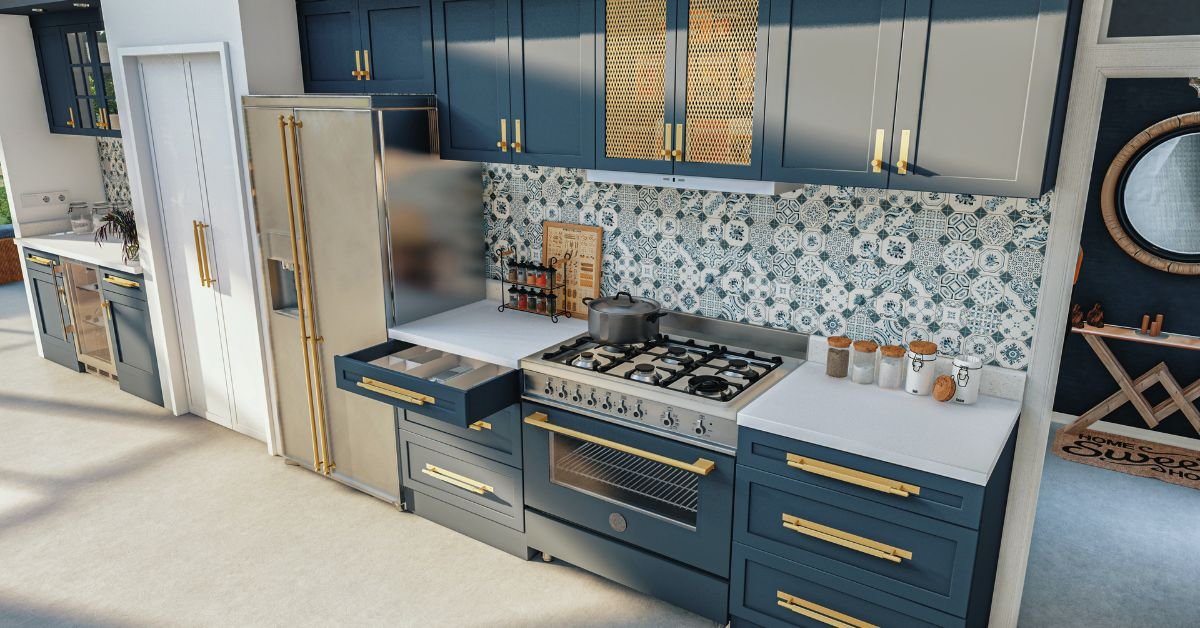
From wide-angle shots that depict spatial arrangements to close-ups that accentuate intricate details, this medium allows architects and designers to present a comprehensive narrative of interior designs. Control over lighting conditions further enhances the visual impact, setting the mood and ambiance accurately. 

Iterative design processes become seamless, as 3D rendering enables experimentation with color schemes, furniture arrangements, and material options. This flexibility serves as a valuable tool for effective communication and visualization, allowing stakeholders to refine their vision before committing to physical changes.

The Extraordinary in the Ordinary: 

Enter the realm of the extraordinary with impossible perspective renderings, where 3D rendering defies physical limitations. Removing walls and exploring angles impractical in reality, this technique allows architects and designers to envision and communicate concepts seamlessly. 

The cost-effectiveness of this approach becomes apparent when considering the alternative of physically constructing envisioned scenes. By swiftly exploring alternative layouts and configurations, designers save substantial costs and expedite the design process. 

Impossible perspective renderings not only showcase the scale and proportions of a space but also emphasize features, materials, and design elements, offering a holistic understanding that guides informed decision-making.

3D Floorplans:

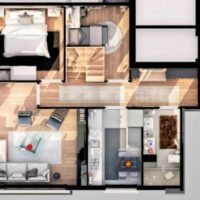
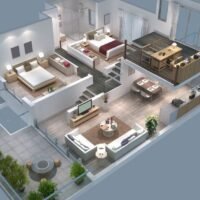
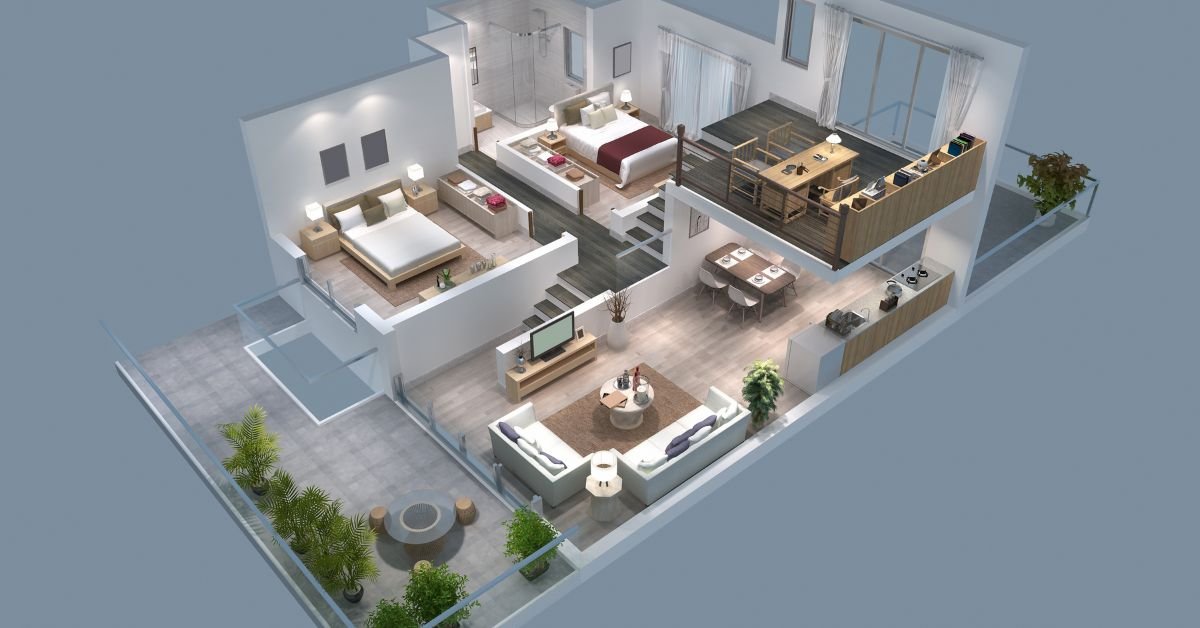
Step into a dimensional leap with 3D floorplans, a superior alternative to traditional 2D representations. Offering enhanced clarity and comprehension of layouts, 3D floorplans incorporate three-dimensional elements, providing viewers with a realistic sense of scale and proportion. 

Cost-effective and versatile, these floorplans allow for easy customization and experimentation. They serve as effective communication tools, bridging the gap between technical drawings and client imagination. The immersive experience enables stakeholders to navigate through spaces mentally, fostering clear and accurate expectations.

Cutaway Renderings: 

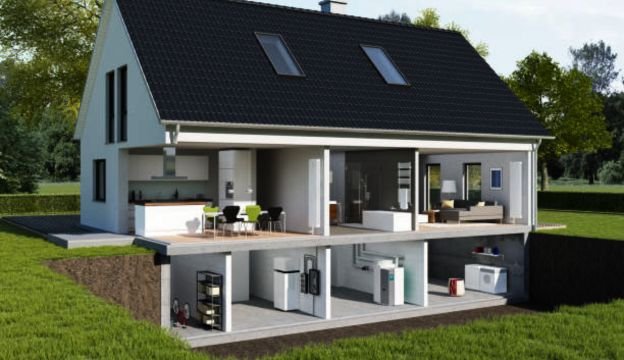
Merge the interior and exterior seamlessly with cutaway renderings, offering a holistic view that encapsulates a remarkable amount of detail in one image. These renderings excel at showcasing the inner workings and spatial relationships of a structure while simultaneously revealing its exterior facade. 

Although more intricate and potentially costlier, cutaway renderings provide a comprehensive understanding of a building’s design. They become valuable tools for effective communication, helping stakeholders visualize the relationship between interior and exterior spaces.

Drone Renderings: 

Embrace innovation as rendered buildings seamlessly integrate into drone photos, creating stunningly realistic images. This groundbreaking technique combines the precision of 3D rendering with the authenticity of drone photography, offering visuals that capture both the architectural masterpiece and its surrounding neighborhood. 

The remarkable realism achieved in these images goes beyond traditional renderings, allowing viewers to envision the building in its actual setting. Practical advantages, cost-effectiveness, and powerful marketing appeal make this integration a game-changer in architectural visualization.

As technology evolves, the fusion of rendered buildings and drone photos opens new possibilities for architectural presentations, enhancing detail, realism, and storytelling potential. 

Architects and designers can now effectively communicate their visions, creating immersive experiences that spark the imagination of viewers.

SHADOW ANALYSIS RENDERINGS

Shadow Analysis renderings, though subtle in artistic flair compared to other rendering styles, emerge as indispensable tools in securing regulatory approvals for architectural endeavors. 

These renderings meticulously showcase the shadows cast by proposed structures, offering a comprehensive view of their impact at various times, seasons, and under distinct conditions.

Crucial Insights Beyond Aesthetics

Beyond the immediate visual appeal, Shadow Analysis renderings deliver invaluable insights into a project’s environmental impact. By intricately simulating the interplay between sunlight, structures, and their surroundings, these renderings provide crucial data on shading effects, light distribution, and overall visual resonance with the surrounding area.

Informing Decision-Making with Data

The primary objective of Shadow Analysis renderings is to furnish decision-makers with quantitative data and objective insights. Regulatory boards often demand these renderings as part of the approval process to ensure compliance with zoning regulations, building codes, and environmental considerations. 

Accurate predictions of shadows empower stakeholders to assess potential issues such as overshadowing neighboring properties or obstructing public spaces, fostering a comprehensive decision-making environment.

Supporting Evidence-Based Design Modifications

While lacking in traditional visual allure, Shadow Analysis renderings play a pivotal role in supporting evidence-based design modifications. Their objective visualization of shadowing effects fosters constructive discussions among architects, developers, regulatory boards, and communities. 

This collaborative approach enables stakeholders to address concerns, make informed design adjustments, and strike a balance between project objectives and environmental needs.

Strategic Impact on Quality and Sustainability

Beyond regulatory compliance, Shadow Analysis renderings contribute significantly to project quality and sustainability. By accurately assessing the sun’s movement and its impact on building orientation, these renderings guide architects in optimizing designs for energy efficiency and natural lighting. 

Understanding shadow patterns aids in determining window placements, the use of shading devices, and the integration of green spaces, fostering a more comfortable and sustainable built environment.

Undeniable Significance in Decision-Making

It is paramount to recognize that while lacking in traditional visual allure, Shadow Analysis renderings are indispensable tools for architects, developers, and regulatory bodies. 

They provide objective data on shadowing effects, contributing to informed decision-making, sustainable design practices, and the creation of harmonious built environments.

Embrace the significance of Shadow Analysis renderings in your architectural pursuits, ensuring a balance between aesthetics and regulatory compliance for a sustainable and visually harmonious built environment.


3D RENDERING STYLES
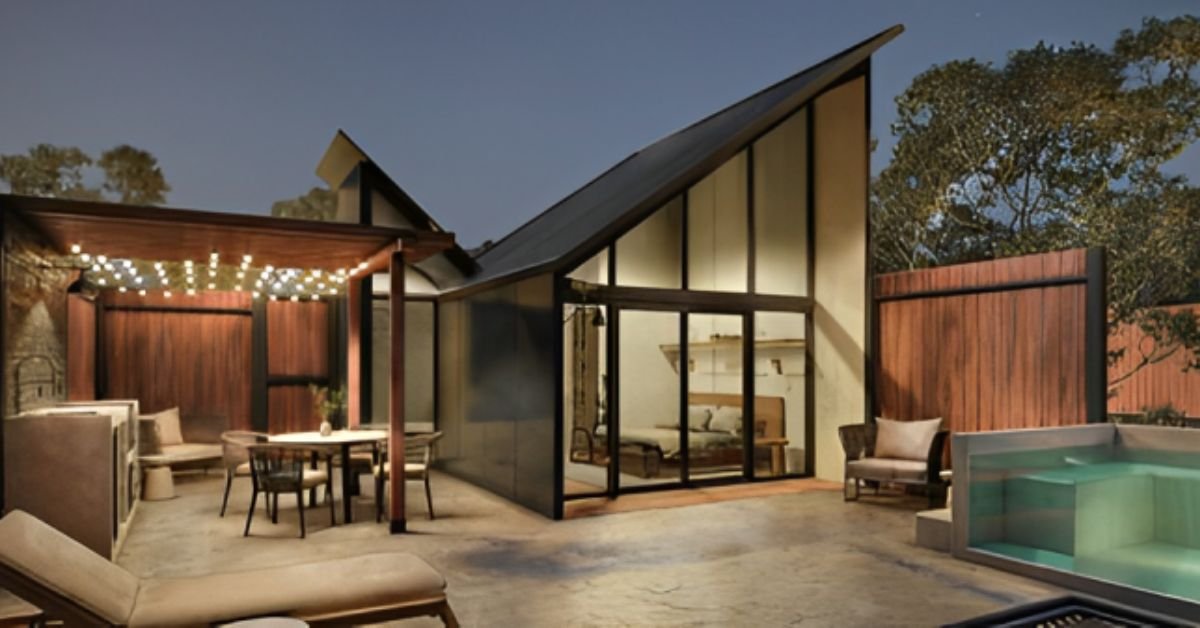
3D RENDERING STYLES

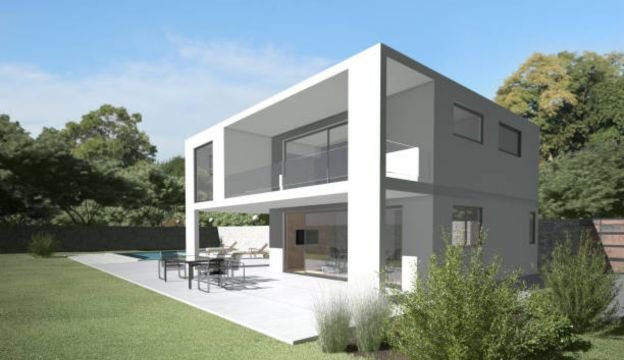
In the realm of architectural rendering, photorealistic renderings reign supreme. This style meticulously blurs the lines between reality and simulation, demanding a keen understanding of light dynamics. 

From ambient to feature lighting, every nuance plays a role in the creation of renderings that are virtually indistinguishable from photographs. Navigate through the challenges of reflections and surfaces, utilizing pre-set finishes to streamline the process. 

Daytime scenes boast warm hues, while dawn and dusk scenes paint the canvas with a symphony of blues, purples, oranges, and yellows. Venture into the world of photorealistic rendering and elevate your architectural storytelling.

Sketchup Unleashed: A Watercolor Symphony in 3D

Enter Sketchup, a 3D modeling software that revolutionizes the creation of architectural models. Unlike its counterparts, Sketchup adopts a “what you see is what you get” approach, providing a watercolor-like style during the modeling process. 

While plugins unlock the potential for photorealistic rendering, Sketchup’s native exports showcase a distinctive color palette. Explore the unique style that defines Sketchup renders and witness a fusion of simplicity and artistic expression.

Enchanting Fairytale Realms: Where Design Meets Disney Magic

Step into the world of fairytale renderings, a favored style for traditional home designs. Inspired by classic Disney films, this rendering approach embraces vibrant color palettes and atmospheric effects. 

Watch as elements like birds and leaves in motion add a touch of whimsy to the architectural narrative. Dive into the enchanting world of fairytale renderings, where design seamlessly intertwines with the magic of storytelling.

Post-Apocalyptic Visions: Architectural Resilience Amidst Desolation

Embrace the unconventional with post-apocalyptic renderings, a daring choice often found in architectural competitions. Transform cityscapes into desolate wastelands, highlighting the featured building as a vibrant beacon in a lifeless backdrop.

While not a conventional marketing strategy, these renderings carve a unique space for architectural designs, creating a stark contrast against the mundane.

Futuristic Fusion: Merging Technology and Imagination

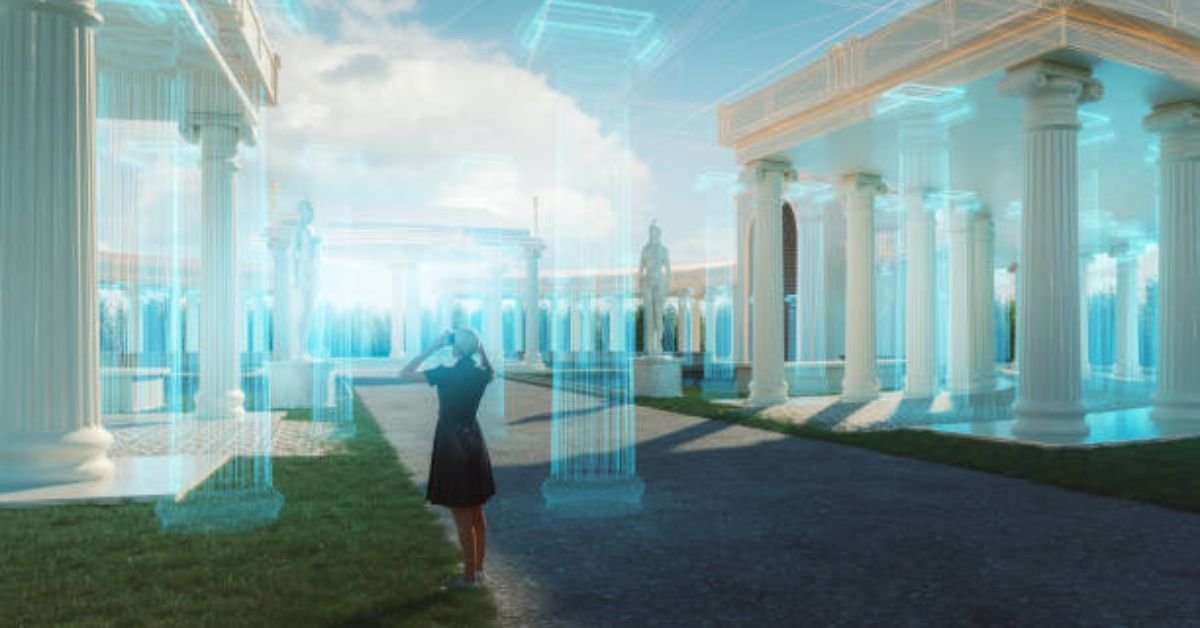
Embark on a journey into the future with futuristic renderings that blend precision, transparency, and blurred, avant-garde figures. Crafted primarily through Photoshop, this style opens doors for architectural expression aligned with futuristic visions. Explore the fusion of technology and imagination, where renderings transcend the boundaries of the present.

Film Noir Elegance: A Cinematic Journey Through Architecture

Unearth the allure of film noir renderings, a style reminiscent of mid-century modern custom homes. Immerse yourself in desaturated images adorned with dark blue and green hues, coupled with atmospheric effects. 

Designed to evoke emotional responses, film noir-styled renderings become a compelling choice for showcasing architecture that transcends the ordinary.

Nature’s Embrace: Architectural Harmony in Natural Landscapes

Incorporate the vastness of natural environments into architectural storytelling with this rendering style. Highlighting large landscapes, the architecture gracefully occupies a small space within the scene. 

Merge rendered buildings with photographs taken at project sites to emphasize the environment. A cost-effective option emerges if clients contribute high-quality photos, though fully 3D-rendered images may incur additional expenses. Immerse yourself in the art of harmonizing architecture with the grandeur of nature.

In the diverse realm of architectural visualization, these styles offer a palette of possibilities, each presenting a unique lens through which to showcase and celebrate architectural designs.

PHOTO EDITING EFFECTS / POST-PRODUCTION
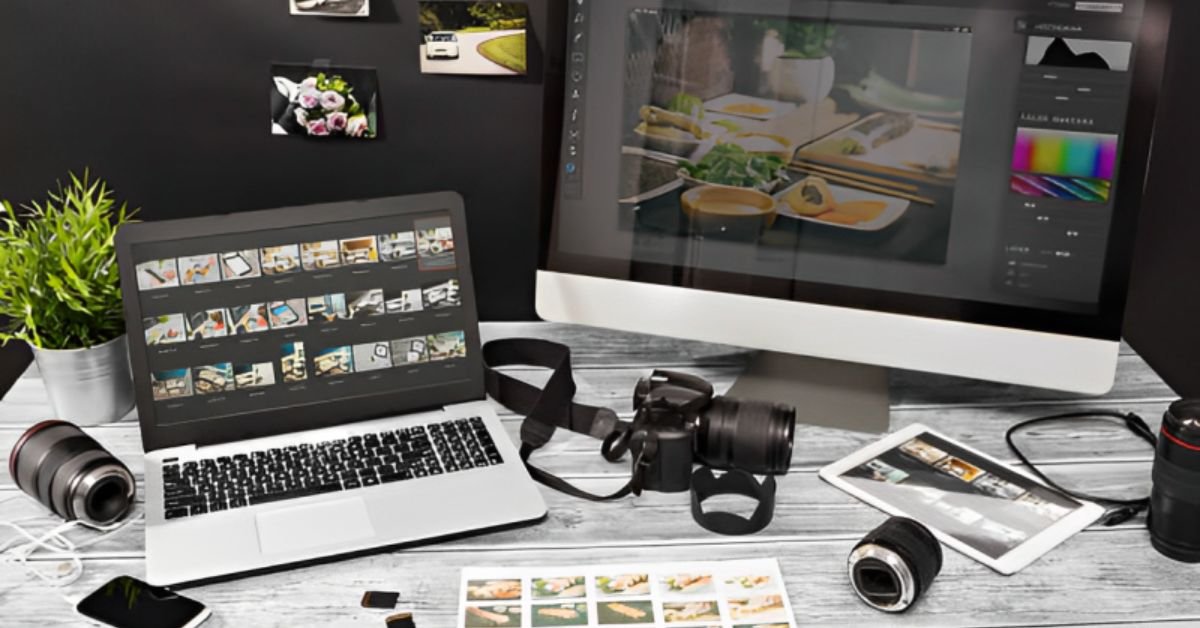
  PHOTO EDITING EFFECTS / POST-PRODUCTION

In the realm of digital imagery, renderings share an analogous format to digital photos, providing a canvas for post-processing creativity through tools like Photoshop. This versatility enables the amalgamation of multiple effects, unlocking a realm of possibilities in rendering enhancement.

Embracing Elegance: Muted Colour Effects in Renderings

Muted colour effects transcend the conventional, desaturating or muting specific parts of an image to accentuate focal points. Frequently employed to subdue background hues, this style elevates buildings, making them conspicuous. 

Whether selectively applied or enveloping the entire image, muted colour effects prove invaluable for brochures or website backgrounds, amplifying the contrast between text and imagery.

Timeless Allure: Vintage Effects for a Nostalgic Touch

Vintage effects purposefully introduce imperfections, infusing renderings with a nostalgic charm. Vignettes, strategically placed, guide the viewer’s gaze to the image’s core. 

Employing vintage color palettes not only adds authenticity but also immerses viewers in the rendering’s mood, transcending the pursuit of perfection.

Monochromatic Marvels: Elevating Marketing Materials with Monochromatic Effects

Dedicated to marketing materials, monochromatic effects maximize the impact of rendered images. Through meticulous application of photo editing techniques, these images take on a captivating, photorealistic allure, captivating the audience’s attention and delivering a powerful visual narrative.

Classic Simplicity: Black and White Elegance in Renderings

Black and white effects bestow a timeless elegance upon renderings, akin to vintage allure. Ideal for marketing collateral, these renderings add an extra layer of versatility, seamlessly blending simplicity and sophistication to create visually arresting images.

Dramatic Brilliance: Unleashing High Contrast in Renderings

High contrast renderings transform ordinary scenes into visually striking masterpieces. By deploying advanced photo editing techniques, this style brings forth vibrant colors and profound shadows, making it a popular choice for interiors and uncomplicated exteriors featured in brochures and websites.

Atmospheric Alchemy: Elevating Realism with Atmospheric Effects

Incorporating atmospheric effects such as haze, mist, fog, or streaming light elevates the realism of renderings. While often used subtly, these effects can be amplified to craft specific moods, from the tranquility of a misty morning to the warmth of a humid day.

In the ever-evolving domain of digital creativity, the application of diverse rendering effects breathes life into static images, transforming them into dynamic visual experiences. Mastering these techniques not only enhances realism but also opens doors to unparalleled artistic expression.


Conclusion:

In conclusion, this article serves as a comprehensive guide to the multifaceted realm of architectural rendering. We have navigated through the intricate techniques, principles, and styles that contribute to the creation of compelling visual narratives in architecture. By synthesizing knowledge on lighting, cameras, and rendering styles, professionals can elevate their presentations, leaving a lasting impact on viewers.

The exploration of lighting unveiled its paramount importance, showcasing various styles such as bright daytime renderings, dusk or dawn scenes, nighttime renderings, snow-covered landscapes, and inclement weather renders. Each lighting style carries its own aesthetic qualities, influencing the overall visual presentation and narrative.

The significance of camera settings and angles was underscored, emphasizing their role in creating immersive architectural visualizations. Architects and designers can strategically manipulate perspectives, focal lengths, and composition principles to effectively showcase their designs and engage viewers on a deeper level.

The journey continued into diverse rendering styles, ranging from muted color effects to vintage aesthetics, monochromatic allure, high contrast drama, and atmospheric enchantment. Each style contributes uniquely to architectural visualization, serving specific purposes such as enhancing realism or creating mood and atmosphere.

As technology advances, architects and designers are urged to stay updated with the latest rendering software and capabilities. This commitment to continuous learning enables professionals to push creative boundaries, ensuring that their architectural visualizations remain innovative and impactful.

In summary, mastering the art of architectural rendering requires a harmonious blend of technical knowledge, artistic sensibility, and a deep understanding of design principles. The seamless integration of lighting, camera techniques, and rendering styles empowers professionals to bring their architectural visions to life, conveying the essence of their designs and inspiring others through captivating visual storytelling.

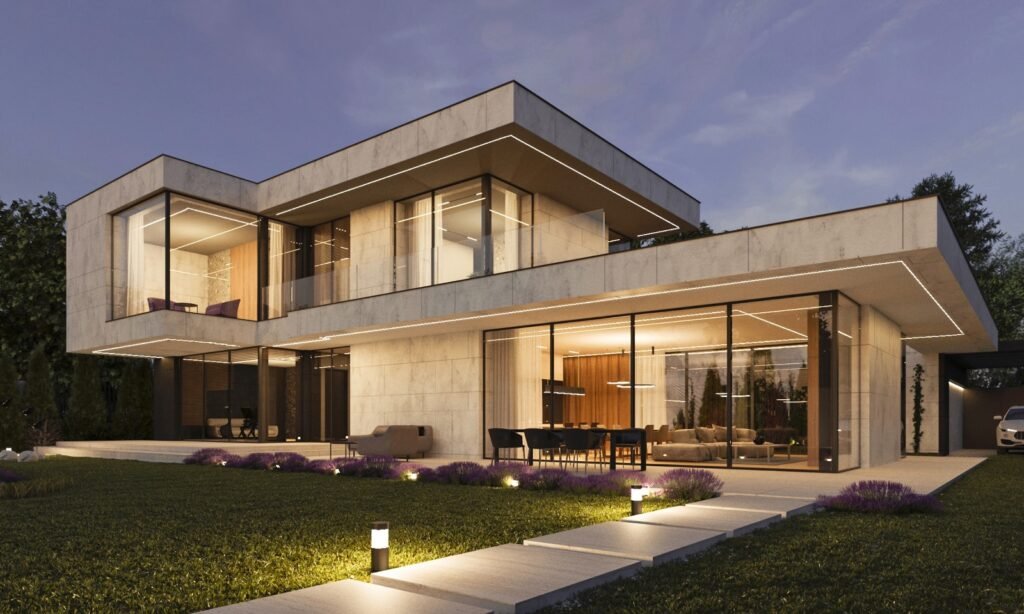


ARCHITECTURAL ANIMATION PRICING GUIDE

ARCHITECTURAL ANIMATION PRICING GUIDE

WHAT SHOULD 3D RENDERING AND ARCHITECTURAL VISUALIZATION SERVICES COST?

Table of Contents

WHAT ARE THE MAIN COST FACTORS FOR ARCHITECTURAL ANIMATION?

Several factors contribute to the cost of a 3D architectural animation. Understanding these cost factors can help you plan your project effectively and make informed decisions. The main cost factors for architectural animation are as follows:

  • Human Labor Costs: The effort and time required from animation artists significantly impact the cost. Factors such as the skill level of the artists, their location with respect to prevailing labor prices, and the complexity of the project influence labor costs.
  • Computer Costs: The computing resources required for rendering animations also contribute to the overall cost. This includes computing time, hardware, and software expenses.

THE COMPLEXITY OF THE SCENE 

The complexity of the 3D sets (scenes) and moving models plays a crucial role in the cost of architectural animation. Creating intricate and realistic scenes or detailed human animations requires more time and effort, resulting in higher costs. On the other hand, simpler elements like animating a basic object such as an automobile may be less costly. To streamline the animation process and reduce costs, tools like Lumion, which provide pre-set moving parts within a game engine-like environment, can be employed to save artists’ time and optimize production efficiency.

MOVING PARTS, PEOPLE, AND VEHICLES

Architectural animations often involve various moving components, such as a 3D camera, people, and vehicles within a stationary set. The complexity of these moving parts directly affects the cost. As the complexity and intricacy of the movements increase, the cost of animation production typically rises.

LENGTH OF ANIMATION

The duration of the animation is another significant factor influencing the cost. Longer animations, required to showcase more elements or convey a comprehensive visual narrative, generally involve more labor and rendering time. As a result, the price will increase accordingly.

RENDER TIME

Rendering time is an essential consideration in architectural animation. Most animations have a standard frame rate of around thirty frames per second. The rendering process becomes time-consuming when each frame requires a significant amount of time to render. For instance, if each frame takes ten minutes to render, even adding a single second of animation can demand an additional five hours of rendering time. Consequently, adding a minute of animation could extend the rendering process to twelve and a half days on a single computer. Higher rendering resolutions also contribute to longer rendering times. To address these long computing times, animations are rendered on clusters of computers, but the purchase or rental of these computers adds to the overall expense.

Understanding these cost factors allows for better project planning and budgeting. It’s important to collaborate with a reputable animation company that can provide detailed cost estimates based on your specific requirements and deliver high-quality results within your budgetary constraints.

Document

Instant 3D Rendering & Animation Pricing Calculator

Add New Item

Project Scope?

Use the slider below to set the scope of your project. Don't worry if the options don't exactly match what you have in mind.

Project scope: Small
Interior or Exterior?
Select 3D Rendered Image or Animation?

DIFFERENT ANIMATION PRICE OPTIONS AVAILABLE:

BOTTOM OF THE BARREL – CHEAPEST ARCHITECTURAL ANIMATION PRICING: $10-$100 PER SECOND - BUYER BEWARE

In the architectural rendering industry, there are freelancers and small firms popping up all over the world. With that, there is a race to the bottom with regards to animation pricing as inexperienced artists look to get a piece of the pie. 

Unlike still images though, an inexperienced 3D artist can get in way over their head when it comes to architectural animations. 

As render times quickly become a huge factor as animation times increase and small mistakes can no longer be photoshopped away, these projects can go from a promised 2-3 week timeline to a 2-3 months rather quickly. These firms often don’t have the man-power, computing power or know-how when it comes to putting together a high-quality architectural animation and they should be handled with care.

THINGS TO LOOK FOR:

  • Be sure to pay close attention to their animation portfolio, do they have dozens of past projects they can show you? Take their worst project and ask yourself if you would be happy with that level of quality. 
  • Over promising during the quoting process, if it sounds too good to be true, it probably is
  • Does the animation feel like a roller coaster or are the camera paths slow and smooth?
  • Are the animations high quality or does it feel like it’s been taken from an early version of The Sims?
  • Is the interior styling in the rendering modern and in line with your project – if not be prepared to hold the company’s hand throughout the process.
  • Be weary of freelance artists (although some of the top artists may be freelancers, be mindful of the reduced resources at their disposal – animations can be very time consuming, ask them about their timelines and rendertimes)

Times when the cheapest option may be best for you:

  • Timelines aren’t an issue
  • The budget for the project is very low but a 3D Animation is a key to your project
  • The overall quality of your project does not need to be high
  • You can afford to take a risk upfront to potentially save cost

MID LEVEL ARCHITECTURAL ANIMATION PRICING $100-$300 PER SECOND

As previously mentioned, architectural animation is not a simple project for a rendering firm to undertake (despite recent advancements in technology). Because of that, we feel that the mid-range pricing level is where you begin to see more legitimate companies popping up. (bear in mind, a higher price does not necessarily indicate improved quality or credibility) 

$100-$300 per second is a very large range, especially if you’re getting around one minute of animation (which is typically what we suggest). Your goal should be to find the company who offers the best value (quality of animation vs price per second) while keeping your own maximum budget in mind.

Ask prospective companies for several animation examples if their website only shows one or two. By doing this, you are forcing the company to either admit they are inexperienced in this specific field or you are going to make them to show animations which they didn’t deem good enough for their website. Assume that the quality of their worst animation is more in line with the quality you can expect to get.

Projects at this price point should have an air of professionalism to them. Rendering quality should be high, camera movements should be smooth, and the overall style should be aligned with your tastes. 

Our architectural animation services are within this price range. Feel free to contact us for an exact quote.

What to look out for in Mid-Level Priced animations:

  • Keep an eye out for thin portfolios, request several animation examples
  • Be sure that the quality of the animation warrants the price
  • What are the company’s google reviews like?

Times when Mid-Level pricing is right for you:

  • Majority of architectural rendering projects will fall under this price range
  • Both your budget and your quality expectations are reasonably high
  • Typically the architectural animations make the most sense when working on larger-scale projects like a townhouse development or a condo.
  • One-off, single family homes often do not have the marketing budget for this service and it may be best to get high quality still renders created rather than having a cheap architectural animation done

3D RENDERHUB ANIMATION EXAMPLE

TOP OF THE LINE ARCHITECTURAL ANIMATION PRICING $300-$1000 PER SECOND

Typically this price range is reserved for only the top 0.1% of 3D Animation companies.  

To put this pricing quality level into perspective, we consider to offer very high end animation services; however, we still do not feel we can justify this level of pricing (we fall in the mid level pricing category).

We have noticed in our industry is that pricing can be very predatory, some 3D studios take advantage of the fact that a lot of what we do is unknown to clients. As such, there can be wild swings in rendering pricing without justification. The best way to fix this issue, we believe, is educating our clients so they can make informed decisions.

This is not to say that there aren’t top companies out there deserving of this high price, top experts in the 3D rendering field can create some amazing pieces of art and they have earned the right to charge what companies are willing to pay them.

As previously mentioned, a higher price doesn’t always mean higher quality, but it is unlikely a top company would be charging less than what they’re worth.

With this higher price point, the expectations should be significantly higher as well. In-person meetings, design consults, flawless execution and value-added services should present themselves more regularly at the upper end of the pricing. When comparing a company’s examples to the mid-range pricing options, there needs to be a distinct difference to warrant the extra cost.

What to look out for in High-end priced animations:

  • Be sure to ask for several examples and references
  • At this price the quality needs to stand head and shoulders above mid level pricing
  • Request an in person meeting to get a feeling for the company

Times when High-end pricing is right for you:

  • You’re a large company looking to sell a massive development
  • The difference between spending $10,000 and $50,000 is relatively inconsequential and could be worth a higher quality product

DIFFERENT ANIMATION PRICE OPTIONS AVAILABLE:

At 3DRenderHub, our expertise extends across a range of 3D animation services. Below are the primary types of animation services we provide, each accompanied by a concise explanation:

  • Architectural Animation Services
    • Exterior House Animations (also referred to as exterior flythroughs or exterior walkthroughs): We bring your architectural designs to life by creating realistic animations that showcase the exterior of residential or commercial buildings, highlighting their key features and surroundings.
    • Interior House Animations (also referred to as interior flythroughs or interior walkthroughs): Our interior animations provide a captivating virtual tour of the interior spaces, allowing viewers to explore the layout, design, and ambiance of homes, offices, or other architectural interiors.
    • Multifamily Home Animations: We create animations that showcase multifamily housing complexes, demonstrating their overall design, landscaping, amenities, and the experience of living in such a community.
    • Highrise Animations: Our highrise animations present a detailed view of tall buildings, illustrating their grandeur, architectural elements, and the surrounding urban environment.
    • Drone + 3D Animations: Combining aerial drone footage with 3D animation, we produce captivating visual experiences that showcase architectural projects from various perspectives, capturing the essence of the location and design.
    • Commercial Space Animations: We create animations for commercial spaces such as retail stores, offices, and mixed-use developments, showcasing their interior layout, branding, and potential customer experiences.
    • Hotel and Restaurant Animations: Our animations for hotels and restaurants provide a glimpse into the inviting ambiance, facilities, and services, giving viewers a realistic preview of what to expect.
  • Product Animations
    • Product Explanation Videos: We create animated videos that showcase the features, functionality, and benefits of products, helping businesses effectively communicate their value proposition to customers.
    • Product Turntable Animations: Our turntable animations offer a 360-degree view of products, allowing customers to see the product from all angles and appreciate its design and details.
    • Furniture Demonstration Animations: We produce animations that demonstrate how furniture pieces can be assembled, adjusted, or transformed, helping customers visualize their usage and versatility.
  • Miscellaneous Animations
    • Park Planning Animations: We create animations that visualize park designs, including landscape elements, pathways, recreational areas, and amenities, helping stakeholders envision the final outcome.
    • Safety Videos: Our safety animations illustrate important safety procedures, protocols, or emergency responses, providing an engaging and informative way to educate employees or the general public.
  • Virtual Reality Services 

With our comprehensive range of 3D animation services, we aim to bring your ideas to life and provide immersive visual experiences that captivate your audience, promote understanding, and showcase the unique features of your projects or products.

HOW TO CHOOSE AN ARCHITECTURAL FLYTHROUGH COMPANY

When selecting a partner for architectural flythroughs, thorough research is essential for making the right decision. Consider the following key factors:

Track Record and Portfolio:
Examine the company’s history and the quality of their past work. Look for a firm with a strong portfolio showcasing diverse architectural flythroughs. 3DRenderHub, with a proven track record, proudly displays a rich portfolio reflecting expertise and attention to detail.

Affordability vs. Quality:
Strike a balance between affordability and quality. While opting for a cheap solution may be tempting, choosing overseas outsourcing can lead to communication challenges and subpar outcomes. 3DRenderHub offers competitive pricing while ensuring exceptional value without compromise.

Communication and Collaboration:
Effective communication is paramount. Choose a company with a streamlined communication process that is responsive to inquiries and feedback. 3DRenderHub prioritizes clear communication, ensuring a deep understanding of your vision and providing regular project updates.

Technical Expertise:
Verify the company’s technical capabilities in 3D modeling, animation, and rendering. 3DRenderHub boasts a team of skilled professionals proficient in cutting-edge software, essential for creating impressive architectural flythroughs.

Client Reviews and Testimonials:
Explore client reviews and testimonials for insights into previous experiences. 3DRenderHub takes pride in positive client feedback and enduring relationships. Our testimonials offer firsthand perspectives from satisfied clients.

By evaluating these factors and collaborating with a reputable firm like 3DRenderHub, you ensure an informed decision, setting the stage for a successful architectural flythrough project that exceeds expectations.

WHAT IS 3D RENDERING

3D RENDERING PRICING GUIDE

WHAT SHOULD 3D RENDERING AND ARCHITECTURAL VISUALIZATION SERVICES COST?

Table of Contents

WHAT IS 3D RENDERING?

DEFINITION:

3D Rendering is the process of producing a 2D image or animation (a sequence of images displayed at a specific frame rate) from a 3D model, all crafted through specialized computer software.

This intricate process entails constructing a virtual scene enriched with 3D objects. Subsequently, meticulous attention is given to configuring lighting and materials to impart a realistic appearance. The final step involves generating images or animations based on how a rendering program interprets the amassed information.

This technology offers a remarkable capability to visualize and actualize imaginary worlds, objects, and characters on our screens. The goal is to achieve a level of realism that mirrors reality or, alternatively, to venture into the realms of the artist’s imagination.

HISTORY OF 3D RENDERING:

The origins of 3D rendering trace back to the late 1960s and early 1970s, an era when computer graphics researchers delved into techniques for crafting realistic and immersive visual representations. Initially, rendering was a time-intensive process confined to specialized hardware and software.

Nevertheless, as computing power and algorithms advanced, the landscape changed significantly. The 1980s marked a turning point with the advent of groundbreaking rendering software such as Pixar’s RenderMan and notable progress in ray tracing techniques. The 1990s ushered in a new era with the introduction of commercial software like 3ds Max and Maya, democratizing access to 3D rendering tools.

As computer graphics technology evolved, rendering techniques expanded to encompass global illumination, physically-based rendering, and real-time rendering. In contemporary times, 3D rendering stands as a vital component across diverse industries — from architecture to film, gaming, and virtual reality. It empowers the creation of breathtaking and immersive visual experiences.

3D RENDERING IN SIMPLE TERMS

Similar to a sculptor shaping clay into diverse forms, within the domain of 3D modeling, artists engage in the manipulation of virtual objects. They stretch, squish, and rotate these objects according to their creative whims.

Consider the scenario where you sculpt the clay into a human bust. To amplify realism, you intricately paint the skin, infuse detailed features such as red lips, brown eyes, and black hair, and crown it with a striking blue hat. This artistic process mirrors the essence of texturing a 3D model. Here, artists infuse lifelike details onto the surface of an object, enhancing its visual allure and appeal.

The journey doesn’t culminate there. Post-painting your clay sculpture, you recognize the need for dynamic lighting to showcase all the intricacies you’ve meticulously added. Much like a skilled photographer, you adjust the blinds to welcome ambient light, strategically position additional lamps for depth, and introduce a small flashlight for a subtle rim light effect. These nuanced lighting adjustments closely parallel the art of lighting in 3D rendering, where virtual lights are strategically placed within the scene.

Now, with your masterpiece ready, it’s time for the capture phase through a camera lens. Employing your tripod-mounted camera, you meticulously frame the subject and press the shutter button. The camera adeptly captures the interplay of light, reflecting the colors and shapes of your sculpture—a process akin to the 3D rendering realm, where sophisticated software computes light interactions within a 3D scene to generate captivating images.

APPLICATIONS OF 3D RENDERING:

Now, delving into the realm of exciting possibilities within 3D rendering, the applications prove expansive, spanning across diverse industries.

Architects, along with companies like ours, 3DRenderHub, leverage its capabilities to craft striking architectural visualizations. Simultaneously, filmmakers harness its power in CGI to orchestrate breathtaking movie scenes. The immersive capacities of 3D rendering extend their influence to various sectors, including medical imaging, safety training, product prototyping, engineering, virtual reality, and video games. Each of these fields benefits profoundly from the transformative potential embedded in the art of 3D rendering.

1. ARCHITECTURAL RENDERINGS:

With an enduring commitment to the realm of architectural rendering, our company, 3DRenderHub, has dedicated the past 10 years predominantly to this domain. We harbor a profound passion for the transformative potential encapsulated in architectural renderings, allowing individuals a glimpse into the future. Even if a building is years away from groundbreaking, our renderings breathe life into the visions of architects and developers, presenting a hyper-realistic and thrilling preview of what lies ahead.

Architectural renderings encompass the process of crafting visual representations of architectural designs through computer-generated imagery (CGI) techniques. These renderings serve the crucial purpose of conveying the intended look, feel, and functionality of a building or space before physical construction commences. They emerge as potent tools, bridging the gap between imagination and reality, providing stakeholders with a tangible and immersive way to visualize and assess architectural designs.

Revolutionizing the presentation of architectural designs, renderings captivate audiences with stunning visual depictions, bringing projects to life. This influential tool finds extensive use in diverse industries like architecture, real estate, and urban planning. By harnessing the capabilities of 3D rendering software, architects and designers craft immersive experiences, showcasing ideas with remarkable detail. Materials, lighting, textures, and spatial arrangements are presented realistically. The impact of architectural renderings extends beyond aesthetics, enabling stakeholders to visualize and evaluate designs pre-construction, resulting in significant time and resource savings while ensuring a clear vision of the final product.

Benefits and Impact of Architectural Renderings on Stakeholders:

1. Visualization and Evaluation: Renderings empower stakeholders to visualize and assess designs pre-construction, offering a clear understanding of spatial qualities, aesthetics, and functionality.

2. Decision-Making: Stakeholders can make informed decisions by assessing the impact of designs, exploring options, and providing valuable feedback for optimization.

3. Marketing and Sales: Renderings serve as robust marketing tools, attracting potential buyers or investors by showcasing unique project features, ambiance, and visual appeal.

4. Cost and Time Savings: Early identification of design flaws avoids costly rework during construction, streamlining the design process, reducing project timelines, and associated expenses.

5. Stakeholder Engagement: Renderings foster effective communication and collaboration among architects, clients, investors, and stakeholders, nurturing a sense of ownership, engagement, and a shared vision.

WHO USES ARCHITECTURAL RENDERING:

1: Architecture: Architectural renderings are an indispensable part of architectural design, allowing architects to present their ideas to clients, investors, and regulatory bodies. They aid in securing project approvals, facilitating design discussions, and visualizing the final product.

2: Real Estate: In the real estate industry, renderings are used for marketing and sales purposes. They enable developers and agents to showcase the potential of properties, attract buyers, and convey the unique selling points of a project.

TYPES OF ARCHITECTURAL VISUALIZATIONS

3: Urban Planning:Renderings are vital in urban planning to visualize proposed developments, infrastructure projects, or revitalization plans. They help urban planners and city officials assess the impact of these projects on the existing environment and evaluate their feasibility.

3D RENDERING STYLES

4: Interior Design: Interior designers utilize renderings to present their design concepts to clients, allowing them to visualize and approve spatial layouts, materials, furniture arrangements, and decorative elements.

5: Construction and Engineering: Architectural renderings aid construction and engineering teams in understanding the design intent and coordinating various aspects of the project, such as structural elements, mechanical systems, and site logistics.

TYPES OF ARCHITECTURAL RENDERING SERVICES:

Here are a few examples of architectural rendering services with some samples of the work we have done.

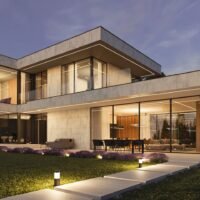
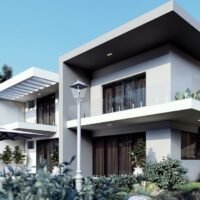
1. Exterior Renderings: These renderings center on presenting the external visage of a building or structure, encapsulating its façade, landscaping, materials, and overall architectural design. The scope spans from fundamental house renderings to expansive townhouse renderings or high-rise renderings, capturing the essence of diverse architectural scales and designs.

Exterior Renderings

    Timeframe: 3-6 days
    Price Range: $450-$950

2. Interior Renderings: Interior renderings offer a meticulous visualization of the interior spaces within a building, encompassing rooms, furniture, lighting, textures, and decorative elements with intricate detail.

House Rendering

Image Rendering (12)

    Timeframe: 3-6 days
    Price Range: $450-$950

3. 3D Floor Plans: This rendering type presents a three-dimensional representation of the floor plan, providing a comprehensive view of the spatial layout, room dimensions, and flow of a building.

3D Floor Plans

Untitled design - 2023-12-14T172523.629

    Timeframe: 3-6 days
    Price Range: $450-$950

4. Aerial Renderings: Aerial renderings offer a bird’s-eye view of a project, elucidating its integration within the surrounding environment. They showcase the overall site design and landscaping. Frequently, these images are crafted by seamlessly merging drone photography with rendered elements.

Aerial Renderings

Untitled design - 2023-12-14T172152.706

    Timeframe: 3-6 days
    Price Range: $450-$950

5. Site and Master Plan Renderings: These renderings direct attention to large-scale projects, such as urban developments or master plans. They showcase the arrangement of buildings, open spaces, roads, and other infrastructure elements.

6. Conceptual Renderings: Conceptual renderings encapsulate the initial design concepts and ideas. They often emphasize artistic expression, creating a visual narrative that conveys the essence of the project.

7. Architectural Walkthroughs: Architectural walkthroughs, facilitated by animated sequences or interactive virtual tours, present a dynamic exploration of a project. They empower stakeholders to virtually navigate through spaces, providing an immersive experience of the design in motion.

Architectural Walkthroughs

Untitled design - 2023-12-14T182805.563

    Timeframe: 3-6 days
    Price Range: $450-$950

8. Virtual Reality (VR) Renderings: VR renderings harness virtual reality technology, delivering an immersive and interactive experience. Users can explore and interact with a virtual representation of the project using VR headsets or devices.

9. Augmented Reality (AR) Renderings: AR renderings seamlessly integrate digital elements with the real world. Virtual elements are superimposed onto physical environments, enabling stakeholders to view and interact with digital overlays of architectural designs through mobile devices or AR glasses.

10. Renovation Renderings: Renovation renderings illustrate proposed changes or upgrades to existing structures. They enable stakeholders to visualize the potential transformation of a building or space.

2. PRODUCT RENDERINGS:

Product renderings play a pivotal role in presenting designs before the actual manufacturing phase. They serve as a crucial tool for businesses, enabling them to showcase their designs in a compelling and photorealistic manner. These renderings meticulously highlight product features, materials, colors, and textures, offering manufacturers insights into the visual appeal, ergonomics, and functionality of their products. Widely utilized in advertising, marketing campaigns, product catalogs, and e-commerce platforms, product renderings captivate customers and bolster sales. This approach provides a cost-effective and efficient means of creating lifelike representations of products, eliminating the necessity for physical prototypes in the early stages of development.

WHO USES PRODUCT RENDERING SERVICES?

Manufacturing and Product Design: Product renderings play a crucial role in the design and development process. Designers utilize them to visualize and refine product concepts, evaluate form and functionality, and make informed design decisions before moving into the production phase.

Advertising and Marketing: Invaluable in marketing campaigns, product renderings allow businesses to showcase their products in visually captivating ways. Whether in print ads, digital media, or packaging design, renderings create engaging visuals that attract customers and effectively communicate product features.

E-commerce: Online retail benefits significantly from product renderings, offering an accurate representation of products to potential customers. By showcasing products from various angles, demonstrating functionality, and presenting customization options, renderings help customers make informed purchasing decisions.

Prototyping and Manufacturing: Product renderings contribute to the prototyping and manufacturing process. Manufacturers leverage them to assess product manufacturability, plan production workflows, and provide precise specifications to suppliers.

BENEFITS OF 3D PRODUCT RENDERINGS

Customer Engagement: Renderings enable customers to visualize products before physical availability, fostering increased engagement and connection. This often leads to higher customer satisfaction and enhanced sales conversions.

Cost and Time Savings: Early identification of design flaws or issues through product renderings helps businesses avoid costly mistakes during manufacturing. The ability to iterate and refine designs in a virtual environment reduces time-to-market and associated expenses.

Decision-Making: Product renderings provide stakeholders with a clear understanding of the product’s design, features, and aesthetics. This clarity facilitates informed decision-making regarding product development, marketing strategies, and investment opportunities.

3. CHARACTER AND CREATURE RENDERINGS:

Character and creature renderings hold a central role in the realms of animation, gaming, and visual effects. Artists embark on the creation of digital characters, spanning the spectrum from humans to fantastical creatures and anthropomorphic beings, and breathe life into them through intricate 3D rendering techniques. These renderings encapsulate the entire process, from meticulous modeling and texturing to the nuanced realms of rigging and animation. The outcome is a collection of lifelike and expressive characters. Whether gracing the screens of beloved animated films, pushing the boundaries in cutting-edge video games, or crafting mesmerizing visual effects sequences, character and creature renderings serve as conduits, transporting audiences into imaginative worlds. Here, emotions are invoked, and viewers are immersed in narratives that captivate and enthrall.

4. VISUAL EFFECTS IN MOVIES AND ANIMATIONS:

At the core of visual effects in movies and animations, 3D rendering is the creative engine that brings forth breathtaking and seemingly impossible scenes. Whether it’s mind-bending action sequences or awe-inspiring environments, 3D rendering is the magic wand that breathes life into imaginary worlds with unparalleled realism. Visual effects artists wield advanced rendering techniques to simulate natural phenomena, replicate physics, and seamlessly integrate computer-generated elements into live-action footage. The end product is a seamless fusion of reality and imagination, a captivating blend that pushes the boundaries of storytelling and leaves audiences spellbound.

5. VIRTUAL REALITY AND GAMING:

Virtual reality (VR) and gaming, as immersive experiences, heavily rely on the prowess of 3D rendering technology. In VR, realistic and interactive virtual environments are meticulously crafted using 3D rendering techniques, enabling users to seamlessly explore and interact with digital worlds in real-time. Gaming leverages 3D rendering to craft lifelike characters, intricate landscapes, and stunning visual effects. The gaming industry thrives on real-time rendering engines, empowering dynamic and responsive visuals that elevate gameplay and create immersive player experiences. From adrenaline-fueled adventures to virtual simulations, 3D rendering stands as a fundamental cornerstone, breathing life into virtual reality and gaming.

These diverse applications underscore the profound significance of 3D rendering across various industries, spanning architecture and product design to entertainment and virtual experiences. The capability to generate realistic and visually captivating representations has sparked a revolution in how we design, communicate, and engage with the world, unveiling endless possibilities for creativity and innovation.

Request A Quote

Give us a little information about your next project and we will get back to you right away

WHAT TO EXPECT WHEN WORKING WITH A 3D RENDERING COMPANY

Engaging with a professional 3D rendering company can be a transformative experience for architectural projects, serving as the vital link between imagination and reality. Whether you’re an architect aiming to showcase designs to clients or a homeowner envisioning a renovation, collaboration with a rendering company holds the power to bring your vision to vibrant life while offering valuable insights into the final outcome.

Selecting the right 3D rendering company for your architectural visualization needs may initially feel daunting. The realm of 3D rendering is intricate and multifaceted, and grasping the nuances of the process can be overwhelming. We understand the potential confusion and uncertainty that may accompany the quest for the ideal partner to actualize your design visions.

A successful partnership with a 3D rendering company commences with a lucid comprehension of the process. Though specific steps might vary based on the company and project, common stages characterize the creation of architectural renderings.

TYPICAL 3D RENDERING PROJECT WORKFLOW:

The journey with a 3D rendering company unfolds through several distinct stages:

1. Initial Consultation and Project Scope:
The process kicks off with a thorough initial consultation, a space where your project requirements, objectives, and timelines are meticulously discussed. This serves as a crucial moment to articulate your vision, conveying any specific details you wish to be integrated into the rendering.

2. Gathering Necessary Information and Assets:
To proceed, the rendering company requires essential information like architectural plans, sketches, CAD files, material references, and photographs. The organized provision of these assets ensures precision and efficiency throughout the rendering process.

3. Conceptualization and Design Development:
Drawing from the provided information, the rendering company initiates the conceptualization and development of a 3D model, often presented as a clay rendering. This step establishes the foundational model and outlines optimal camera positions and compositions.

4. Initial Drafts with Full Detail Renderings:
Once confirmed on camera angles, the company advances to infusing details into the model—adding textures, lighting, and, in post-production, human entourage. This phase refines the rendering with meticulous attention to detail.

5. Iterative Feedback and Revisions:
The first draft of the rendering is offered for your assessment and input. Collaborative and transparent communication remains crucial in this process. Feel free to suggest revisions and modifications to ensure the rendering aligns seamlessly with your vision. Clear and open communication is key to refining the rendering precisely according to your preferences. At 3DRenderHub, we typically facilitate up to three rounds of revisions for this purpose.

6. Final Rendering and Delivery:
After incorporating feedback and making necessary revisions, the rendering company proceeds to finalize the rendering in the preferred image or video format. Some companies may include watermarks until the final payment, safeguarding their intellectual property rights until project completion.

This meticulous journey ensures a collaborative and iterative process, culminating in a final rendering that vividly brings architectural visions to life.

WHAT FILES YOU NEED TO PROVIDE IN ORDER TO GET A 3D RENDERING STARTED

Embarking on an architectural rendering project demands a nuanced understanding of the files and assets that breathe life into your vision. Thoughtful file preparation and organization lay the groundwork for a seamless collaboration with the rendering company. Here’s a breakdown of key files essential for architectural rendering, encompassing architectural files and FF&E (Furniture, Fixtures, and Equipment) assets:

Architectural Files:

File Types:

CAD Drawings: Ideal for 3D rendering, offering detailed building information directly importable into rendering software.
PDFs: Convenient for sharing and quick reviews.
SketchUp Files: Provide 3D models, though less detailed than those used in high-quality renderings, serving as excellent starting points.

Architectural Drawing Types:
Elevation Drawing: Reveals the building’s exterior view, highlighting vertical surfaces and architectural features.
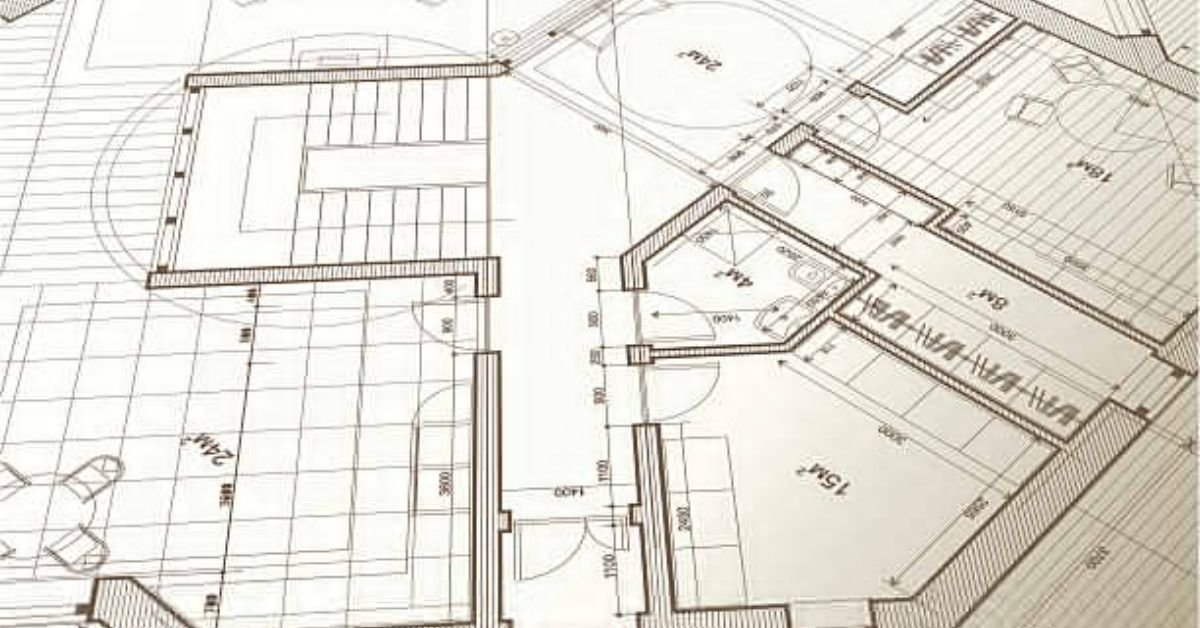
Floor Plan: Offers a top-down view, illustrating room arrangements and architectural elements on a specific floor.
Site Plan: Provides an overview of the property, showcasing boundaries, topography, and site-specific features to contextualize the building’s placement.
Section Plan: A vertical slice revealing internal structure and construction details, aiding in understanding spatial relationships.
Roof Plan: Details the roof’s layout, design, and architectural features.

These drawings form the backbone of 3D rendering, offering crucial insights into the building’s appearance, layout, context, and internal structure. They are instrumental in achieving accuracy and realism in the rendered images.

MOST EFFECTIVE WAY TO CONVEY THE TYPES OF EXTERIOR MATERIALS TO USE:

When conveying the types of exterior materials for a 3D rendering, it is best to provide clear and specific information. Utilize material samples, product links, reference images, or detailed descriptions to communicate the desired textures, colors, and finishes.

HOW TO BEST SELECT ARCHITECTURAL ENTOURAGE FOR YOUR PROJECT:

When conveying information about demographics for use in architectural rendering entourage, it is important to gather comprehensive data about the target audience or the intended occupants of the space. This includes factors such as age range, cultural background, profession, lifestyle, and specific needs or preferences. Visual references like photographs or mood boards can help illustrate the desired demographic characteristics. Additionally, providing contextual information about the purpose and function of the space can assist in accurately selecting the appropriate entourage elements. By effectively conveying demographic information, rendering professionals can create realistic and relatable representations that align with the intended users of the architectural design.

TYPES OF INTERIOR DESIGN DETAILS A 3D RENDERING MAY REQUIRE:

  1. Furniture Models: If you want specific furniture pieces included in the renderings, you will need to provide 3D models or references for those items. This ensures accurate representation of the furniture within the architectural context. Furniture models can be obtained from manufacturers or created through custom modeling. Be sure to indicate if you require exact match furniture usage in your interior renderings or if items from the 3d renderer’s library would be sufficient.
  2. Lighting Fixtures: Lighting fixtures greatly impact the ambiance and mood of architectural renderings. If you have specific lighting fixtures in mind, share the 3D models or detailed references with the rendering company. This allows them to accurately place and illuminate the fixtures in the renderings, creating realistic lighting effects.
  3. Decorative Elements: Supplementary decorative elements, such as artwork, plants, or accessories, can enhance the visual appeal of the renderings. Provide references or 3D models of these elements to integrate them seamlessly into the scenes. These assets contribute to the overall aesthetic and help bring the spaces to life.
  4. Material and Finish Samples: If you have specific materials or finishes in mind for surfaces like flooring, walls, or countertops, providing physical or digital samples to the rendering company helps ensure accurate representation. This allows them to match the desired look and feel in the renderings.

By providing the necessary architectural files, including CAD drawings and 3D models, along with FF&E details such as furniture typesand material samples, you enable the rendering company to accurately recreate your design vision. Proper organization of files and adherence to preferred formats ensure a smooth collaboration and help achieve the desired outcome in the architectural renderings.

UNDERSTANDING THE ESTIMATED TIMELINE FOR RENDERING PROJECTS

When embarking on an architectural rendering project, it is crucial to have a clear understanding of the estimated timeline. Rendering companies carefully assess the scope and complexity of each project to provide an accurate timeline. Factors such as project size, level of detail, and the number of deliverables influence the estimated duration.

Estimating project timelines involves considering the time required for each stage of the rendering process, including asset preparation, modeling, texturing, lighting, rendering, and post-production. Complex projects with intricate architectural designs or extensive interior detailing may naturally require more time than simpler ones.

FACTORS THAT MAY AFFECT THE PROJECT DURATION

Several variables can impact the duration of a rendering project. It is essential to consider these factors to ensure a realistic timeline and avoid potential delays. Some of the factors that may influence project duration include:

  1. Revisions and Design Adjustments: Iterative feedback and revision cycles are common in rendering projects. While these iterations contribute to refining the final result, they can also extend the project timeline. Clear communication and prompt feedback help streamline this process.
  2. Additional Design Requests: Clients may request additional elements or design changes throughout the project, which can impact the timeline. It is important to have a mechanism in place to evaluate and assess the feasibility and implications of these requests.
  3. Technical Challenges: Technical difficulties or unforeseen issues can arise during the rendering process, such as software glitches or compatibility problems. Resolving these challenges may require additional time and expertise, impacting the project timeline.

EFFECTIVE COMMUNICATION WITH THE RENDERING COMPANY

Effective communication is crucial when working with a rendering company to ensure a smooth and successful collaboration. Here are some key points to consider:

  1. Establish clear channels: Set up regular communication channels with the rendering company, such as email, phone calls, or project management software. This enables efficient and consistent communication throughout the project.
  2. Designate a point of contact: Appoint a dedicated point person from your team who will be responsible for communicating with the rendering company. Having a single point of contact streamlines communication and reduces confusion.
  3. Active listening and clarity: Actively listen to the input and suggestions provided by the rendering company. Clearly communicate your expectations, goals, and any specific requirements you have for the project. This ensures a shared understanding and minimizes misunderstandings.
  4. Be Specific: Provide specific details and complete drawings when possible to minimize confusion and unnecessary revisions.

PROVIDING CLEAR PROJECT REQUIREMENTS AND OBJECTIVES

To achieve the desired outcome, it is essential to provide clear project requirements and objectives to the rendering company. Consider the following:

  1. Detailed brief: Prepare a comprehensive brief that outlines your project’s scope, target audience, desired style, and any specific design elements or features you want to highlight. The more detailed and precise the brief, the better the rendering company can understand and meet your expectations.
  2. Visual references: Gather visual references, such as sketches, photographs, or mood boards, to help convey your vision and aesthetic preferences. These references provide a visual foundation for the rendering company to grasp your design intent accurately.
  3. Define project milestones: Clearly define the project milestones and deliverables, including intermediate review stages, to track progress and ensure alignment between both parties. This helps keep the project on schedule and allows for timely adjustments if needed.

3D RENDERING PRICES:

As you might expect, the cost of 3D rendering services varies significantly based on factors such as project complexity, scope, and quality expectations. For a detailed analysis of rendering pricing and the factors influencing it, we invite you to explore our dedicated pricing page.

GET IN TOUCH FOR A FREE QUOTE.

CAREERS IN 3D RENDERING

Embarking on a career as a 3D artist opens up a world of limitless creativity and boundless possibilities. As a 3D artist, you will delve into the realm of computer-generated imagery, crafting immersive visual experiences that blur the line between reality and imagination. From architectural visualizations that bring unbuilt structures to life, to fantastical characters and environments in gaming and animation, your skills as a 3D artist will shape captivating digital worlds. With a blend of technical expertise, artistic talent, and a passion for storytelling, you will have the opportunity to collaborate with diverse industries and contribute to projects that inspire, entertain, and leave a lasting impact on audiences.

While a career as a 3D artist offers exciting opportunities, it also comes with its fair share of challenges. Some of the key hurdles that potential 3D artists may encounter include:

  1. Technical Complexity: Mastering the intricate software tools and techniques required for 3D modeling, texturing, lighting, and rendering can be a steep learning curve. Keeping up with rapidly evolving technology and staying current with industry trends is an ongoing challenge.

  2. Continuous Learning: The field of 3D art is constantly evolving, with new software versions, rendering engines, and techniques emerging regularly. Artists need to commit to lifelong learning and staying updated with the latest advancements to remain competitive.

  3. Creative Problem-Solving: 3D artists often encounter complex creative challenges, from achieving realistic lighting and materials to solving technical issues during the rendering process. Finding innovative solutions and overcoming artistic and technical obstacles requires patience, perseverance, and a problem-solving mindset.

  4. Time and Deadline Management: Projects in the 3D industry can have tight deadlines, requiring artists to manage their time effectively and deliver high-quality work within specified timelines. Juggling multiple projects simultaneously can also pose a challenge, necessitating strong organizational and time management skills.

  5. Building a Portfolio and Networking: Establishing a strong portfolio is crucial for showcasing one’s skills and attracting potential clients or employers. Building a portfolio requires time and effort, as well as networking with industry professionals to gain exposure and opportunities.

  6. Competition and Industry Demands: The field of 3D art is highly competitive, and standing out among a sea of talented artists can be challenging. Additionally, client demands and project requirements may vary greatly, requiring artists to adapt their skills to meet diverse needs and expectations.

Despite these challenges, a career as a 3D artist can be immensely rewarding for those passionate about the craft. With dedication, perseverance, and a commitment to continuous growth, aspiring artists can overcome these hurdles and thrive in the dynamic world of 3D art.

HOW A 3D RENDERING IS MADE

At it’s most fundamental level, these are the basic steps for creating 3d renderings

  1. 3D Modeling: A skilled artist models the virtual scene, shaping objects, structures, and characters.
  2. Materials and Texturing: Artists apply textures to the 3D models, making them appear realistic by simulating different surfaces like glass, concrete, or brick. Material setup determines characteristics such as glossiness and roughness.
  3. Lighting: Just as a photographer sets up lighting equipment, 3D artists configure lights within the virtual scene to mimic real-world lighting conditions, including sunlight and ambient illumination.
  4. Rendering: This is the moment of truth. The 3D software computes all the inputs—models, materials, and lighting—to generate the final 2D image or animation. The rendering time varies depending on scene complexity and desired quality.
  5. Post-production: This is where a lot of the magic happens. Post-production in programs like Photoshop, to add in subtle details, color corrections and little touches of magic to create a more appealing image.
  6. Refining: Iterative feedback loops with the client ensure the scene, textures, and lights meet the desired outcome. Revisions are made until the artist achieves the desired results.
  7. Final Delivery: The agreed-upon high-resolution 2D images or animations are provided to the client in a suitable format for their specific needs.

3D MODELING SOFTWARE EXAMPLES

When it comes to 3D modeling software, there are several options to choose from. Here, I present to you a selection of the most renowned and widely-used ones. Take a look at these popular choices in the realm of 3D modeling software.

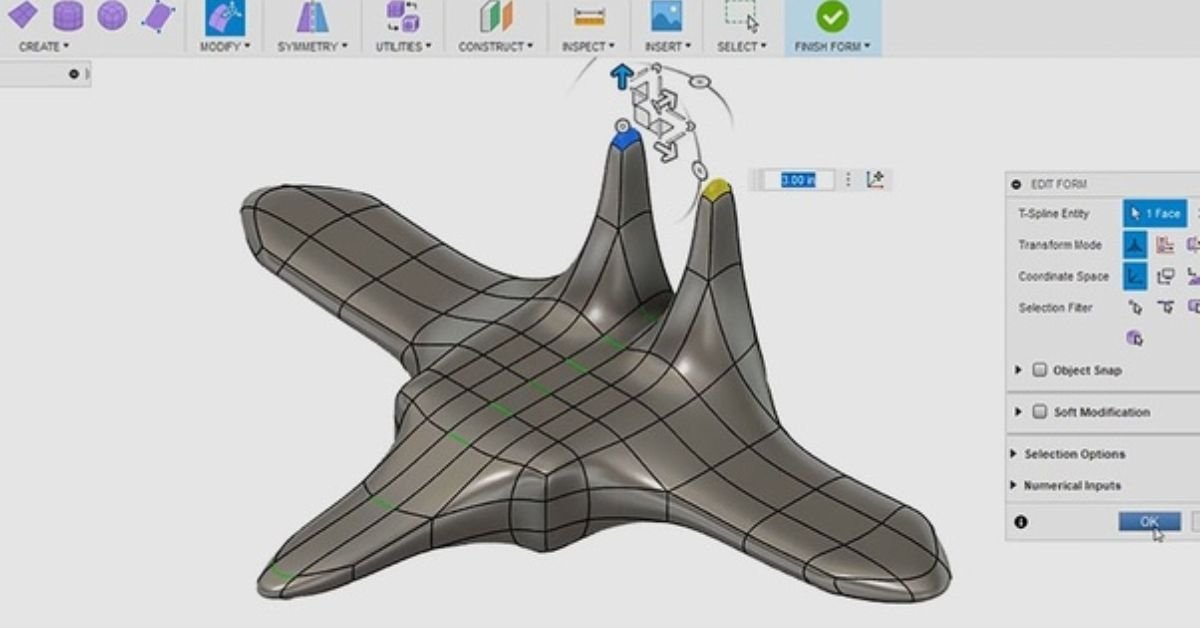
  1. 3ds Max: 3ds Max is a professional 3D modeling, animation, and rendering software developed by Autodesk. It is widely used in industries such as film, gaming, and architecture. It offers a comprehensive set of tools for modeling, texturing, rigging, animation, and rendering. 3ds Max supports various modeling techniques, including polygonal modeling, NURBS, and subdivision surfaces. It also has a powerful plugin ecosystem that allows for extended functionality and integration with other software.
  2. Maya: Maya is another popular 3D modeling and animation software developed by Autodesk. It is widely used in the film, television, and gaming industries. Maya offers a wide range of features for modeling, animation, rigging, and rendering. It supports various modeling techniques, including polygonal modeling, NURBS, and subdivision surfaces. Maya also has a robust character animation toolkit and supports advanced simulation and visual effects capabilities.
  3. ZBrush: ZBrush is a digital sculpting and painting software developed by Pixologic. It is primarily used for creating highly detailed and organic 3D models. ZBrush uses a unique sculpting workflow that allows artists to manipulate models using customizable brushes and digital clay. It is widely used in the film, gaming, and toy industries for creating characters, creatures, and props. ZBrush also offers features for texturing, polypainting, and rendering.
  4. Cinema 4D: Cinema 4D is a professional 3D modeling, animation, and rendering software developed by MAXON. It is widely used in motion graphics, visual effects, and product visualization. Cinema 4D offers a user-friendly interface and a wide range of modeling tools, including polygonal modeling, NURBS, and subdivision surfaces. It has a powerful animation system, character rigging capabilities, and advanced rendering options. Cinema 4D also supports integration with other software and has a large plugin ecosystem.
  5. SketchUp: SketchUp is a 3D modeling software developed by Trimble Inc. It is known for its intuitive and easy-to-use interface, making it popular among beginners and architectural professionals. SketchUp offers a range of tools for creating 3D models, including simple shapes, architectural elements, and detailed objects. It also supports plugins that extend its functionality. SketchUp is often used for architectural design, interior design, and urban planning.

One of the most popular open-source 3D modeling software is Blender, which supports the entire 3D pipeline, including rendering, animation, modeling, compositing, and more. Wings 3D is another open-source software that specializes in visual mirroring for symmetric modeling. 3D Crafter, although not fully open-source, is recommended for aspiring 3D animators and offers drag-and-drop functionality for modeling.

3D Reshaper is a software dedicated to easy 3D modeling with a focus on topography, while Houdini Apprentice provides access to most of the tools available in the paid version of Houdini but with limitations on rendering file size and usage. FreeCAD is an open-source software that excels in designing real-life objects, while Daz Studio caters to artists and allows the creation of lifelike characters.

Other notable free 3D modeling software include DesignSpark, SketchUp, Mesh Magic, Open Cascade, Sculptris, NaroCAD, Vue 11 Personal Learning Edition, PTC Creo, OpenSCAD, Mesh Mixer, LEGO Digital Designer, TinkerCAD, and Art of Illusion. Each software offers unique features and capabilities tailored to specific applications and industries.

3D RENDERING SOFTWARE EXAMPLES

In addition to 3D modeling software, rendering engines play a crucial role in finalizing the output of 3D designs. While commercial rendering engines can be expensive, there are free alternatives available. Cycles, developed by the team behind Blender, is a popular rendering engine known for its unbiased rendering and efficiency. Kerkythea specializes in rendering materials and light effects, providing realistic results. Freestyle is a customizable rendering engine that focuses on non-photorealistic line drawings.

There are various types of 3D rendering engines available, each offering different features and capabilities. Here are some of the main types:

  1. Scanline Rendering Engine: This type of rendering engine uses a scanline algorithm to render images. It works by scanning each horizontal line of the image and determining the color and intensity of each pixel.

Autodesk 3ds Max, Autodesk Maya Software Renderer, Cinema 4D Standard Renderer.

  1. Ray-Tracing Rendering Engine: Ray tracing is a technique that simulates the behavior of light in a 3D environment. Ray-tracing engines trace the path of light rays as they interact with objects in the scene, allowing for realistic rendering of reflections, refractions, and shadows.

NVIDIA Mental Ray, Chaos Group V-Ray, Pixar RenderMan.

  1. Radiosity Rendering Engine: Radiosity rendering focuses on the calculation of indirect lighting in a scene. It simulates the way light bounces off surfaces and interacts with other objects, resulting in soft and realistic lighting effects.

LightWave 3D Radiosity Renderer, Maxwell Render, Artlantis Studio.

  1. Global Illumination Rendering Engine: Global illumination engines aim to achieve realistic lighting by simulating the interaction of light with the environment. They consider not only direct lighting but also indirect lighting effects such as diffuse interreflection, caustics, and color bleeding.

Chaos Group V-Ray, Autodesk Arnold, LuxCoreRender.

  1. Path-Tracing Rendering Engine: Path tracing is a more advanced version of ray tracing that calculates the behavior of light rays as they bounce around the scene. It simulates the path of each individual ray, resulting in accurate lighting and realistic rendering.

NVIDIA OptiX, Blender Cycles, Redshift Renderer.

  1. Real-Time Rendering Engine: Real-time rendering engines are designed for interactive applications and games. They prioritize speed and efficiency, allowing for fast rendering of scenes in real-time while maintaining a good level of visual quality.

Unity, Unreal Engine, CryEngine.

  1. Non-Photorealistic Rendering Engine: Non-photorealistic rendering (NPR) engines focus on producing stylized or artistic renderings that deviate from photorealism. They create visuals that resemble traditional art styles, such as cartoons, paintings, or sketches.

Toon Boom Harmony, Adobe Substance 3D Painter (with NPR capabilities), Autodesk SketchBook.

  1. Hybrid Rendering Engine: Hybrid rendering engines combine different rendering techniques to leverage their respective advantages. They may use a combination of real-time rendering for interactive elements and ray tracing or global illumination for more complex scenes.

Chaos Group V-Ray (with real-time rendering plugins like V-Ray Vision), Unity (integrating real-time and ray tracing features), NVIDIA Omniverse (combining real-time and ray tracing workflows).

IMPORTANT 3D RENDERING TERMS:

  • 3D Graphics: Three-dimensional representations of geometric data on an X-Y-Z axis used to produce 2D graphics through the process of 3D rendering.
  • 3D Home Design: The use of 3D modeling software to design houses, allowing for easier visualization and walkthroughs.
  • 3D Illustration: Imagery that portrays 3D models using ray tracing and texture-based programs, often used for architectural illustrations.
  • 3D Interior Design: The process of visualizing interior designs using 3D modeling and rendering software, helping designers refine ideas and clients to approve designs.
  • 3D Modeling: Creating virtual three-dimensional models using specialized software, representing objects through points, edges, and faces.
  • 3D Render: A 2D image and the final product of the 3D rendering process, representing a still image of a 3D model.
  • 3D Rendering: The process of converting a 3D model into a 2D image or animation, completed by a computer using specialized software.
  • 3D Visualization: Using 3D modeling and rendering software to create 2D images or animations that communicate a specific message.
  • 3D Flythrough/3D Walkthrough: A 3D rendered video or interactive video showcasing the attributes of a building, product, or location.
  • Architectural 3D: Referring to architectural 3D models or architectural renderings, digital representations of buildings used for visualization and communication.
  • Architectural 3D Model: The digital 3D model of an architectural development created for the purpose of 3D rendering.
  • Architectural Illustration: Representations of architectural designs, often rendered images used to present ideas to clients or showcase homes and developments.
  • Architectural Illustrator: An artist who produces representations of architectural designs, such as architectural renders.
  • Architectural Modeling: Creating a model of a building or architectural structure, either virtually or physically.
  • Architectural Rendering: Converting a 3D architectural model into a 2D image or animation for design and sales purposes.
  • Architectural Visualization: Stills or videos showcasing architectural designs, often photorealistic renderings produced from a 3D model.
  • CGI: CGI stands for Computer Generated Imagery. It refers to the use of computer graphics to create or enhance visual content for various media, such as films, television shows, video games, advertisements, and more
  • Computer Rendering: Synonymous with 3D rendering, the process of generating 2D images or animations using a computer.
  • Design Visualization: The process of visualizing a design or concept, often using 3D renderings to communicate complex aspects.
  • Digital Architecture: Architectural forms and structures created through digital processes, combining digital and physical elements.
  • Floor Plan Rendering: Creating rendered 2D floor plans, often from existing 3D models, to provide a realistic top-down view.
  • Graphic Rendering: Synonymous with 3D rendering, the process of generating 2D images or animations.
  • House Rendering: Rendering the exterior of single-dwelling homes, often used for visualizing and marketing purposes.
  • Interior Rendering: Rendering interior spaces to showcase interior designs and selling features, used by designers and marketers.
  • Photo-realistic Rendering: Achieving rendering results that replicate reality, producing images almost indistinguishable from photographs.
  • Product Visualization: Visualizing products and packaging, helping marketers and product designers pitch and refine ideas.
  • Real-Time 3D Rendering: Rendering for interactive media, requiring calculations at a high frame rate for real-time display.
  • Rendered 360° Panoramas: 2D panoramic images that allow viewers to see in every direction, often used to showcase architectural developments.
  • Rendered Virtual Tours: Virtual tours are a virtual way to view a space using 360 panorama views, videos, and still images. They can be displayed through methods like the Web, PC, or DVD. Virtual tours are commonly used for marketing architectural developments or locations. Rendered virtual tours can be created by computer rendering instead of using real photographs or filmed footage. They offer advantages such as the ability to visualize spaces that don’t exist yet, seamless synchronization of media, and cost-effectiveness compared to real footage.
  • Rendering Contemporary Architecture: Rendering contemporary architecture involves using 3D modeling and rendering software to visualize designs of modern architectural structures. The process can be challenging due to the need to stay updated with current trends in finishes and detailing.
  • Rendering Contemporary House: This refers to the visualization of designs for modern single dwelling homes. It is a sub-category of rendering contemporary architecture and is also known as house rendering.
  • Rendering Modern Architecture: Modern architecture focuses on simplifying architectural forms. Rendering modern designs presents unique challenges, including dealing with asymmetries, curvature, innovative lighting, and materials. Architectural renderings play a vital role in helping modern architects visualize their designs, simplify them, remove unnecessary details, and create better buildings.
  • Rendering Modern Houses: This sub-category of rendering modern architecture specifically concentrates on visually representing the exteriors of modern house designs.
  • Virtual Architecture: Virtual architecture is a broad term that encompasses digital simulations of architecture. It includes various forms such as 3D models, still images, video renderings, and virtual reality applications.
  • Virtual Reality Software: Virtual reality software refers to computer programs that simulate real-world experiences through interactive 3D environments. Users can navigate these environments using hardware like keyboards and mice, and the visuals are rendered in real time on their computers. Virtual reality software allows users to have full control over their viewing experience, although it may require high-end computers to run smoothly. It offers an immersive interactive experience, although the visuals may not be as high-quality as still renders. It is generally more expensive than static media.

In conclusion, 3D rendering is a remarkable process that transforms virtual objects and scenes into visually stunning images and animations. Its applications are diverse, and it continues to push the boundaries of creativity and innovation. Whether you’re an architect, filmmaker, or entrepreneur, embracing the power of 3D rendering can elevate your designs, simulations, and visualizations to new heights.

GET IN TOUCH FOR A FREE QUOTE.

3D RENDERING PRICING GUIDE

3D RENDERING PRICING GUIDE

WHAT SHOULD 3D RENDERING AND ARCHITECTURAL VISUALIZATION SERVICES COST?

ABOUT OUR 3D RENDERING PRICING GUIDE

At 3DRenderHub, we believe in transparency and affordability. Explore our competitive 3D floor plan pricing options designed to cater to diverse needs and budgets.
Our pricing structure reflects our commitment to delivering exceptional value, ensuring that you receive top-notch 3D rendering services without breaking the bank.
Transform your projects and captivate your audience with 3DRenderHub – Where Imagination Meets Reality in Every 3D Floor Plan Rendering!

Document

Instant 3D Rendering & Animation Pricing Calculator

Add New Item

Project Scope?

Use the slider below to set the scope of your project. Don't worry if the options don't exactly match what you have in mind.

Project scope: Small
Interior or Exterior?
Select 3D Rendered Image or Animation?

TYPES OF 3D RENDERING SERVICES

The single most significant factor when it comes to determining the cost of your 3D Rendering project is the type of rendering service you choose. There is a big difference between rendering a small home and a High Rise Tower. If you are unfamiliar with the service types below, we suggest you visit our service pages for more information regarding your specific project. These pages will help you understand the types of projects that fall into each category.

Rendering Pricing Table (estimates)

THE TWO MAIN FACTORS THAT AFFECT 3D RENDERING PRICING

1.) 3D RENDERING JOBS

The main cost of a 3D rendering is the labor required. Generally, three professionals are involved in a 3D rendering project:

  1. Project Manager
  2. 3D Artist
  3. Post Processing / Photoshop Artist

Among these, the 3D Artist plays the most significant role and is the primary focus of our cost estimation.

WHAT DOES THE 3D ARTIST DO IN THE 3D RENDERING PROCESS?

In order to create a render, a 3D artist needs to:

  1. Understand the plans and the client’s vision.
  2. Create the model using 3D software.
  3. Texture the model.
  4. Set up the lighting.
  5. Set up the camera.

For more detailed information on these steps, please refer to our 3D rendering basics guide.

WHAT INCREASES THE 3D ARTIST'S LABOR COSTS?

The labor involved in a 3D render is not as straightforward as one might think. Skilled 3D artists can create highly detailed scenes in a short amount of time using the tools at their disposal. On the other hand, seemingly simple scenes might take much longer to create.

For example, creating a large and accurate aerial view of a forest can be done quickly using public topographical data and automated processes. However, modeling a single piece of equipment, such as an electronic device with complex circuit boards and wiring, according to exacting standards, could take several days or even weeks.

In many cases, the process can be expedited by utilizing items from our libraries, such as furniture, cars, people, and finishes. The main factors that affect labor costs are the level of detail and the number of unique elements required.

POST PROCESSING ON 3D RENDERS LABOR COSTS

Once a 3D render is complete, most studios employ a Photoshop artist or graphic designer to touch up the image. Post-processing can be a minor or major part of the process. Some studios render a basic scene and then do most of the detailing in Photoshop. However, we take a more minimal approach to post-processing. While a studio could opt for no post-processing, there is usually some color tweaking or touch-ups required.

2.) RENDERING TIME

Rendering time refers to the amount of time it takes for a computer to create your image. The rendering time is directly related to the realism and level of detail required in the image. However, there are various techniques to add detail without significantly increasing rendering time.

As a consumer, you shouldn’t worry too much about rendering time; that is the job of the rendering company! We provide the following information to help you understand why some projects may cost more and take longer than others.

WHAT INCREASES RENDERING TIME?

Depending on the rendering software, the number of light sources can sometimes have a significant impact on rendering times. As a result, exterior scenes often render quickly. Another factor is the level of detail in the scene, often referred to as poly-count, which indicates the number of polygons used to model the scene. For more information, you can check out Wikipedia’s 3D modeling page here.

A common element that significantly increases detail, and therefore rendering time, is foreground vegetation. However, background vegetation can be optimized using billboards or sprites. You can learn more about this technique here. Additionally, curved surfaces often require more detail, leading to longer rendering times.

REDUCING RENDERING TIMES

Minimizing the number of revisions by furnishing detailed plans and precise feedback is the most efficient strategy to reduce rendering time. Each revision necessitates re-rendering some or all of the image, so a streamlined revision process translates to less overall rendering time. This not only saves time but can be a cost-effective approach in the long term. At 3DRenderHub, we extend favorable pricing to returning customers with whom we can collaborate seamlessly.

Resolution is another pivotal factor influencing rendering times. While particularly significant in animation creation, it still plays a role in the rendering time of static images.

HARDWARE AND SOFTWARE'S EFFECT ON RENDERING TIME

With continuous improvements in computer hardware and changes in rendering software, rendering time for still images is becoming a less significant factor in pricing. However, rendering time for animations still plays a vital role in their production cost. You can learn more about our architectural animation services here.

PRICING STRATEGIES - PER IMAGE OR PER PROJECT

1.) PER-IMAGE PRICING

With per-image pricing, you are charged a fixed price for each rendered image or a scalable price depending on the number of renders you decide to purchase. This pricing model works well for smaller projects.

For example, if you need a basic residential house exterior rendering, the differences from one project to another are not significant.Due to this, rendering companies may be able to charge a flat rate for all these types of renders.

Scalable per-image pricing: Often, the cost to render one image is slightly higher per image than if you choose to purchase multiple images. The reason for this is that the initial setup for one rendering can be quite intensive. Once this setup is complete, the rendering process becomes much more manageable.

2.) PER-PROJECT / PER-SCENE PRICING

For this type of pricing, you generally provide the details of your project to a company, and they send you a customized quote based on your needs.This pricing model is more typical for larger-scale 3D rendering projects that include several different elements, such as web design, animation, 3D floor plans, and multiple rendered images.When requesting a quote for a large-scale project, you should inquire about volume discounts.

DIFFERENT 3D ARCHITECTURAL RENDERING PRICE POINTS – $99 TO $10,000 WHAT IS THE DIFFERENCE?

BOTTOM OF THE BARREL – CHEAPEST 3D RENDERING PRICING: $99-$200 PER IMAGE - BUYER BEWARE

With the availability of 3D rendering technology worldwide, the cost associated with 3D rendering can vary drastically. Many architectural rendering firms in less developed countries can offer cheap options for creating 3D images by taking advantage of more relaxed regulations and cheap labor.

However, working with 3D firms overseas can pose some problems, including language barriers, time zone issues, and stylistic differences. In general, the final quality tends to be lower. This is not to say that there aren’t amazing 3D artists all over the world, but many of these firms offering bottom-of-the-barrel pricing focus more on quantity rather than quality.

Getting architectural images created by a company offering prices ranging from $99 to $200 per image should be reserved for situations where the project’s purpose is merely conceptualizing ideas and designs for a personal project. Many of our clients have previously tried their luck with the low-end pricing option, only to realize that “you get what you pay for” and have ended up coming to us.

TIMES WHEN THE CHEAPEST PRICING IS BEST:

When the budget for the project is the primary concern, and final quality and personal time spent micro-managing the project are not issues.

THINGS TO WATCH OUT FOR:

  • Look for misleading portfolios:
    • Do the images resemble realistic client projects or were they created solely to make the portfolio look good?
    • Are there only 5 or 6 nice renders followed by many poor-quality renders?
    • Are there only small images that can’t be expanded?
  • Check for fine details:
    • Soffits
    • Nice appliances
    • Detailed windows
    • Landscaping
    • Trim
    • Siding
    • Nice interior design and detailed furnishings
  • Be aware of possible hidden costs:
    • Do they charge extra for higher resolution images?
    • What are the charges for additional revisions?
    • What is their hourly rate?
  • Consider the experience and credibility of the company:
    • How long have they been in business?
    • Do they have a physical address?
    • Do they have genuine reviews?
    • Will this company respect your timelines?
  • Trust your instincts:
    • Does something feel “off” or “too good to be true”?

BASIC 3D RENDERING PRICING: $300-$400

This pricing range generally signifies a move up from the lowest pricing tier, promising a more professional and refined experience. While many projects in this range are outsourced, they are adeptly overseen by local professionals or individuals with exceptional language skills.

At 3DRenderHub, projects falling within this pricing range are locally managed by seasoned 3D artists. These professionals possess the capability to modify 3D files and promptly rectify errors using tools like Photoshop. Our collaboration with skilled contractors, nurtured through long-term relationships, ensures the maintenance of exceptionally high quality while providing competitive pricing.

A prime example of a well-suited project for this pricing tier is a fundamental exterior house render.

TIMES WHEN LOW-END PRICING IS BEST:

  • When the project’s budget is the primary concern, and the final quality needs to be very good but doesn’t have to be top-tier
  • For gaining approval from regulatory bodies, basic style planning, or real estate presale
  • These services are excellent for architects, realtors, home builders, and real estate marketing agencies
  • When you’re a homeowner looking to plan out your DIY renovation

THINGS TO WATCH OUT FOR:

  • Do they have an extensive portfolio with projects that resemble real clients’ work?
  • How long have they been in business?
  • Will language and design style be an issue?
  • Do they offer any additional quality beyond the “bottom of the barrel” pricing option, or are they simply priced higher?
Here's a quality example of our 'Basic Pricing' Residential Renderings:

MID LEVEL 3D RENDERING PRICING $400-$3000

Mid-level pricing emerges as the go-to choice for developers, architects, real estate agents, and designers engaged in high-end homes and medium to larger-scale rendering projects, including townhouse renders. This equilibrium between quality and cost is the cornerstone of 3DRenderHub. We are dedicated to crafting exceptional images without depleting your entire marketing budget.

For the average customer, it can be challenging to differentiate between an “alright” render and a “great” render without having a direct comparison. The best way to judge render quality is to visit a site like rew.ca and compare your direct competitors’ renderings with the company you’re considering. At the very least, you should be able to say that the images from the company you’re considering are on par or even better.

TIMES WHEN MID LEVEL PRICING IS BEST:

  • When you need your project to stand out among the rest
  • For professionals:
    • Architects
    • Developers
    • Real Estate Agents
    • Marketers
    • Designers
  • The purpose of the render is for sales, design planning, regulatory approval, or conceptualization
  • A few hundred dollars is not a lot in the big picture:
    • Could more impressive imagery help you sell faster?
    • Could it convince a client or regulatory board to proceed?

THINGS TO WATCH OUT FOR:

  • Can the company justify its higher price point over a lower-end render?
    • Do they appear knowledgeable and professional?
  • Will the company provide images similar to what they advertise?
  • How long have they been in business?
  • Do they have testimonials and/or reviews?
  • Do they meet or exceed the rendering quality of your competition?
  • What is their turnaround time?
  • Are they local? Are they available for phone conversations to explain their services?
Here's a quality example of our 'Mid-Level Pricing' Renderings:

HIGH-END 3D RENDERING PRICING – MOST EXPENSIVE: $3000-$14,000+

High-End 3D rendering pricing is usually sought by large established corporations where value is essential, but top-tier quality takes priority. These renders are not for everyday clients as most budgets do not allow for the more extravagant pricing. However, when marketing a new highrise development or super mall, branding and perception play a massive role. Tens of thousands of dollars on a 100 million dollar project are just a drop in the bucket, especially when these images could be responsible for hundreds of pre-sales or be the difference between approval and rejection.

One of the standard benchmarks used when describing how a client would like their marketing images to look is “I want this rendering to look like the Apple of (insert their niche)”. However, what is often not mentioned when referring to Apple’s marketing is the team of experts and countless revisions it took to reach that level, not to mention the high price tag. However, the money invested in high-quality branding seems to have worked out quite well for companies like Apple.

TIMES WHEN HIGH-END PRICING IS BEST:

  • You are a top professional and want to work with top professionals.
  • Spending tens of thousands is not going to break the budget.
  • The purpose of the render is for sales, design planning, regulatory approval, or conceptualization on a grand scale.
  • If you’re an architect, developer, real estate agent, or designer, but your project needs to turn heads and be the best by a wide margin.
  • When you’re willing to pay to work with the best companies in the industry.

THINGS TO WATCH OUT FOR:

Can the company reasonably argue that they are one of the best architectural rendering companies in your city, country, or the world?

  • Have they worked on large landmark projects?
  • Can you see a noticeable jump in quality and service that justifies the price?
  • Have they collaborated with some of the top brands in the industry before?
  • Do they offer any guarantees associated with their render quality or turnaround time?
  • Who are the rendering company’s clients?
    • Top local and international companies?
    • Do they have testimonials or reviews?
    • Are they willing to connect you with one or more past clients as references?

QUALITY AND EXPERTISE

Quality plays a crucial role in 3D rendering as it directly impacts the final outcome and the impression it creates. It encompasses various aspects such as the level of detail, realism, lighting, textures, composition, and overall aesthetic appeal. Regarding 3D rendering, higher quality often translates to more realistic and visually appealing results.

However, the level of quality can vary across different price ranges. Lower-priced 3D rendering services may offer satisfactory results within a limited budget, but they may have complexity, detail, and realism limitations. These services often rely on pre-built assets, templates, or simplified techniques to streamline the process and reduce costs. As a result, the level of customization and uniqueness in the final renderings may be somewhat limited.

On the other hand, higher-priced 3D rendering services tend to provide a greater level of quality and attention to detail. These services typically involve more time, effort, and expertise in crafting custom-made assets, optimizing lighting and materials, and achieving higher photorealism. Skilled artists utilize advanced rendering software and techniques to create visually stunning renderings that closely resemble real-life environments or products.

The expertise and experience of the 3D artists involved in the rendering process significantly influence the pricing. Highly skilled and experienced artists deeply understand various rendering techniques, composition principles, and visual storytelling. They possess the knowledge and proficiency to create complex scenes, realistic materials, and intricate animations. Their expertise allows them to handle challenges effectively, optimize workflows, and produce high-quality results.
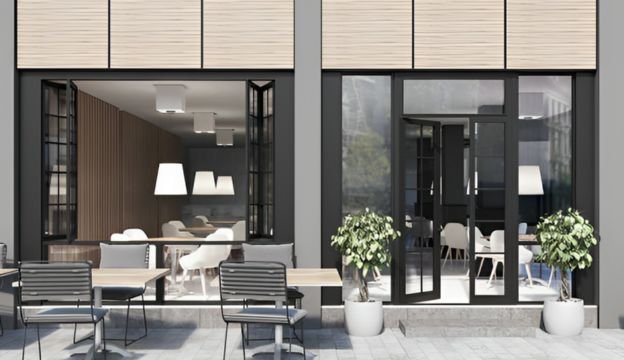
The pricing of 3D rendering services often reflects the expertise and experience of the artists involved. Artists with a strong portfolio, extensive industry experience, and a track record of delivering exceptional results may command higher rates due to the value they bring to the project. Their ability to understand and interpret the client’s vision, attention to detail, and artistic sensibilities contribute to the overall quality and impact of the renderings.

It is important for clients to consider the expertise and experience of the 3D artists when selecting a rendering service provider. Reviewing portfolios, examining past projects, and evaluating testimonials or client feedback can provide insights into the quality of work that can be expected. While higher-priced services may require a larger budget, they often offer a higher level of expertise, customization, and attention to detail that can result in more impressive and impactful renderings.

Ultimately, the decision regarding the level of quality and expertise required should be based on the client’s specific project requirements, budget constraints, and desired outcomes. Striking the right balance between quality and cost is essential to ensure that the final renderings meet the client’s expectations and effectively serve their intended purpose.

VALUE OF 3D RENDERING

The value of 3D rendering and architectural visualization services cannot be overstated when it comes to architectural projects, real estate marketing, and design planning. These services offer numerous benefits that contribute to better project outcomes and a higher return on investment (ROI).

One of the key benefits of 3D rendering is its ability to bring designs to life before they are built. With 3D rendering, architects, designers, and developers can visualize and communicate their ideas effectively. They can create realistic, immersive, and detailed representations of architectural spaces, interior designs, landscapes, and urban environments. This visual clarity helps clients and stakeholders to better understand the project, make informed decisions, and provide valuable feedback at an early stage.

3D rendering enables a comprehensive exploration of different design options for architectural projects. It allows architects to experiment with various materials, colours, textures, and lighting conditions, helping them refine the design and make well-informed choices. By visually presenting these options, clients can actively participate in the design process, ensuring that their preferences and requirements are accurately incorporated into the final design.

In the realm of real estate marketing, 3D rendering plays a crucial role in showcasing properties and attracting potential buyers or investors. High-quality renderings can effectively communicate a property’s architectural vision and potential. They allow prospective buyers to envision themselves in the space, understand the layout, and assess the overall aesthetic appeal. This visual marketing tool helps generate interest, create an emotional connection, and increase the likelihood of a successful sale.

Investing in high-quality rendering can significantly impact the success of a project and the ROI. Realistic and visually appealing renderings enhance the project’s presentation and marketing materials, making them stand out in a competitive market. They create a positive impression, instill confidence in potential buyers or investors, and differentiate the project from others. The ability to effectively convey the design intent and the property’s unique selling points can lead to increased sales, higher property values, and improved market positioning.

Furthermore, high-quality 3D rendering can also save time and costs during the design and construction phases. By allowing design issues to be identified and resolved early on, rendering helps prevent costly errors and modifications during construction. It aids in identifying potential conflicts, optimizing spatial arrangements, and improving overall project efficiency. This reduces the risk of delays and budget overruns and enhances the quality and functionality of the final built environment.

In summary, 3D rendering and architectural visualization services provide immense value to architectural projects, real estate marketing, and design planning. They enable effective communication, facilitate design exploration, enhance marketing efforts, and contribute to better project outcomes. Investing in high-quality rendering allows clients to make informed decisions, attract potential buyers or investors, differentiate their projects, and achieve a higher ROI. The visual clarity and realism provided by 3D rendering greatly contribute to the success of architectural ventures and play a pivotal role in the overall project’s success.

GENERAL CLIENT CONSIDERATIONS

When considering their budget for 3D rendering services, clients should consider several factors. Here are some key considerations to help them make informed decisions:

  1. The complexity of the Project: The project’s complexity plays a significant role in determining the budget for 3D rendering services. More complex projects with intricate details, extensive animations, or large-scale environments may require more time and resources, leading to higher costs. Clients should assess the complexity of their project and factor it into their budgeting process.
  2. Level of Detail and Realism: The desired level of detail and realism also influences the cost of 3D rendering. High-quality, photorealistic renderings often require more time, expertise, and computational resources, leading to higher costs. On the other hand, simpler renderings with less intricate details may be more cost-effective. Clients should consider the level of detail and realism they require and balance it with their budgetary constraints.
  3. Project Deadline: The timeframe for completing the project can impact the cost of 3D rendering services. Tight deadlines may require additional resources and expedited workflows, which can result in higher costs. Clients should communicate their project deadlines to the rendering service provider and consider any potential rush fees or additional expenses associated with meeting those deadlines.
  4. Revisions and Iterations: Considering the number of revisions or iterations expected during the rendering process is essential. Revisions can add to the overall cost, especially if significant changes are requested after completing initial work. Clients should clearly communicate their revision expectations and discuss how revisions may impact the budget with the rendering service provider.
  5. Quality vs. Cost Trade-Offs: Clients should understand that there can be trade-offs between cost and quality in 3D rendering services. Lower-priced options might provide satisfactory results but may lack the level of detail, realism, or customization of higher-priced services. Finding a balance that meets the client’s specific needs and budget is crucial. Assessing the portfolio, reputation, and previous work of rendering service providers can help clients gauge the quality they can expect at various price points.
  6. Obtaining Quotes and Comparing Services: To find a balance between cost and quality, clients should obtain quotes from multiple rendering service providers and compare their offerings. It’s advisable to request detailed proposals that outline the scope of work, deliverables, pricing structure, and any additional costs. To make an informed decision, clients can evaluate these proposals based on their project requirements, budget constraints, and desired quality levels.
  7. Communication and Collaboration: Clear and open communication with the rendering service provider is essential throughout the project. Clients should establish a good rapport, discuss their project vision, and provide any necessary feedback promptly. Effective collaboration can ensure that the client’s expectations are met within the agreed-upon budget.

By considering these factors, clients can navigate the decision-making process when determining their budget for 3D rendering services. It’s important to strike a balance between cost and quality to achieve the desired outcomes within the allocated resources.

HOW CLIENTS CAN REDUCE RENDERING COSTS

Reducing the costs of 3D rendering projects can be beneficial for clients, especially if they are working within a limited budget. Here are some tips to help clients minimize the costs of their 3D rendering projects:

  1. Define clear project requirements: Clearly outline your project requirements and objectives before starting the rendering process. This will help the 3D rendering service provider understand your needs and avoid unnecessary revisions or changes that can increase costs.
  2. Optimize the detail level: Determine the detail required for your project. While high levels of detail can enhance the realism of the rendering, they also increase the complexity and time required for rendering. By finding the right balance, you can save on rendering time and costs without compromising the overall quality.
  3. Provide comprehensive reference materials: Supply the 3D rendering service provider with detailed and accurate reference materials, including architectural drawings, 2D sketches, material samples, and reference images. This will minimize the time spent on revisions and ensure that the initial renderings align closely with your vision.
  4. Use pre-designed assets: Consider using pre-designed 3D models, textures, and materials that are readily available instead of creating everything from scratch. This can significantly reduce modeling and texturing costs and speed up the rendering process.
  5. Collaborate closely with the rendering team: Maintain open and regular communication with the 3D rendering service provider throughout the project. By promptly providing feedback, clarifying expectations, and addressing any concerns, you can prevent misunderstandings and reduce the need for costly revisions.
  6. Plan the rendering timeline effectively: Discuss the project timeline with the rendering team and identify any opportunities for optimizing the rendering process. Setting realistic deadlines and allowing for efficient time management can help avoid rush charges and unnecessary delays that may incur additional costs.
  7. Consider the rendering output resolution: Evaluate the required output resolution for your renderings. Higher resolutions may be necessary for print or large-scale presentations, but lower resolutions can be sufficient for digital purposes or online marketing. Adjusting the output resolution accordingly can help reduce rendering time and file sizes, which may impact the overall costs.
  8. Evaluate the need for animation or interactive elements: If your project does not require animation or interactive elements, consider focusing solely on still renderings. Animation and interactivity can significantly increase the complexity and costs of the project. You can streamline the rendering process and reduce expenses by eliminating these elements.

By implementing these tips, clients can effectively reduce the costs of their 3D rendering projects while maintaining a satisfactory level of quality and meeting their project requirements. It’s important to prioritize communication, planning, and collaboration to ensure a successful and cost-effective rendering process.

TIPS FOR A SUCCESSFUL 3D RENDERING PROJECT

Having a successful rendering project involves effective planning, clear communication, and collaboration between the client and the rendering provider. Here are some tips for clients to ensure a successful rendering project:

  1. Define project goals and requirements: Start by clearly defining your project goals, objectives, and requirements. Determine the purpose of the rendering, whether it’s for architectural visualization, marketing materials, or design planning. Specify the desired style, level of detail, lighting conditions, and any specific elements that need to be highlighted. Clearly communicating your expectations upfront will help the rendering provider understand your vision and deliver accordingly.
  2. Choose the right rendering provider: Take the time to research and select a rendering provider that aligns with your project requirements and vision. Consider their portfolio, technical expertise, attention to detail, and overall quality of work. Assess their communication skills, responsiveness, and ability to understand your needs. A good fit between the client and the rendering provider is essential for a successful collaboration.
  3. Establish a clear timeline: Set a realistic timeline for your rendering project and communicate it to the rendering provider. Consider the complexity of the project and allow ample time for revisions and feedback. Collaborate with the rendering provider to establish milestones and checkpoints throughout the project to ensure progress is on track and adjustments can be made as needed.
  4. Provide comprehensive project briefs: Prepare a detailed project brief that includes all the necessary information, such as architectural plans, reference images, material specifications, and any specific design guidelines. The more information you provide upfront, the better the rendering provider can understand your requirements and deliver accurate results. Regularly communicate with the rendering provider during the project to provide clarifications or additional details if needed.
  5. Foster open and clear communication: Maintain open and clear communication channels with the rendering provider throughout the project. Regularly check in with them to ensure progress is being made according to the timeline. Be proactive in providing feedback, clarifying any concerns, or requesting revisions. Similarly, encourage the rendering provider to ask questions and seek clarifications to ensure they clearly understand your requirements.
  6. Collaborate on revisions and feedback: Expect that there might be revisions or adjustments needed during the rendering process. Provide constructive feedback to the rendering provider and be specific about the changes you want. Balance your feedback with understanding the technical constraints and possibilities within the rendering process. Collaboration and flexibility are key to refining the renderings and achieving the desired outcome.
  7. Be open to professional advice: While it’s important to communicate your vision and requirements, be open to professional advice and suggestions from the rendering provider. They have expertise and experience in 3D rendering and can provide insights to enhance the final result. Consider their recommendations for lighting, composition, materials, and other visual aspects that can elevate the quality of the renderings.
  8. Plan for iterations and revisions: Understand that rendering projects may require iterations and revisions to achieve the desired outcome. Allocate time and resources for these iterations in your project timeline and budget. By planning for revisions upfront, you can ensure that the final renderings meet your expectations.
  9. Regularly review progress and milestones: Stay involved in the rendering process by regularly reviewing the progress and milestones. Provide timely feedback and approvals to keep the project moving forward smoothly. Regular check-ins and progress updates will help you track the project’s development and promptly address any concerns or issues.
  10. Maintain a positive and collaborative attitude: Approach the rendering project with a positive and collaborative attitude. Building a good working relationship with the rendering provider will facilitate effective communication and a smoother project experience. Be open to discussions, problem-solving, and finding mutually beneficial solutions throughout the process.

By following these tips, you can maximize the chances of having a successful rendering project that meets your expectations, achieves your project goals, and delivers high-quality renderings that effectively communicate your design

ARE YOU STILL CONFUSED? QUESTIONS? DO YOU HAVE SUGGESTIONS FOR THIS GUIDE?

Please feel free to reach out to us. We are always happy to hear from people. You Can Email us at info@realspace3d.com or for more contact options see our contact page.


INITIAL CONSULTATIONS & QUOTES ARE ALWAYS FREE

3D TUTORIALS

Embarking on the journey of creating breathtaking images through computers has never been more accessible. Our previous page highlighted the abundance of free 3D software available. However, the challenge lies in the complexity of these tools. To ease your initiation into the world of 3D artistry, we’ve compiled a list of our favorite tutorial sites. These resources will guide you in crafting remarkable 3D renders, refining Photoshop paintings, and even designing 3D models for the exciting realm of 3D printing.

Understanding 3D Rendering: 

Understanding 3D Rendering: 

If you’re new to the concept of 3D rendering, check out our guide for a fundamental explanation of “What is 3D Rendering?”

General 3D Tutorials

Discover a comprehensive array of tutorials, informational resources, and project examples at 3Drenderhub. Established in 2007, our primary focus is on architectural rendering and animation services. Emphasizing both technical proficiency and artistic foundation, we encourage you to nurture your creative talents alongside your technical skills.

Lynda

Lynda serves as a valuable resource for individuals keen on learning at their own pace. Covering a diverse range of topics, including 3D rendering, Lynda’s tutorials cater to both beginners and professionals.

Featured Tutorial: Explore the basics of creating a 3D image using Adobe software, providing a perfect introduction to the process.

Ronen Bekerman

Dedicated to elevating the CG craft, Ronen Bekerman’s website is a treasure trove of inspiration and tutorials. Whether you seek inspiration or need guidance on specific effects, this platform has you covered.

Featured Tutorial: Delve into the creation process of Mohet Sanchaniya’s Kalmar Art Museum, his entry to the Tomorrow 2017 contest hosted by Ronen Bekerman.

SKETCHUP TUTORIALS FOR ARCHITECTS

Welcome to the world of SketchUp, the renowned 3D modeling software embraced by professionals and beginners alike. At “Master SketchUp,” we are committed to unraveling the software’s full potential. From essential keyboard shortcuts to crafting fixed objects, our comprehensive coverage ensures that both novices and experts find valuable insights on navigating the SketchUp landscape.

Featured Tutorial: Dive into our recommended tutorial for a concise and effective learning experience. Perfect for anyone eager to master the art of SketchUp.

SketchUp Artists: 

Designed by SketchUp enthusiasts for SketchUp enthusiasts, “SketchUp Artists” is a treasure trove of resources catering to CG artists. Whether you seek inspiration, stock photos, or render styles for your project, our website has you covered.

Featured Tutorial: Explore our tutorial on creating mesmerizing pool water effects, a must-learn for artists working on water-centric projects.

3D Total: 

Since 1999, “3D Total” has been a stalwart in offering design resources for various software, including SketchUp. Tailored for intermediate and advanced users, our SketchUp tutorials provide in-depth insights and expertise.

Featured Tutorial: Delve into our tutorial on designing and painting dynamic characters, offering valuable insights for enhancing character designs.

The SketchUp Essentials: 

Created by a Colorado native, “The SketchUp Essentials” lives up to its name. This passion project covers everything you need to learn about SketchUp, making it an ideal hub for beginners seeking to enhance their skills.

Featured Tutorial: Learn the art of transforming a simple 3D model into a masterpiece with our tutorial. It’s simpler than you think!

SketchUp School: 

As a paid service, “SketchUp School” offers a trial period akin to Lynda. Structured teaching and a focus on effective tool utilization set us apart. Take our free trial and, if compatible, subscribe to our monthly or annual plans.

Featured Tutorial: Explore our series on styling your model to achieve the best visual impact.

SketchUp Render Plugins: 

“Popular Woodworking” isn’t just for woodcraft enthusiasts; it’s a goldmine for SketchUp users exploring wooden designs. Our tutorials offer insights into incorporating SketchUp Plugins to elevate your modeling.
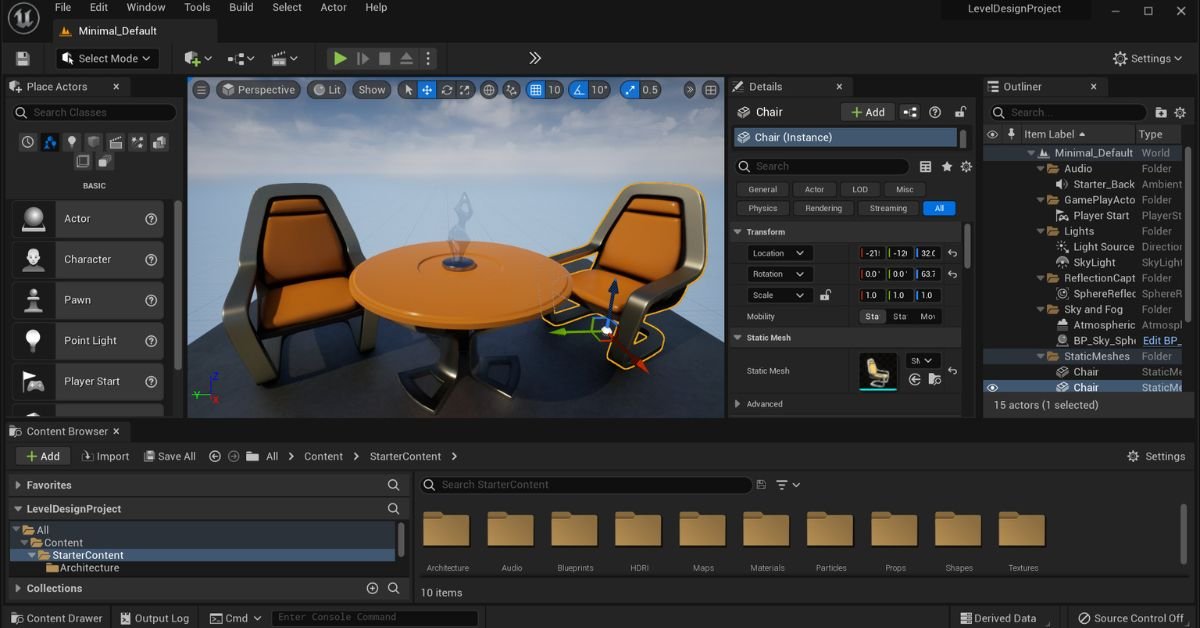
Featured Tutorial: Step up your modeling game by integrating SketchUp Plugins – a tutorial that shines a spotlight on this often-overlooked feature.

SketchUcation: 

“SketchUcation” is a resource hub fueled by SketchUp enthusiasts. From news to forums for problem-solving, we provide tutorials and resources to nurture your SketchUp journey.

Featured Tutorial: Unleash the full potential of the Tape Measure tool with our tutorial, making object measurement a breeze.

Design Student Savvy: 

Jillian Lare’s “Design Student Savvy” revolves around SketchUp’s role in creating impressive design models. Explore tutorials that use SketchUp to create both 3D and 2D masterpieces.

Featured Tutorial: Learn the art of creating a 2D floor plan using SketchUp – a versatile skill beyond 3D modeling.

Basic 3D Tutorials for Architectural Visualization: 

 Basic 3D Tutorials for Architectural Visualization: 

Dedicated to helping aspiring architects, “Basic 3D Tutorials” provides insights not taught in traditional settings. Our SketchUp model house tutorial series is a fantastic introduction to basic 3D architectural modeling.

Featured Tutorial: Dive into the first part of our SketchUp model house tutorial series for a foundational understanding.
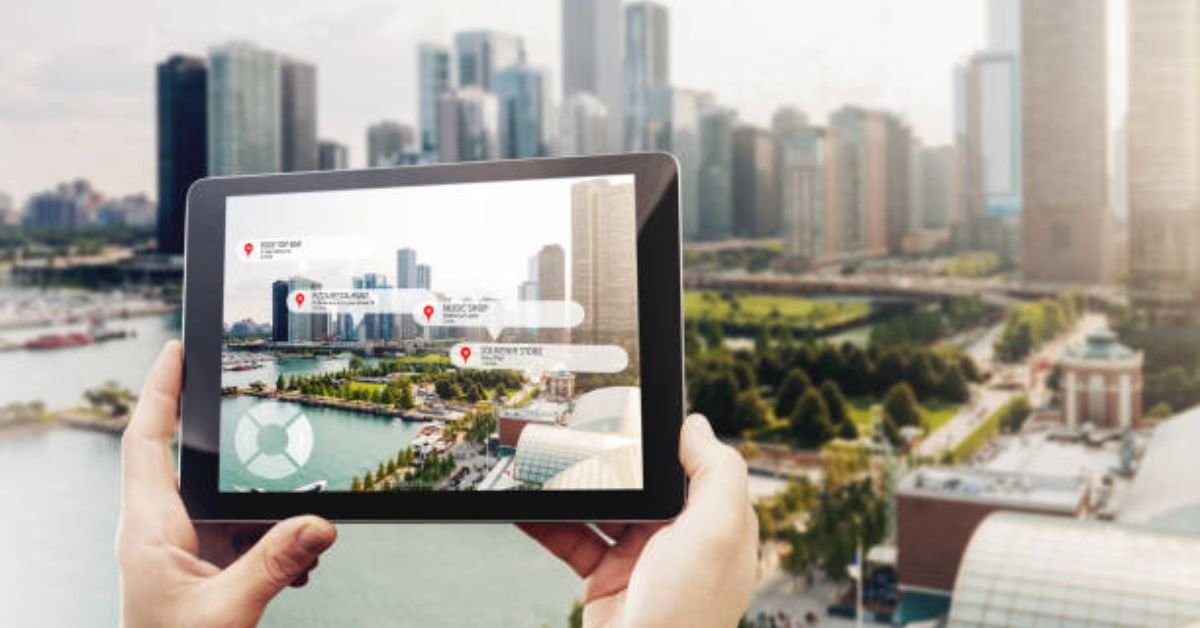
SketchUp Tutorials: 

At “SketchUp Tutorials,” we keep it simple – providing a variety of tutorials for both new and advanced users. Elevate your SketchUp skills with our practical guide to mastering the basics.
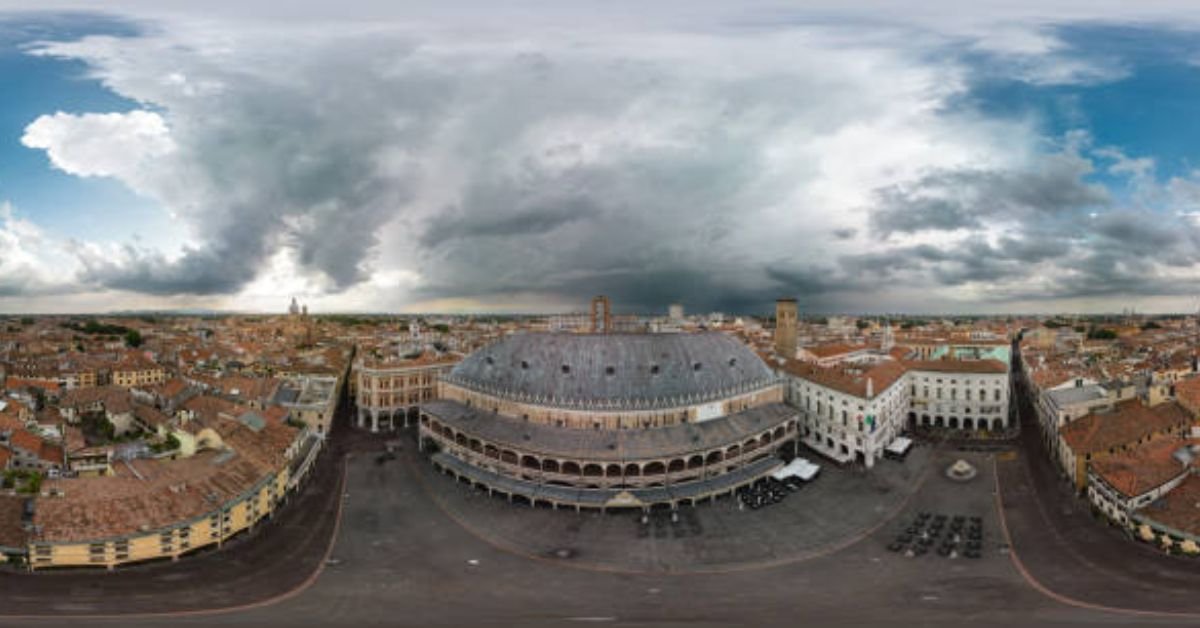
Featured Tutorial: Explore our practical guide to learning the basics of SketchUp – a must-read for those starting their journey.

Exploring Blender:

“3D Total” isn’t limited to SketchUp – our hub extends to Blender tutorials. Dive into character models and 3D art, tailored for 3D artists and animators seeking valuable content.

Featured Tutorial: Master the art of realistic lighting for your 3D models using Blender with our insightful tutorial.

CG Masters.Net: 

“CG Masters.Net” focuses exclusively on Blender tutorials, ranging from basics to advanced outer space effects. Embrace our video tutorial on optimizing your Blender setup to stay updated on recent Blender updates.

Featured Tutorial: Unlock the secrets of optimizing your Blender setup with our video tutorial – a valuable resource for Blender enthusiasts.

Blender Guru: 

“Blender Guru” stands as a standalone company providing video tutorials for Blender users. Dive into their beginner-friendly 9-part series to gain a head start in navigating Blender.

Featured Tutorial: Embark on a journey of CG excellence with our 9-part series tailored for beginners – demystifying Blender’s complexities.

Blender Diplom: 

“Blender Diplom” is a haven for Blender enthusiasts, offering tutorials and workshops. Explore our tutorial on combining real and fake 3D realms, providing unconventional uses for Blender beyond traditional rendering.

Featured Tutorial: Learn the art of combining real and fake 3D realms with Blender – a technique that can eliminate the need for external photo manipulation software.

Blender Tuts: 

“Blender Tuts” promises to make learning Blender easy. Founded by Spain-based Blender artist Olivar Villar, our tutorials delve into both achieving effects and optimizing your workstation.

Featured Tutorial: Navigate the challenging world of shading with our in-depth tutorial, ensuring even the newest Blender user finds their way around the render engine.

Evermotion: 

“Evermotion” caters to various modeling software, with a spotlight on Blender. Explore our tutorial on leveraging Blender’s denoising feature to reduce rendering time.

Featured Tutorial: Cut down on rendering time with our tutorial on utilizing Blender’s denoising feature – a game-changer for efficiency.

Creative Shrimp:

Managed by Gleb Alexandrov, “Creative Shrimp” focuses on Blender tutorials that go beyond 3D rendering. Explore our tutorial on using Blender for typography, showcasing the software’s diverse capabilities.

Featured Tutorial: Dive into the world of typography using Blender with our tutorial – a creative twist for Blender enthusiasts.

Blender Nation: 

“Blender Nation” stands as one of the oldest and most established Blender communities. Uncover a wealth of tutorials covering tools, sculpting techniques, and more.

Featured Tutorial: Learn how to create enticing game development elements, such as a barrel, with our tutorial – essential for crafting immersive environments.

Envato Tuts Plus: 

“Envato Tuts Plus” offers a visually appealing platform for free learning. Our tutorials, like the one on recreating a low poly Camaro, provide practical insights for both 2D and 3D modelers.

Featured Tutorial: Recreate a low poly Camaro with our nifty tutorial – a valuable addition for designers looking to convey specific messages through their automobile choices.

Blender Brit:

“Blender Brit” specializes in video-based tutorials for every Blender enthusiast. Delve into our tutorial on creating a creepy tunnel inspired by Stranger Things, complete with free textures.

Featured Tutorial: Embrace the eerie with our tutorial on creating a Stranger Things-inspired creepy tunnel – textures included.

In your journey through the realms of SketchUp and Blender, let these tutorials be your guiding light, unlocking the true potential of these powerful 3D modeling tools.

UNLOCKING HOUDINI CREATIVITY: 

In the ever-evolving world of 3D modeling, mastering Houdini can unlock a realm of creative possibilities. Various tutorial platforms offer insights and guidance, helping both beginners and seasoned artists harness the power of this dynamic software. Explore the diverse array of tutorials from renowned artists and communities across the web to elevate your Houdini skills.

ROHAN DALVI: 

Discover the artistic prowess of Rohan Dalvi, an Indian 3D artist passionate about Houdini and 3dsmax. Delve into his tutorials focused on procedural modeling, providing a gateway to understanding the intricacies of 3D processes. Rohan’s journey, shared through Houdini tutorials, unveils the path to mastering proceduralism, making it a must-visit resource for aspiring 3D artists.

[Domain: rohandalvi.com]

CG MEET UP: 

Embark on a journey with CG Meet Up, a community-driven website covering all aspects of 3D modeling. Explore their curated tutorials, available in text or video format, spanning a holistic range of topics. Uncover the gems within, such as a tutorial on modeling muscles, catering to those creating 3D models or venturing into the animation industry.

[Domain: cgmeetup.com]

SIDEFX: 

From the creators of Houdini comes SideFX, offering a plethora of tutorials categorized for all skill levels. Whether you seek quick tips or delve into advanced masterclasses, SideFX caters to your learning needs. While most content is free, the platform’s video format simplifies your learning journey, ensuring there’s something for everyone.

[Domain: sidefx.com]

3DBUZZ: 

Navigate the 3DBuzz website, a recommended haven for CG artists. Immerse yourself in video tutorials covering a range of Houdini topics. Explore the comprehensive list of Houdini Fundamentals, a valuable resource for beginners and veterans alike, guiding you towards a professional mindset in 3D modeling.

[Domain: 3dbuzz.com]

ENTAGMA: 

Dive into Entagma, a modeling resource run by Munich-based CG artists Manuel and Moritz. Their tutorials, often utilizing Houdini, blend practicality and aesthetics. Explore advanced lessons like the tutorial on using Houdini’s Heightfields for creating realistic terrain models.

[Domain: entagma.com]

HOUDINI TRICKS: 

Join Houdini Tricks, a resource by motion designer Erwin Santacruz. Unearth quick tips and efficiency hacks to optimize your workflow. Delve into tutorials on setting up quick marks, enhancing your efficiency in Houdini 16 and newer versions.

[Domain: houdinitricks.com]

PETER QUINT: 

Explore the simplicity and diversity of tutorials by Peter Quint, known as PQHoudini. Engage with his Vimeo and YouTube channels for straightforward Houdini tutorials, including a YouTube exclusive on modeling glass for various applications, from dining contexts to architecture.

[Domain: peterquint.com]

Lesterbanks: 

Lesterbanks, spearheaded by the experienced graphics instructor Lester Banks, is a tutorial website delving into the realms of 3D design, video effects, and typography. While the collection of Houdini tutorials may not be as extensive as some competitors, Banks plans to expand this section in the future.

From Basics to Mastering Techniques

Lesterbanks’ tutorials cover a spectrum of topics, ranging from foundational Houdini knowledge to advanced techniques in modeling and animation. If you’re eager to explore the integration of 3D modeling and animation, Lester Banks might be the mentor you’ve been looking for.

Featured Tutorial: Mastering the Impossible with a Penrose Triangle

One standout tutorial from Lesterbanks demonstrates the animation and modeling of a Penrose Triangle, a popular optical illusion deemed ‘impossible’ to animate. Presented in video format, this tutorial caters to both beginners and seasoned 3D artists, providing a step-by-step guide for a captivating learning experience.

ODForce: 

Dive into the vibrant world of ODForce, a community centered around Houdini enthusiasts. This forum-style platform thrives on the collective passion of its users, who willingly share their knowledge and creations.

The Power of Community-Driven Tutorials

ODForce stands out for its innovative and free tutorials, contributed by various users. The charm of these tutorials lies in their uniqueness, with the original poster actively engaging and addressing questions from the community.

Featured Tutorial: Unleashing Smoke Solver Magic

Explore the magic of the smoke solver tutorial on ODForce, a brief yet ingenious guide to simulating gas and smoke effects on your models. The possibilities for application are limitless, making this tutorial a must-try for aspiring Houdini artists.

Embark on Your Houdini Journey: 

While countless free tutorials beckon across the internet, your progress ultimately hinges on your dedication to honing your craft. Navigate your modeling journey with discipline, continuously critiquing and enhancing your work. Best of luck, and feel free to share your favorite free tutorial websites with us!

UnReal Realtime Experience

Step into the captivating world of “UnReal Realtime Experience: Explorations and Customization.”
This unique platform blends cutting-edge technology with boundless creativity, transcending traditional boundaries to redefine reality.

Immerse yourself in the dynamic synergy of art and technology, where real-time experiences unfold, pushing the limits of what is possible.

Within this immersive landscape, customization takes center stage, providing individuals with the tools to shape their own encounters.

The journey ahead promises a brief yet impactful exploration, where the ordinary transforms into the extraordinary, setting the stage for a new era in personalized, interactive narratives.

Join us as we navigate the uncharted territories of this groundbreaking experience, where creativity knows no bounds and reality is redefined at every turn.

Understanding Unreal Engine

Understanding Unreal Engine

Unreal Engine, developed by Epic Games, has a rich history that dates back to its initial release in 1998. Originally designed for first-person shooters, the engine has undergone significant evolution over the years. Explore the journey of Unreal Engine from its early versions to the cutting-edge technology it is today.

Core Features and Capabilities of Unreal Engine for Real-time Experiences

Unreal Engine stands out for its robust set of features that empower developers to create immersive real-time experiences.

Delve into the core capabilities, such as high-quality graphics, real-time physics, and advanced lighting, that make Unreal Engine a powerhouse for a wide range of applications.

Examples of Industries and Applications Utilizing Unreal Engine for Real-time Content

Unreal Engine has found applications across diverse industries. Examine real-world examples of how Unreal Engine is employed in areas like film production, architecture, automotive design, and more. Discover the versatility and impact of Unreal Engine on shaping real-time content across different sectors.

Exploring Real-time Experiences

Unreal Engine has become a driving force behind the evolution of virtual and augmented reality. Uncover the role of Unreal Engine in shaping the VR and AR landscape.

Explore the immersive experiences created for VR headsets and AR devices, showcasing the engine’s adaptability to cutting-edge technologies.

Gaming and Simulation

Unreal Engine has long been synonymous with the gaming industry. Delve into how the engine has revolutionized the gaming experience, offering developers tools to create realistic environments, captivating storylines, and engaging gameplay. Additionally, explore the use of Unreal Engine in simulations for training and educational purposes.

 Customization in Unreal Engine

 Customization in Unreal Engine

Unreal Engine provides a wealth of customization features that allow developers to tailor experiences to their specific needs.

Investigate the engine’s customization options, including modifiable assets, scripting capabilities, and adaptive user interfaces, enabling developers to create unique and personalized content.

Case Studies on Customizing Real-time Experiences for Specific Industries

Examine real-world case studies highlighting instances where customization in Unreal Engine has been pivotal. Explore how industries such as architecture, healthcare, and education have leveraged customization features to address their unique requirements and deliver tailored real-time experiences.

Importance of Customization in Enhancing User Engagement and Immersion

Customization plays a crucial role in elevating user engagement and immersion. Understand why the ability to tailor experiences is essential for creating compelling content.

Explore how customization fosters a more personalized and engaging user experience, contributing to the success of projects developed on Unreal Engine.

Unreal Engine and Industry Applications

Unreal Engine has revolutionized the film and entertainment industry by offering unprecedented possibilities in real-time filmmaking.

The engine’s capabilities allow filmmakers to create virtual environments, characters, and special effects in real-time, enhancing the efficiency and creativity of the filmmaking process.

With examples like “The Mandalorian” utilizing Unreal Engine for virtual sets, the industry has witnessed a paradigm shift in how visual storytelling is approached.

 Architecture and Design

In the realm of architecture and design, Unreal Engine serves as a powerful tool for creating real-time architectural visualizations. Architects and designers can immerse themselves and their clients in interactive 3D environments, enabling a more comprehensive understanding of spatial designs.

The customization options provided by Unreal Engine empower professionals to tailor experiences to specific project requirements, fostering a new era of creativity and precision in architectural visualization.

Challenges and Future Trends

Despite the remarkable capabilities of Unreal Engine, challenges persist in implementing seamless real-time experiences. Issues such as hardware limitations, optimization complexities, and ensuring cross-platform compatibility are ongoing concerns.

Overcoming these challenges requires collaborative efforts from developers, hardware manufacturers, and industry stakeholders.

Emerging trends and innovations in Unreal Engine

Unreal Engine continues to evolve, introducing cutting-edge trends and innovations. Real-time ray tracing, enhanced AI integration, and improved collaboration tools are some of the recent advancements.

These innovations not only elevate the quality of real-time experiences but also open new possibilities for industries to push creative boundaries and deliver immersive content.

Predictions for the future of real-time experiences and customization

Looking ahead, the future of real-time experiences in Unreal Engine appears promising. Predictions include increased integration of AI for dynamic content generation, expanded use of virtual and augmented reality in diverse industries, and broader adoption of Unreal Engine for real-time collaborative projects.

Customization is expected to play a pivotal role, allowing users to tailor experiences according to their unique preferences and requirements.

 Conclusion

In conclusion, the “UnReal Realtime Experience” is a game-changer across various industries. Unreal Engine’s ability to provide real-time rendering, customization, and immersive experiences has redefined how content is created and consumed. Whether in film, architecture, gaming, or other sectors, the impact of real-time experiences cannot be overstated.

As we reflect on the significance of Unreal Engine in delivering unparalleled real-time experiences, the call to action is clear. Developers and designers are encouraged to explore the vast capabilities of Unreal Engine, pushing the boundaries of creativity and innovation.

Industries, too, should leverage Unreal Engine to transform their content creation processes, embracing the power of real-time experiences to captivate audiences and stay at the forefront of technological advancements.

The journey into the realm of “UnReal Realtime Experience” awaits, and it’s time for all stakeholders to embark on this exciting exploration.

Virtual Tour

In the ever-evolving landscape of technological innovation, the concept of virtual tours has emerged as a transformative force, reshaping the way we explore and experience environments.

Whether navigating a dream home, exploring distant landmarks, or delving into the intricacies of complex designs, virtual tours have transcended traditional boundaries to offer immersive, interactive experiences accessible from the comfort of our screens.

This exploration encompasses various dimensions, ranging from the simplicity of 2D virtual tours to the intricate, lifelike realms crafted by 3D visualization.

Within this continuum, the integration of cutting-edge tools such as Autodesk Fusion 360 has become a pivotal catalyst for creating three-dimensional virtual experiences that transcend the ordinary.

As we delve into the realm of virtual tours, it becomes apparent that these digital journeys are not merely passive glimpses but dynamic encounters that pave the way for a new era of exploration, design, and connectivity.

Understanding Virtual Tours

Understanding Virtual Tours 

In the ever-evolving landscape of digital experiences, virtual tours have emerged as powerful tools, transforming the way we perceive and interact with spaces.

Virtual tours refer to immersive, digital representations of physical spaces, providing users with a dynamic and interactive exploration.

The primary purpose is to offer a realistic and engaging experience, allowing individuals to navigate through environments as if they were physically present.

Evolution from Traditional Tours to Virtual Experiences

Traditionally, tours involved physical presence, be it in real estate showings, educational institutions, or tourist destinations.

However, with advancements in technology, the concept of virtual tours has evolved, transcending physical limitations. This evolution has been driven by the need for accessibility, efficiency, and the demand for richer, more interactive experiences.

Exploring 2D Virtual Tours

Exploring 2D Virtual Tours

2D virtual tours are digital simulations that provide a flat, visual representation of a space. Unlike their 3D counterparts, these tours focus on presenting a two-dimensional layout of environments. They often incorporate high-quality images, maps, and informational hotspots to guide users through the virtual space.

Applications in Real Estate, Tourism, and Education

The applications of 2D virtual tours are vast and diverse. In the real estate sector, these tours enable potential buyers to explore properties remotely, saving time and resources.

In tourism, 2D virtual tours offer a glimpse into destinations, helping travelers plan their visits. Additionally, educational institutions utilize 2D virtual tours for virtual campus visits and remote learning experiences.

Advantages and Limitations

2D virtual tours offer cost-effective and easily accessible alternatives to physical visits. They provide a valuable marketing tool for businesses and enhance user engagement.

However, the lack of depth and immersion can be considered a limitation, especially when compared to the more immersive experiences offered by 3D tours.

Immersive 3D Virtual Tours

3D virtual tours take the concept of virtual exploration to the next level by providing users with a three-dimensional, lifelike experience.

These tours utilize advanced technologies to recreate environments in a more realistic and interactive manner, fostering a sense of presence and engagement.

Role of Fusion 360 in Creating 3D Experiences

Fusion 360, a powerful design and modeling software, plays a crucial role in crafting immersive 3D virtual tours. Its capabilities extend beyond traditional 3D modeling, allowing for the creation of dynamic and interactive virtual environments. Fusion 360 facilitates a seamless integration of design elements, enhancing the overall user experience.

Applications in Architecture, Product Design, and Marketing

The applications of 3D virtual tours are extensive. In architecture, professionals can showcase designs and walkthroughs, offering clients a realistic preview of their projects.

In product design, 3D tours enable customers to explore products from all angles before making purchase decisions. In marketing, these tours elevate promotional efforts by providing captivating and memorable experiences.

Fusion 360:

Fusion 360

Fusion 360 is a powerful design and engineering software developed by Autodesk. Initially recognized for its robust capabilities in 3D modeling and parametric design, Fusion 360 has expanded its horizons to support the creation of immersive 3D virtual tours.

This section will delve into the fundamental aspects of Fusion 360, highlighting its versatility in transforming static designs into dynamic and interactive virtual environments.

Features and Capabilities for Creating 3D Virtual Tours

Fusion 360 offers a myriad of features that empower users to seamlessly transition from traditional design workflows to the realm of virtual experiences.

This segment will explore the specific tools and functionalities within Fusion 360 that facilitate the development of engaging 3D virtual tours. From realistic rendering to animation and interactivity, Fusion 360 equips creators with the means to craft immersive digital journeys.

Case Studies Highlighting Successful Applications

Examining real-world applications of Fusion 360 in the context of 3D virtual tours provides valuable insights into its potential impact across various industries.

This part of the discussion will showcase instances where Fusion 360 has been instrumental in bringing concepts to life, whether in architecture, product design, or marketing.

By exploring these case studies, we can grasp the transformative influence Fusion 360 has had on visual storytelling and user experiences.

Benefits of Virtual Tours

Virtual tours go beyond static images, captivating audiences by offering dynamic and interactive experiences. This section will explore how virtual tours, especially those created using Fusion 360, enhance user engagement.

From the ability to explore spaces in detail to interactive elements that invite user participation, virtual tours redefine how audiences interact with digital content.

Cost-Effectiveness and Time Efficiency

Traditional methods of showcasing physical spaces or products often incur significant costs and time investments. Here, we’ll discuss how virtual tours, particularly those crafted with Fusion 360, offer a cost-effective and time-efficient alternative.

From reducing the need for physical prototypes to expediting design iterations, the benefits of time and cost savings are substantial.

Accessibility and Inclusivity

One of the standout advantages of virtual tours is their accessibility to a wide audience, regardless of geographical location or physical limitations. This section will elaborate on how virtual tours, powered by tools like Fusion 360, promote inclusivity by providing a universal platform for exploration.

Whether for educational purposes, property viewing, or product showcasing, virtual tours break down barriers and make content accessible to diverse audiences.

Challenges and Considerations

While virtual tours offer immense potential, they come with their set of technical challenges. This part of the discussion will outline common technical hurdles encountered in the creation of virtual tours and how platforms like Fusion 360 address or mitigate these challenges.

User Experience and Interface Considerations

The success of a virtual tour hinges on a seamless and enjoyable user experience. Here, we’ll explore the importance of user interface design in virtual tours and how Fusion 360 contributes to creating intuitive and user-friendly environments.

Addressing Potential Limitations and Drawbacks

No technology is without limitations. In this segment, we’ll candidly discuss the potential drawbacks and limitations associated with virtual tours, shedding light on how creators and platforms like Fusion 360 are actively working to address these issues.

From hardware constraints to user adoption challenges, understanding these limitations is crucial for the continual improvement of virtual tour experiences.

Future Trends in Virtual Tours

Future Trends in Virtual Tours

The future of virtual tours is intricately tied to the rapid development of emerging technologies. Innovations such as artificial intelligence, machine learning, and advanced computer graphics are transforming the landscape of virtual experiences.

These technologies promise to enhance the realism, interactivity, and personalization of virtual tours, providing users with even more immersive and engaging explorations.

Integration with Augmented Reality (AR) and Virtual Reality (VR)

The convergence of virtual tours with augmented reality (AR) and virtual reality (VR) is a groundbreaking trend on the horizon. AR and VR technologies add layers of interactivity and depth to virtual tours, allowing users to not only see but also interact with the virtual environment.

This integration is set to revolutionize industries by offering unparalleled experiences in real estate, tourism, education, and beyond.

Predictions for the Evolution of Virtual Tour Experiences

Looking ahead, virtual tours are poised to become increasingly sophisticated and customizable. Predictions suggest that AI-driven personalization will enable virtual tours to cater to individual preferences, making each experience unique.

Moreover, advancements in haptic feedback and sensory simulation may bring a multi-sensory dimension to virtual tours, making them more lifelike than ever before.

 Industries Embracing Virtual Tours

Virtual tours have become a game-changer in the real estate industry. They provide potential buyers and renters with the ability to explore properties remotely, saving time and resources for both clients and real estate professionals.

The interactive and immersive nature of virtual tours enhances the property showcasing experience, allowing users to virtually walk through homes and make informed decisions.

Travel and Tourism

The travel and tourism industry is embracing virtual tours to offer a preview of destinations and attractions. Virtual travel experiences enable potential tourists to explore hotels, landmarks, and natural wonders from the comfort of their homes. This not only helps in trip planning but also serves as a marketing tool for destinations looking to attract visitors.

Education and Training

Virtual tours are transforming the educational landscape by providing immersive learning experiences. Educational institutions are using virtual tours to create virtual campuses, historical reenactments, and simulations for various subjects.

Training programs in industries like healthcare, aviation, and manufacturing are leveraging virtual tours for realistic and risk-free hands-on training.

Conclusion

In conclusion, virtual tours have emerged as powerful tools with far-reaching implications across industries. They bridge the gap between physical and virtual experiences, offering convenience, accessibility, and a new dimension to exploration.

The ongoing evolution of virtual tour technologies calls for wider adoption. Encouraging businesses and individuals to embrace virtual tours can lead to increased innovation and a more seamless integration of these experiences into everyday life.

As we move forward, the future of virtual tours appears promising and dynamic. The synergy of emerging technologies, integration with AR and VR, and increasing adoption across diverse industries pave the way for a future where virtual tours redefine how we perceive and interact with the world around us. The journey has just begun, and the possibilities are boundless.

ARCHITECTURAL RENDERING – GETTING STARTED

Welcome to our dedicated space for delving into the realm of 3D rendering projects! If you harbor curiosity about architectural rendering, you’ve found the ideal starting point.

Bridging Imagination and Reality:

Architectural rendering projects play a pivotal role in breathing life into building designs, offering a visual manifestation of structures yet to materialize. Leveraging advanced 3D modeling and rendering techniques, these renderings act as a conduit between creativity and reality. 

They provide a tantalizing peek into the future, enabling stakeholders, clients, and design professionals to witness the finished project in their minds before the foundation is laid.

Decoding Architectural Rendering: 

In this article, we embark on an exploration of the expansive world of architectural rendering. We unravel its definition, shed light on the myriad benefits it brings, and delve into the diverse applications it offers across the architectural landscape.

The Multifaceted Role of Architectural Renderings

Architectural renderings serve diverse purposes, with some of the most prominent ones being:

  • Pre-construction Marketing: Developers, realtors, and builders leverage architectural renderings to exhibit and market properties that are still in the conceptual stage. These renderings empower potential buyers to envisage the structure and its features, despite it being non-existent in the physical realm.
  • Approvals and Funding: Architects, engineers, and designers wield architectural renderings as powerful tools to compile comprehensive packages for regulatory bodies. These visual representations aid in obtaining necessary approvals and securing funding for projects. By offering an accurate portrayal, stakeholders gain a clearer understanding of the proposed design and its potential impact.
  • Design Exploration: Homeowners and general contractors frequently enlist architectural renderings to visualize the outcome of a renovation project. By crafting renderings illustrating the planned changes, they can evaluate the aesthetics and functionality of the proposed design before committing to implementation.

Your Gateway to 3D Rendering: 

On this invaluable resource page, we present a treasure trove of information, tips, and tools to kickstart and enhance your 3D rendering journey. Whether you’re a novice venturing into the realm of architectural rendering or a seasoned professional seeking to refine your skills, consider this your compass. Let’s embark on this journey together and unlock the boundless possibilities within the captivating world of architectural rendering!


PROVIDING ARCHITECTURAL PLANS

PROVIDING ARCHITECTURAL PLANS

When embarking on the journey of 3D rendering for architectural projects, a common query arises: “DO WE NEED TO PROVIDE ARCHITECTURAL PLANS TO HAVE A 3D RENDERING DONE?” Let’s navigate through the essentials and nuances of this crucial step in the rendering process.

The Foundation: 

At 3D RenderHub, we understand the significance of architectural plans, floor plans, and elevation drawings in the creation of compelling architectural renderings. Our pricing structure is intricately tied to these plans, forming the blueprint for our visual endeavors. 

While we are flexible with file formats during the quoting phase, the preference leans towards CAD format once the project is underway. However, we pride ourselves on adaptability, accepting various file types, even going as far as working with a mere napkin sketch, although photographic references are typically the minimum requirement.

Navigating the Challenge: 

Can projects proceed without architectural plans? The answer is affirmative, albeit with added complexities. In such instances, we often receive inspirational images of similar structures or interiors. Although we don’t replicate these precisely, they serve as a guiding beacon, aiding us in constructing the envisioned outcome.

Setting the Stage:

When commissioning an architectural rendering, setting clear expectations is paramount. Clients must ponder the project’s purpose—is it for marketing, demanding the pinnacle of quality, or primarily for regulatory compliance, where a more budget-friendly approach suffices?

Unveiling the Spectrum: 

Delving into the realm of budget architectural renders prompts the question, “WHEN ARE BUDGET/BASIC ARCHITECTURAL RENDERS ‘GOOD ENOUGH’?” If the goal is regulatory approval, opting for economical renders may seem logical. 

However, caution is advised when considering overseas alternatives. High-quality 3D renders can sway decision-makers, making a difference even in regulatory processes. 

These renders, beyond their immediate purpose, can serve as enduring marketing assets, amplifying property value. Communicate cost considerations transparently with your rendering partner for tailored solutions.

Strategic Investments: 

Addressing the question, “WHEN DOES IT MAKE SENSE TO SPEND MORE ON ARCHITECTURAL RENDERS?” reveals the strategic value of 3D renders in marketing. For projects seeking presales in competitive markets, investing in top-tier renders is a wise move. 

Comprehensive rendering packages, coupled with a robust online presence, can replace the need for expensive sales centers, especially in thriving real estate markets where unnecessary expenditures can be avoided.

In-Depth Insights: 

To navigate the intricacies of 3D architectural rendering pricing, we invite you to delve into our comprehensive pricing guide. Discover the nuances and options that align with your project goals, ensuring a seamless and successful rendering experience.

DETERMINING ARCHITECTURAL RENDERING CAMERA POSITIONS

DETERMINING ARCHITECTURAL RENDERING CAMERA POSITIONS

At [Your Domain Name], we prioritize client engagement throughout the process of crafting impeccable 3D architectural renderings. One common query we often encounter is, “Do clients have a say in selecting camera angles for their renderings?” The answer is a resounding yes!

Understanding Your Vision

During the initial phases of our collaboration, we dive deep into understanding your project’s unique features. We encourage our clients to articulate specific areas they wish to highlight in their 3D renderings. Whether it’s the grand front facade or a captivating view of the kitchen and living room, your preferences shape the foundation of our creative journey.

Blueprints to Perspectives: 

Upon establishing the general area of focus, our team at [Your Domain Name] proceeds to sketch a preliminary markup on the architectural plans. This meticulous step is pivotal in confirming the initial camera angles for each scene. It’s a collaborative dance where your vision and our expertise find alignment, ensuring a seamless transition from concept to creation.

Fine-Tuning the Vision: 

Your involvement remains paramount as we progress to the final stages. At [Your Domain Name], we present you with three distinct clay render camera options. This not only showcases our commitment to transparency but also empowers you to make the ultimate selection based on your nuanced preferences.

Elevating Experiences through Client-Centric Collaboration

In conclusion, the process of selecting camera angles for your 3D architectural renderings at [Your Domain Name] is a dynamic and collaborative journey. Your insights steer the ship, and our expertise refines the course. Together, we create visual narratives that transcend expectations.


OPTIMIZING RENDERS FOR DIFFERENT PLATFORMS

OPTIMIZING RENDERS FOR DIFFERENT PLATFORMS

In the era of digital dominance, architectural renderings have evolved beyond static presentations, embracing dynamic versatility across various platforms such as websites, social media, and presentations. Discover the strategic considerations to optimize your architectural renders for different platforms and ensure unparalleled impact and engagement.

Adapting to Diverse Platforms: 

When sharing architectural renderings, acknowledging the distinct specifications of each platform is paramount for an optimized viewing experience. Explore key considerations tailored for specific platforms:

  1. Websites: 
  • Leverage optimized rendering settings for a delicate balance between visual quality and minimal load times.
  • Embrace responsive design principles to ensure seamless adaptation to diverse screen sizes and devices.
  1. Social Media: 
  • Prioritize visually striking content compatible with platform-specific formats (JPEG, PNG for images; MP4, GIF for animations).
  • Navigate restrictions on file size and aspect ratios for a captivating presence across social media platforms.
  1. Presentations: 
  • Optimize renderings for presentation software, focusing on clarity, resolution, and aspect ratio alignment.
  • Consider embedding interactive 3D models or high-resolution images for heightened audience engagement.

Crafting Optimal Render Settings and Formats

Uncover key tips to fine-tune your architectural renders for diverse platforms:

  1. Resolution and Size: 
  • Tailor resolutions based on the platform’s demands, striking the right balance between image quality and file size.
  1. Compression and File Formats: 
  • Employ compression techniques judiciously to reduce file sizes without compromising visual integrity.
  • Experiment with formats like JPEG and PNG to find the perfect equilibrium.
  1. Aspect Ratio: 
  • Adapt renders to meet the aspect ratio requirements of each platform, ensuring a distortion-free display.
  1. Consistency in Branding: 
  • Maintain branding consistency across platforms, reinforcing recognition through logos, color schemes, and typography.

By meticulously optimizing architectural renders for diverse platforms, you unlock the potential of each medium, reaching a broader audience with impactful visuals that resonate.

Overcoming Challenges in Architectural Rendering Projects

Embarking on an architectural rendering project is exhilarating, yet challenges abound. Navigate common hurdles with strategic approaches to ensure project success.

1. Realizing the Vision: 

  • Evaluate the design’s alignment with expectations; collaborate with architects for revisions.
  • Establish clear expectations from the project’s outset, ensuring a more accurate representation.

2. Draft Discrepancies: 

  • Communicate that early drafts prioritize structure over fine details.
  • Reference the rendering company’s portfolio to manage client expectations effectively.

3. Client Feedback: 

  • Engage in open dialogue to comprehend client expectations and preferences.
  • Foster early communication to address concerns and design changes promptly.

Collaboration, realistic expectations, and effective communication pave the way for successful architectural rendering projects.

Selecting the Right Partner: Elevating Architectural Rendering Quality

In the upcoming section, we delve into the critical process of choosing the ideal rendering company and establishing a robust partnership to enhance the quality of your architectural renders. Stay tuned for insights into fostering a successful collaboration.


HIRING INTERIOR DESIGNERS FOR ARCHITECTURAL RENDERS

HIRING INTERIOR DESIGNERS FOR ARCHITECTURAL RENDERS

Determining the Need for an Interior Designer

When considering the integration of interior finishes into your architectural renders, the decision often revolves around whether to enlist the expertise of an interior designer. Two primary approaches can be taken:

1. Specific Interior Design Plans

Clients can opt for highly detailed interior design plans. These plans provide explicit information about furniture, flooring, wall colors, and other finishes. The more detailed the specifications, the better the rendering team can bring your vision to life.

2. Reference Images for Stylistic Guidance

Alternatively, clients may choose to provide general reference images that convey the desired style for the showcased room. This approach allows for flexibility and creative interpretation while maintaining the essence of the envisioned design.

Ideal Information for 3D Rendering Projects

To ensure the success of an interior 3D rendering project, clients are encouraged to furnish the rendering team with as much information as possible. This can be achieved through:

High-Resolution Reference Images

When supplying detailed interior design specifications, high-resolution reference images are invaluable. The clarity enables the rendering team to capture intricate details accurately.

Product Names for Precision

Providing product names for selected items further enhances the precision of the rendering. This ensures a closer match to the examples and references provided by the client.

Communicating Preferences

Even if the interior design is a work in progress, clients often have preferences and exclusions. It’s crucial to communicate these preferences effectively. Stylistic examples, such as online images of spaces that resonate with the client’s taste, can be instrumental in conveying the desired aesthetic.


HIRING LANDSCAPE ARCHITECTS FOR ARCHITECTURAL RENDERS

HIRING LANDSCAPE ARCHITECTS FOR ARCHITECTURAL RENDERS

When embarking on architectural projects, the question often arises: “Do we need to hire a landscape architect?” Even in the absence of existing landscape plans, our adept team possesses the expertise to seamlessly integrate captivating landscaping into exterior renderings. This ensures that the envisioned mood and aesthetic are effectively conveyed in the final image.

Incorporating Landscaping:

In the early stages of a project, landscape architectural plans may not always be readily available. However, their absence should not be underestimated. 

These plans play a pivotal role in setting the mood, framing the image, and elevating the overall composition. Our skilled team understands the importance of these details and can expertly weave them into the design to add depth and visual appeal.

Creating Harmony with the Environment

Our commitment extends to creating landscapes that seamlessly blend with the environment. By skillfully incorporating our own landscaping, we ensure that the exterior renderings evoke the desired mood and aesthetic, even in the absence of pre-existing plans. This approach enhances the overall appeal of the project and brings the envisioned vision to life.

Navigating Architectural Rendering Timelines


The question frequently asked is, “How long does a 3D rendering take to complete?” The timeline for a basic 3D exterior render is contingent on the project’s overall scope. While we are capable of completing projects within a few days, effective communication of your timeline expectations is crucial at the project’s outset.

Rushing Through Timelines: 

In an industry where rushed timelines are common, our team is well-equipped to meet tight deadlines. However, to ensure the highest quality outcome, we recommend allowing ample time for the project. This allows for three full rounds of revisions, ensuring that the final rendering aligns perfectly with your vision.

IMAGE & ANIMATION RESOLUTION GUIDE

WHAT IS IMAGE RESOLUTION?

The significance of resolution cannot be overstated when it comes to determining the quality of an image, particularly in the realm of architectural rendering. It stands as a pivotal parameter that directly influences the overall visual impact. 

When delving into the realm of image resolution, it is crucial to grasp that digital images are constructed from pixels—those minute-colored squares that collectively form a grid. The resolution of an image encompasses the number of pixels both in terms of height and width, essentially delineating its dimensions.

A low resolution is easily discernible, with individual color squares becoming apparent, leading to the creation of a grainy or blurred image. In the context of 3D rendering and 3D animation, a preference for higher resolution becomes evident. 

The ensuing examples showcase a stark contrast between a significantly low-resolution and a high-resolution rendition of the same image. It is imperative to observe the discernible disparities in quality between the two.

LOW RESOLUTION 45PX X 25PX

Low Quality

HIGH RESOLUTION 4000PX X 2250PX

High Quality

Deciphering Image Resolution for Print Perfection

Navigating the intricacies of image resolution becomes a pivotal task in the realm of print preparation. The jargon surrounding image scale, DPI, and file formats can be bewildering, especially for those not well-versed in the industry.

Unraveling the Terminology: DPI vs. PPI

In the digital era, the term DPI (dots per inch) has become somewhat antiquated, more apt for analog printing. A more precise metric for discussing digital images on screens is PPI (pixels per inch). Let’s delve into the resolutions required for optimal print quality, demystifying the complexities associated with these metrics.

Mastering Image Resolution for Seamless Web Integration

Optimizing a website demands a delicate balance between resource efficiency and uncompromised quality. The core objective is to enhance site loading times, a factor highly esteemed by search engines like Google, and ultimately elevate the user experience.

Tailoring Images for Web Harmony

When incorporating images into a website, precision is key. Matching file sizes to the required dimensions is crucial. For example, displaying an image at 700×500 pixels at 72 PPI doesn’t necessitate a colossal 6000×6000 pixels, 300 DPI image. 

Efficient compression is the linchpin here, and although it may demand some time investment, the dividends in long-term performance are undeniable. To streamline this process, consider leveraging tools like TinyJPG for impeccable image compression during your web design ventures.

In summary, comprehending image resolution nuances for both print and web contexts is paramount for delivering visuals that not only meet but exceed expectations. Whether aiming for print perfection or web efficiency, the right resolution strategies pave the way for a seamless visual experience.

PHYSICAL IMAGE SIZE (INCHES) IMAGE SIZE IN PIXELS @72 PPI (IDEAL FOR WEB) IMAGE SIZE @ 300 PPI (IDEAL FOR PRINT)
4" x 6" 334x432 1391x1800
5" x 7" 360x466 1500x1941
8" x 10" 576x745 2400x3106
8.5" x 11" 612x792 2550x3300
11" x 14.235" 792x1025 3300x4271
18.544" x 24" 1335x1728 5563x7200


IMAGE RESOLUTION IN MOBILE AND RESPONSIVE WEB DESIGN

IMAGE RESOLUTION IN MOBILE AND RESPONSIVE WEB DESIGN

In the contemporary digital era dominated by mobile devices, the significance of image resolution takes center stage, especially when considering mobile and responsive web design. Let’s delve into the nuanced aspects of optimizing image resolution for diverse screen sizes and resolutions in this ever-evolving landscape.

Navigating Mobile Diversity: 

The spectrum of mobile devices spans from compact smartphones to expansive tablets, each boasting unique screen sizes and resolutions. The crux of responsive web design lies in delivering a seamless visual experience across this diverse array of devices.

To uphold impeccable image quality and performance, meticulous attention is required in the following areas:

Device Pixel Density: Mobile gadgets frequently sport high pixel densities, such as the renowned “Retina” displays. To sidestep pixelation on these high-density screens, images must exhibit ample resolution.

Bandwidth and Loading Times: Mobile devices often rely on cellular data with limited bandwidth. Striking a balance between image file size and quality is paramount for swift loading times and an uninterrupted user experience.

Responsive Images: The essence of responsive web design lies in adapting layouts and content based on screen size and orientation. Incorporating responsive images ensures tailored delivery, optimizing performance and visual quality for each device.

By conscientiously considering these factors, your images can maintain a sharp, visually appealing presence on mobile devices, harmonizing with a fast and efficient web experience.

Domain Note: Ensure a mobile-friendly experience on your website with responsive design strategies at 3drenderhub.

Precision in Rendering: The Impact of Image Resolution on Exterior and Interior Renders

When delving into the realm of rendering services, image resolution becomes a pivotal factor, particularly in the context of exterior and interior renders.

Exterior Renders: Elevating rendering resolutions introduces an unparalleled level of detail and realism. Increased resolution breathes life into textures, showcasing intricate architectural elements, foliage, and surface finishes. This heightened detail offers a more immersive representation of exterior scenes.

Interior Renders: Rendering resolution profoundly influences the portrayal of interior design intricacies. Higher resolutions enable rendering software to capture finer details like furniture textures, lighting fixtures, and intricate patterns with heightened accuracy. The outcome is interior renders adorned with enhanced clarity, realism, and an overall aesthetic satisfaction.

Domain Note: Elevate your exterior and interior renders to new heights with superior resolution capabilities, exclusively at 3drenderhub

Animating Excellence: The Role of Rendering Resolution in Animation

Beyond static renders, rendering resolution proves instrumental in the realm of animation, shaping the quality of motion and visual appeal.

Smooth and fluid animation hinges on rendering at higher resolutions, as each frame encapsulates more detail. This results in sharper, well-defined movements, amplifying the overall visual quality of the animation. The end product is an animation that exudes polish and professionalism.

Domain Note: Unleash the potential of your animations with superior rendering resolution – a hallmark of excellence at 3drenderhub

CONSIDERING IMAGE RESOLUTION IN SOCIAL MEDIA AND ONLINE ADVERTISING

CONSIDERING IMAGE RESOLUTION IN SOCIAL MEDIA AND ONLINE ADVERTISING

In the dynamic landscape of social media and online advertising, mastering the art of presenting images with precision is pivotal for capturing audience attention. 

Tailoring images to specific platforms and formats is essential. Let’s delve into the optimal image resolutions, tailored for various platforms, and uncover valuable tips for striking the perfect balance between image quality and file size.

Navigating the Social Media Canvas

Facebook Brilliance

To showcase your content optimally on Facebook, target an image resolution of 1200×630 pixels. Note that larger images or high-density screens might demand higher resolutions to maintain visual integrity.

Instagram Elegance

Instagram, the visual storytelling haven, recommends resolutions of 1080×1080 pixels for square posts and 1080×1350 pixels for vertical posts. Elevate your visuals for high-density screens with resolutions that go beyond the norm.

Twitter Panache

For a Twitter presence that pops, adhere to a minimum resolution of 600×335 pixels. Scale up the resolution for larger images and leave a lasting impression on your audience.

Crafting Visual Masterpieces for Online Advertising

Leaderboard Dominance

In the realm of online advertising, a leaderboard ad commands attention with an optimal resolution of 728×90 pixels. Size matters when it comes to making a bold statement.

Medium Rectangle Precision

For medium rectangle ads, strike the perfect balance with a recommended resolution of 300×250 pixels. Precision meets impact in this common advertising format.

Skyscraper Ascent

Elevate your brand with skyscraper ads boasting a resolution of 160×600 pixels. Stand tall and capture your audience’s imagination.

Harmonizing Quality and File Size

Optimize with Precision

Harness the power of image compression techniques to reduce file sizes without compromising visual quality. Experiment with settings to strike the perfect balance and ensure swift online distribution.

Format Matters

Choose image formats judiciously. Embrace JPEG for photographs, PNG for graphics with transparency, and SVG for scalable vector graphics. Tailor your choice to the unique demands of your visuals.

Responsive Image Wisdom

Implement responsive image techniques using attributes like srcset. This ensures that your visuals adapt seamlessly to various devices and screen resolutions, delivering an optimized viewing experience.

By aligning with these optimal image resolutions for social media platforms and online advertising formats and implementing savvy strategies to manage quality and file sizes, you pave the way for impactful visuals that resonate with your target audience. Stand out in the digital realm and leave an indelible mark with visuals that speak volumes.

IMAGE RESOLUTION FOR CREATING BILLBOARD IMAGES AND EXTREMELY HIGH RESOLUTION

Billboards serve as powerful visual elements, but their unique viewing conditions require careful consideration when creating images. Unlike traditional print standards, creating a billboard image with an astronomical resolution, such as 72000 x 93182 pixels at 300 PPI, is impractical due to technical limitations and file size constraints.

Optimal Resolution Strategies

To overcome these challenges, it is advisable to start with a high PPI, such as 400, and a practical resolution like 8000 x 8000 pixels. This initial resolution facilitates detailed design work. However, once the design is complete, scaling down the PPI to 40 is recommended.

This approach allows for a more manageable file size and ensures the image remains suitable for a 20′ x 20′ print at 40 PPI—a resolution adequate for billboard-sized displays. Given that billboards are often viewed from a distance, sacrificing pixel density in favor of practicality is a wise design choice.

Precision in 3D Object Texturing

Texturing three-dimensional objects demands careful consideration of resolution, particularly concerning the object’s proximity to the camera. For instance, if the image resolution is 1028×1028 pixels, and the object’s texture occupies 100% of the screen, a texture size of at least 1028×1028 is essential.

Factoring in Proximity for Texture Quality

Textures exist in a 3D space, emphasizing the importance of factoring in the closest element of the texture to the camera. This prevents a decline in texture quality and ensures that the final result meets visual expectations.

Explore 3D Texturing Techniques with Our Comprehensive Guide

For a deeper dive into 3D texturing principles and techniques, consult our detailed 3D Texturing Guide and Tutorial. Gain valuable insights into optimizing texture quality and enhancing the visual appeal of your three-dimensional creations. Elevate your design game with expert guidance from our comprehensive resource.

Unveiling the Dynamics of Image Resolution in Animation

Understanding the intricacies of image resolution is pivotal when delving into the world of animation. Similar to static images, the optimal resolution for animation is contingent upon the intended display medium. 

Whether destined for the grandeur of a cinema screen or the convenience of online or TV platforms, the choice of resolution plays a defining role.

Navigating the Maze: Choosing the Best Resolution for Animation

Determining the ideal resolution is a nuanced task. If your animation is destined for the cinematic realm, a soaring resolution is imperative. For online or TV consumption, embracing the highest available resolution is advisable. 

As of 2019, the industry standard for architectural animation settled at 1080P. Yet, the landscape is shifting with the rising dominance of 4K and 8K TVs, ushering in an era of heightened resolutions.

Demystifying Standard Resolutions in Animation

While the canvas for video rendering is virtually boundless, certain resolutions have emerged as industry standards:

  • 480p: 640 x 480 (Ideal for standard definition TV)
  • 720p: 1280 x 720 (Suited for web or older high-definition TV)
  • 1080p: 1920 x 1080 (The contemporary benchmark for high definition)
  • 4K: 3840 x 2160 (The pinnacle of practical resolution at present)
  • 8K: 7680 x 4320 (Yet to gain universal support across mediums)

Resolution’s Ripple Effect: Impact on Render Time

The resolution chosen is not merely a static attribute; it wields considerable influence over render times and file sizes. When the resolution doubles, the surface area quadruples, leading to longer render times and bulkier files. 

This dynamic is particularly crucial in the realm of video production, where efficiency is paramount. Proactively determining the resolution at the project’s onset ensures fairness and guards against potential exploitation.

Time Unveiled: Animation Resolution and Render Efficiency

Animation resolution introduces an additional layer of complexity due to the sheer number of frames involved. With approximately 30 images per second constituting an animation, higher resolutions elongate the rendering process. 

Each frame demands more processing time, necessitating a delicate balance between visual fidelity and efficiency.

In conclusion, comprehending the nuances of image resolution in animation is not merely a technical consideration but a strategic choice that shapes the viewer’s experience. 

As technology continues its march forward, staying abreast of evolving resolution standards is paramount for creators in the dynamic realm of animation


Virtual Tour Marketing

Meta title: Virtual tour marketing in Architecture


In today’s rapidly evolving digital landscape, you might be seeking effective ways to showcase your business or property online. That’s where “Virtual Tour Marketing” comes into play. It’s a solution to the growing need for immersive online experiences, especially in sectors like real estate, hospitality, and education. With physical restrictions or geographical barriers, a comprehensive virtual tour can be a game-changer for your business.


Virtual tour marketing is an innovative strategy that uses 360-degree photography, virtual reality, and interactive features to create immersive, digital experiences of physical spaces. This approach enhances online engagement, broadens customer reach, and provides a competitive edge in digital marketing.


The information in this blog will delve into the core aspects of virtual tour marketing. From understanding its essence, exploring key technologies, to uncovering its myriad benefits for businesses, this blog is a treasure trove of insights. If you’re looking to elevate your digital presence and engage your audience in a novel way, the insights here will be invaluable.

What is Virtual Tour Marketing?


Virtual tour marketing utilizes digital technology to create a simulated environment. It’s not just about viewing images; it’s an interactive experience where you can navigate and explore as if you’re physically there.

Think of it as Google Street View, but for businesses and properties. This technology has been a game-changer in how companies reach out to their audience, especially in these times when physical distancing is part of our daily lives.

Now, you might be wondering, “How does this actually work?” It starts with capturing high-quality 360-degree images or videos of a location. These visuals are then stitched together using specialized software to create a seamless virtual environment.

The beauty of this technology is its versatility. It can be accessed on various devices, from computers to smartphones, and even with VR headsets for a more immersive experience.

Key Technologies Behind Virtual Tour Marketing

360-Degree Photography/Video

When diving into the world of virtual tour marketing, the first thing you’ll encounter is 360-degree photography and video.

This isn’t your average photo or video; it’s a complete panoramic view that captures every angle of a space. Imagine being able to see not just in front of you, but also above, below, and all around that’s the magic of 360-degree visuals.

These images and videos are the foundation of any virtual tour, providing a realistic and immersive experience. They are stitched together meticulously to create a seamless virtual environment. It’s like painting a vivid picture of a location, but instead of brushstrokes, it’s pixels that bring the scene to life.

Virtual Reality Equipment

Next up is Virtual Reality (VR) equipment, which elevates the virtual tour experience to new heights. Have you ever donned a VR headset and felt transported to a different world? That’s the power of VR in virtual tour marketing.

It’s not just about seeing a space; it’s about being immersed in it. With VR headsets, users can interact with the environment in a more tactile and engaging way.

They can virtually walk through a space, turn their heads to look around, and even interact with certain elements. VR takes the static experience of viewing a screen and turns it into an interactive adventure.

Augmented Reality Features

Augmented Reality (AR) adds another layer of interaction to virtual tours. Unlike VR, which creates a completely immersive virtual environment, AR brings digital elements into the real world.

With AR, you can project virtual objects or information into your physical space. Think of looking at a room through your smartphone and seeing information pop up about the objects in it, or virtual furniture appearing in an empty space to help visualize interior design.

AR in virtual tours can provide additional context, enhance storytelling, and make the experience more informative and engaging.

Interactive Maps/Navigational Tools

Navigational Tools are crucial for guiding users through a virtual tour. Just like a map in a video game or a navigation app in your car, these tools help you understand where you are in the virtual space and where you can go.

They allow you to jump to different parts of the tour, get an overview of the area, and navigate with ease. Interactive maps and navigational tools make virtual tours user-friendly, especially for first-time users who might be unfamiliar with navigating virtual spaces.

High-Resolution Imaging Software

High-resolution imaging software is the unsung hero of virtual tour marketing. This software is critical in ensuring that every detail of your 360-degree photos and videos is crisp and clear.

This software not only enhances the quality of the images but also helps in stitching them together seamlessly, creating a fluid and lifelike tour. High-resolution imaging is essential because, in the world of virtual tours, the finer details can make a significant impact on the user’s experience.

Web Development Platforms

Web development platforms are where your virtual tour comes to life on the internet. These platforms are the backbone that hosts and displays your virtual tour. They need to be robust, reliable, and capable of handling high-quality graphics and interactive elements without compromising on speed or user experience.

A good web development platform ensures that your virtual tour is accessible to anyone with an internet connection, on any device. This universality is crucial because it expands your reach, allowing more potential customers to experience your virtual space from anywhere in the world.

Cloud Computing Solutions

Cloud computing solutions play a pivotal role in storing and managing the data involved in virtual tours.

High-quality 360-degree images and videos are data-heavy, and managing this data efficiently is crucial. Cloud computing offers a scalable and secure way to store this data. It also provides the necessary computing power to process and render these large files smoothly.

With cloud computing, you ensure that your virtual tours are not only high quality but also reliably accessible to your audience, regardless of traffic spikes or other technical demands.

AI & Machine Learning

AI and machine learning are the cutting-edge technologies that are starting to make their mark in virtual tour marketing. They open up possibilities for personalizing the user experience.

For instance, machine learning algorithms can analyze how users interact with your tour and then adjust the content to suit their preferences. Imagine a virtual real estate tour that learns what style of home a user likes and then suggests similar properties they might be interested in.

AI can also be used for natural language processing, allowing users to interact with the tour using voice commands. This level of personalization and interaction is what sets apart advanced virtual tours and makes them more engaging and effective.

Benefits of Virtual Tours for Businesses

  • Enhanced Customer Engagement: Virtual tours captivate potential customers much more effectively than traditional photos or videos. They offer an immersive experience, making users feel like they are actually exploring the space. This heightened engagement can lead to longer visit times on your website and deeper interest in your offerings.
  • Wider Reach: With a virtual tour, your business breaks the geographical barriers. Anyone from anywhere can visit your space virtually, expanding your reach far beyond local customers. This global accessibility is particularly beneficial for businesses like real estate, hotels, and tourist attractions.
  • Cost-Effective Marketing: Once created, virtual tours are an incredibly cost-effective marketing tool. They don’t require regular updates and can be used across multiple platforms, from your website to social media, providing a high return on investment.
  • Increased Transparency and Trust: By allowing potential customers to explore your space in detail, virtual tours build trust. Customers appreciate the transparency of being able to examine a space thoroughly online, which can be a decisive factor in their purchase decision.
  • Competitive Edge: In a market where many businesses still rely on traditional marketing methods, offering a virtual tour can set you apart. It positions your brand as innovative and customer-centric, giving you a competitive edge.
  • Analytics and Insight: Virtual tours can be integrated with analytics tools, providing valuable insights into how users interact with your tour. This data can inform business strategies and help in understanding customer preferences.
  • Reduced Need for In-Person Visits: Especially beneficial in times of social distancing, virtual tours reduce the need for in-person visits. This is not only convenient for customers but also expands the pool of potential clients who can ‘visit’ your space.
  • Enhanced Online Presence: A virtual tour can significantly improve your online presence, making your website more interactive and engaging. This can lead to better search engine rankings and increased online visibility.

Conclusion

Virtual tour marketing represents the future of digital engagement, combining cutting-edge technology with creative marketing strategies to bring physical spaces to life online.

In conclusion, whether you’re just starting to explore the world of virtual tour marketing or looking to enhance your existing strategies, remember that the key is to create immersive, engaging, and informative experiences that resonate with your audience.

With the right approach, virtual tour marketing can open doors to new possibilities, helping your business to thrive in the digital age.